Setting Up Your PlayStation
Set up your SONY PlayStation game console according to its instruction manual. Make sure the PlayStation game console power is OFF before inserting or removing a compact disc. Insert the NFL™ Quarterback CLUB™ '97 disc and close the CD door.
Insert game controllers and turn on the PlayStation game console. If you wish to play with more than 2 players, plug in one or more SONY Multi-Tap™ (s) (sold separately) as described in its instruction manual. Follow on-screen instructions to start a game.
A valid controller must be inserted into port 1 of the PlayStation™ in order to commence game play. Welcome to NFL™ Quarterback Club™ '97!
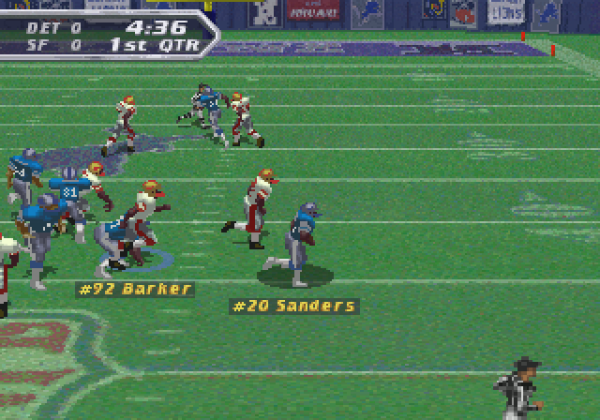
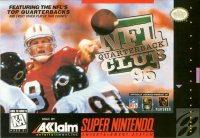
Welcome to the action! If you're new to NFL™ Quarterback Club™, get ready to be blown away by the best quarterbacks in the business, leading your team to victory! If you've played before, you'll appreciate the host of new features in NFL™ Quarterback Club™ '97. Features include trading players, more on-screen plays to choose from, on-field referees, an on-field clock, and new "more better" player animations. Moving Through the Game
On Screen help appears throughout the game, making NFL™ Quarterback Club™ '97 fast and easy to learn and play. Just watch the screen and follow the directions at the bottom your screen! •
CONFIRM SELECTION/NEXT SCREEN
See the enclosed Quick Control cards for default game controls, or view Control under Options.
Game Modes
Press UP or DOWN on the Directional Button to highlight your choice, then press the START or X BUTTON to confirm your choice.
NFL™ Play
This mode features Preseason, Full Season, Playoff and Pro Bowl™ action, plus the ability to mold your own team via trades!
Quick Play
Jump straight into action with Quick Play mode. In this mode, two teams are selected at random by the computer for a fast fix of Preseason action. Quarters are only five minutes each in Quick Play, and difficulty is set to Pro.
Simulation
This mode lets your imagination and adrenaline kick in as you play in the most incredible game situations of the past, present and future--or create your own! Can you defeat them all? (See page 19 for more details on Simulation play.)
Calling Plays
Quick Select
•
Select your formation, then confirm your choice.
•
Select a play in that formation, then confirm your choice.
Normal Select
•
Select the desired formation, then confirm your choice.
•
Select the proper yardage situation and confirm your choice.
•
Scroll left and right through the available plays, then press the action control (O, A, O, X) for the desired play.
After Picking a Play
Once you've picked a play, you can:
•
Flip the Play (reverse the formation and direction of the play)
•
Start Play (begin the action!)
•
Choose No Huddle (or Flip Play/ No Huddle!) No Huddle will take you back to the line of scrimmage following the play.
Using Audibles/Hyper Audibles
To call regular Audible plays, you must first set audibles (see Pause options for details). When you get to the line of scrimmage, press the L2 BUTTON to call an Audible, then press the control associated with the desired play.
To call a Hyper Audible, press the R2 BUTTON, then the three-control code associated with the desired play. HYPER AUDIBLES allows you to quickly call a play at the line of scrimmage without specifying the formation.
PlayStation Hyper Audibles Chart
•
SHORT MEDIUM LONG BOMB ZONE
•
PRESS 2 SIDELINE LEFT MIDDLE RIGHT SIDELINE
•
PRESS 2 NORMAL * RUN FAKE PASS FAKE
•
SIDELINE LEFT MIDDLE RIGHT SIDELINE
•
* Normal, except for defense
You simply input a three button sequence for the play situation and the computer will automatically pick one of the many appropriate plays.
Hyper Audible Examples
•
A short run to the left would be input as: SQ,SQ,SQ
•
A pass fake from a punt formation to the middle would be: R1,R1,X
No Huddle
This allows the player to set a "no huddle" situation on offense for the purpose of speedy game play or hurry-up and two-minute drill situations.
If the no huddle option is set, no playbook options will appear, and players will call plays from their selected, default, or Hyper audibles. Once a No Huddle offense is set, it remains in effect until you select a Huddle setting or the clock stops.
Huddle
This option turns OFF No Huddle mode if it was selected when calling a play.
NFL™ Play Modes
Original & Traded Rosters
In Preseason, Season or Playoff modes, you can use the default Original Roster, or use a previously saved Traded Roster*. If you select a Traded R