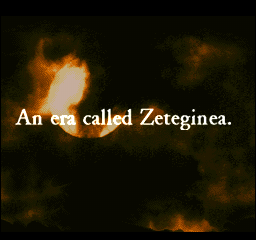
Start Up Screen
Insert the CD-ROM and plug in the Playstation. Once the start up screen shows, you can select one of the following and press the X button: Playstation and the Playstation logos are trademarks of Sony Computer Entertainment Inc. Tactics Ogre © 1995 Quest © 1997 Artlink Main Menu Options
•
NEW GAME: To start a new game.
•
CONTINUE: Start from the saved data.
•
TUTORIAL: You can get the basic game function. Recommended for beginners so that you can understand the game system.
•
SOUND: You can set the sound to either Mono or Stereo.
Character Settings
When you start a [NEW GAME], the goddess of Valeria will ask you several questions. You are to answer those and set up the personality of the main character (yourself).
First, you will set the birthday and the name. If you do not set a name, your name will be Denim. Then each Elemental god will ask you questions. You are to answer those as well and finally you will select what god to be your protector.
Player's Purpose
The purpose of the game is to end the war in Valeria. You, the player, will play the role of Denim, the main protagonist of the story.
You will face various enemies operated by the computer. The end result of the game will differ depending on what activities and decisions you/Denim makes.
Main Characters
•
DENIM POWELL: A 16 year old Walstanian boy from the port town of Griate. A young warrior seeking justice. (The name can be changed. Details see CHARACTER SETTINGS)
•
KATCHUA POWELL: An 18 year old Walstanian girl. She is Denim's sister. She has studied to become a Priestess.
•
VICE BOZEK: Denim's childhood friend. His parents were killed by the Dark Knights. His hatred toward the Dark Knights is unequaled.
Command Icons
•
ITEM: To remove or equip items on each member. You can check and organize your items in this mode. When you choose this command, the equipment screen will show up. You'll see other command icons pop up such as: "equip", "delete", "list", and "condition".
•
MAGIC: To equip or delete magic on each character. When you choose this command, a magic equipment screen shows up. You will be able to use commands "equip", "delete", "list". In order to use magic, you need to have a specific magic book in stock.
•
CLASS CHANGE: Depending on your character's current status, you can change that character's class. To attain certain classes you must meet certain requirements. Only human characters are able to change classes.
•
OMIT: Used to remove a member from your list of characters. Once the member is removed, you cannot get that character back. Think before you initiate this command.
•
REARRANGE: You can change and rearrange the order of members by status. In the beginning of the game the members are aligned according to numbers. Denim will be at the top and the other members will be aligned in the order of their recruitment.
•
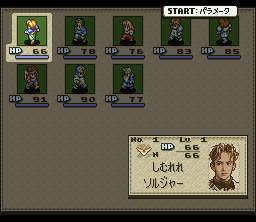
STATUS: A screen which shows twenty members on the screen is called S status. You can use this command to create an L status screen which shows only three members per screen.
•
WARREN REPORT: You can read current incidents, information about enemies, your members, game strategies and hints. You can also check the number of dead members and how much time you have spent playing the game.
•
DATA: To save game data or load saved data. You can save up to 15 games per memory card.
•
OPTION: To set the game environment, such as message speed, cursor pattern. Also, you will be able to control the game's background music.
Option Settings
1. Cursor Move: You have four (4) choices to set the movement of the cursor on the battlefield. Default setting is A type.
2. Cursor Speed: You can set the speed of cursor movement on the battlefield.
3. Status Display: When it is [ON], it will display the selected character's status on the screen.
4. Navigation Message Display: When it is [ON], screen will show every instruction you need to do.
5. Message Speed: You can set how quickly text will appear on the screen. Default setting is [NORMAL].
6. Attack Name Display: When it is [ON], the name of the attack will be displayed on the screen. Default setting is [ON].
7. Effect Message Display: When it is [ON], it will display the effects during the battle. Default setting is [ON].
8. Experience Point Display: When it is [ON], the experience points a character gets will be shown on the screen. Default setting is [ON].
9. Icon and Command Name Display: There are three (3) choices to set the way of display. Default setting is [A Type] which shows icons and name of commands.
10. Sound: You can either set to [Stereo] or [Mono].
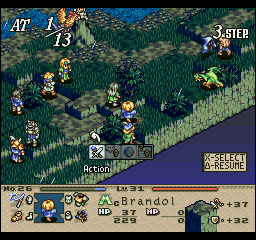
11. L1 Short Cut Display: When it is [ON], L1 Short Cut Button will display on the battlefield screen. It
.png)

.png)

_1.png)


.png)




_1.jpg)





_1.png)