Setting Up
Set up your PlayStation™ game console according to its Instruction Manual. Make sure the power is OFF before inserting or removing a compact disc. •
Insert the TAIL OF THE SUN disc and close the CD door.
•
Insert a game controller and turn ON the PlayStation game console. Your Adventure Begins
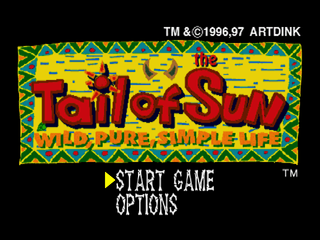
Title Screen
New Game Select Screen
To begin a new game, select START GAME at the Title Screen. Select the center character to begin a NEW game.
If you have saved previous unfinished games, these can be continued by pressing the Directional Buttons to select the title. Press the X Button to continue.
Enter Name
When beginning a new game, use the Name Entry Screen to alter the default name for your character if you choose. You also have the option to change your character's name when loading a saved game.
•
Move the cursor to different letters with the Directional Buttons.
•
Press X to enter letters or O to delete letters.
•
Select END at the bottom of the screen to continue.
Name Entry Options
•
ABCDE FGHIJKLMNO PQRST UVWXYZ...
•
abcdefghijklmno pqrstuvwxyz.?
•
!@#$ %& *()_"':;, . /\~`|{}[]<>^
Sound Mode Select
Before beginning, select STEREO or MONO sound for music and sound effects. Press the X Button to select.
Choose Tribesman
Your village begins with only three members in the tribe - each with the same abilities.
•
Press the Left or Right Directional Buttons to scroll through the members of your tribe.
•
Press the X Button to select the bravest hunter.
As the population of your village grows, you will see additional members to choose from. If the tribe member you are controlling dies, this screen will appear again until you've used up your entire tribe. Be careful with your tribe, or the human race could become extinct!
Options Screen
At the Title Screen, select OPTIONS to change gameplay options.
Button Configuration
To change the button functions, highlight the button you wish to change, then press the X Button. A menu with the four button functions will appear.
•
Select the function you wish to assign to the selected button.
Button Functions
Game Level
To change difficulty level, select Game Level in the Options Screen and press the X Button. Choose between Easy, Normal, and Hard settings and press the X Button.
Game Level Options
Default
To return the button configurations and game level to the default settings, select Default and press the X Button.
In-Game Menus
Pressing the Select Button while playing brings up the In-Game Menu.
•
Press Up or Down on the Directional Buttons to highlight an option.
•
Press the X Button to select.
Save
Brings up the Save Screen, and checks both Memory Card slots. If there is insufficient space on a card, or no card present, you'll hear about it.
If there are 2 blocks free on a memory card, you can save your game progress.
•
Press the Up or Down Directional Buttons to select the spot you want to save to.
•
Press the X Button to save your game using the name of your current character.
Each memory card can hold 2 saved games. If you have a previously saved game, it will be listed on the Save Screen and can be overwritten with your current position.
Load
Brings up the Load Screen, which shows any saved games on either Memory Card.
•
Highlight the game you want to load.
In-Game Menu Options
Info Menu
Selecting INFO brings up another menu, the Info Menu, from which you can see additional helpful information.
Body Status Screen
The Body Status Screen shows the current evolution of your character, which happens to be the same for your entire tribe. Various portions of your character's body are shown in color, indicating how developed those aspects of your tribe currently are.
Body Status Attributes
•
BRAIN: intelligence level, if increased, your tribe's cultural level goes up more quickly
•
SWIM: lung capacity, greater ability to travel through water
•
HAND: arm strength, increased effectiveness when fighting
•
PROPAGATE: reproductive ability, the more food you eat, the more your tribe's population increases
•
JUMP: leaping height, the stronger your legs, the higher and further you can jump
•
RUN: running speed, greater ability to catch or avoid animals
•
CURRENT TATTOO: shows which Power Tattoo your character currently bears.
History
Shows the tribe's record of all your successful hunting expeditions. As you become a more prolific hunter, your history will grow beyond a single screen.
•
Use the Left and Right Directional Buttons to scroll across the entire cave wall.
Tower
Shows the progress you have made building your mammoth tusk
.png)