Setting Up Your Console
1- RESET BUTTON
2- POWER INDICATOR
3- POWER BUTTON
4- MEMORY CARD SLOT
5- OPEN BUTTON
6- DISC COVER
7- CONTROLLER PORT
1- CONTROLLER PORT 1
2- CONTROLLER PORT 2
3- MEMORY CARD SLOT 1
4- MEMORY CARD SLOT 2
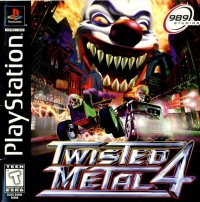
Set up your PlayStation® game console according to the instructions in its Instruction Manual. Make sure the power is OFF before inserting or removing a compact disc. Insert the TWISTED METAL: Small Brawl™ disc and close the Disc Cover. Insert game controllers and turn on the PlayStation game console. Follow on-screen instructions to start a game. PlayStation 2 Compatibility Note
When playing TWISTED METAL: Small Brawl on the PlayStation® 2 computer entertainment system, if the Disc Speed Driver option is set to "Fast", the music speed will be affected. To avoid any problems, please set the Disc Speed Driver option to "Standard". Main Menu
On the Main Menu, you can select a One or Two Player game or Options.
One Player
Play alone against the neighborhood kids to see who's the toughest on the block. You can pick from Tournament, Challenge, or Endurance modes.
Two Player
Rumble with a buddy as you compete in Head to Head, Cooperative, and Free for all modes.
Options
Adjust the various game settings.
Options Menu
You can adjust the following game options (default settings are in bold):
Difficulty
Select from Easy, Medium or Hard.
Memory Card
To load or save your game progress, any unlocked goodies and your game settings, insert a MEMORY CARD into either MEMORY CARD Slot of your PlayStation game console. If Memory Cards are placed in both MEMORY CARD Slot 1 and MEMORY CARD Slot 2, you can toggle between the two Memory Cards by selecting the "Switch" option. •
To Load a previously saved file, insert the Memory Card(s) and highlight the appropriate file to load. Then press X to load the file.
•
To Save your game progress, insert the Memory Card(s), select the file or block you wish to save onto and press X. To confirm your selection, press X again or press O to cancel the Save process.
Note: During Tournament mode, with a Memory Card inserted, you can save your progress after successfully completing each level.
To Save your favorite settings and unlocked items, select "Save Settings."
Movies
Select this option to view previously unlocked movies. Highlight the movie you wish to watch and press X to play the movie.
Controller
This option allows Player One and Player Two to select from one of three different configurations: TM:2 Classic, Small Brawl and SB: Reverse.
Credits
Select this to see the list of talented people that made this game.
Game Modes: One Player
Tournament
Ready to compete in Calypso's tournament? In this mode, you must battle through each battleground filled with opponents of Calypso's choosing.
Press the Directional button Left or Right to cycle through the available vehicles and press X to confirm your selection. To clear a level in the Tournament Mode you must destroy all of your opponents.
Enemy vehicles are chosen automatically and their skills increase with each level you successfully complete. You will be given the option to save your progress upon each level's completion.
Challenge
Up to a challenge? In this mode, you select a battleground and the RC cars you wish to fight against. Once you defeat all of your opponents, you have the option to restart the level or exit out to the Main Menu.
To begin the match, select your vehicle, the level of your choice, and up to five computer-controlled opponents. Press X to confirm your selections and then X when you are ready to start.
Note: You will not be able to save any data in the Challenge Mode.
Endurance
How long can you last? Select a battleground and an RC car and defeat each opponent as they come out one by one. Sound easy? It would be except that you only get one life to use and none to spare.
Game Modes: Two Player
Head To Head
Bragging rights to the winner! You and a friend battle it out to the end and the winner is the player who successfully destroys their opponent's vehicle 5 times.
Scoring
You will be awarded 2 points for each of your opponent's vehicles you destroy, but you will lose 1 point every time your vehicle is destroyed.
Each player chooses a vehicle and then Player One chooses a battleground. Press the Directional button Left or Right in order to cycle through the available vehicles and battlegrounds. Press X to confirm your selections.
Note: There are no computer-controlled vehicles in this mode.
Cooperative
Sometimes you just want to help a buddy out and in Cooperative mode, you get to do exactly that. Two players fight as a team to advance through the various battlegrounds.
To proceed to the next battleground, all computer-controlled opponents must be destroyed. Players share one set of lives. If there are "0" lives remaining and either player is destroyed, the game ends.
Note: You will not be able to save your progress in Cooperative Mode.
Free For All
It's everyone for themselves as two players fight against each other and against computer-controlled opponents.
Scoring
You will be awarded 2 points for each of your buddy's vehicles you destroy. 1 point for each computer-
.png)


.png)
.png)
.png)
.png)



_1.png)





_1.png)