Setting Up Your PlayStation
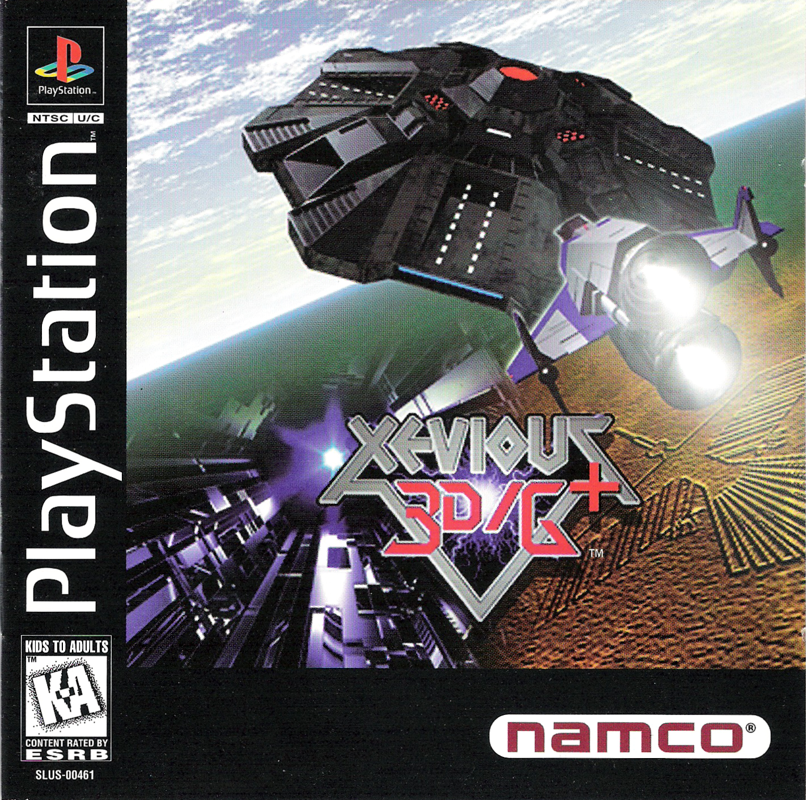
Set up your PlayStation™ game console according to its Instruction Manual. Make sure the power is off before inserting or removing a compact disc. Insert the Xevious™ 3D/G+ disc and close the disc cover. Insert game controllers and turn on the PlayStation™ game console. Follow on-screen instructions to start a game. Console Top View
Console Front View
Getting Started
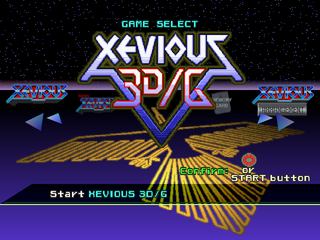
To go to the Game Select Menu, press the Start Button on the main Title Screen. Make your selection by pressing left or right on the Direction Buttons, then press the Start or Buttons.
Game Selection
This game is a translation of the latest XEVIOUS arcade game in the series. Two players can play at the same time. A complete reproduction version of the original XEVIOUS arcade game. Similar to the original, but much harder. The enemies will attack you from more varied formations.
A completely rearranged version of the original XEVIOUS. Two players can play at the same time.
Memory Card
Select this option to save or load high scores and configuration data. Use the Direction Buttons to select and press the Start or Buttons.
When you insert the game and a memory card that has the XEVIOUS 3D/G+ high score data into the PlayStation and turn the PlayStation ON, the XEVIOUS 3D/G+ high score data automatically loads. XEVIOUS How to Start
After the Title Screen appears, use the Direction Buttons to select an option and press the Start Button.
Press the Start Button on the first player's controller. For 2 players, press the Start Buttons on both controllers.
To set the difficulty and the number of fighters available.
To reset the game and return to the main Game Select Screen. Select YES then press the Start Button to confirm your selection.
XEVIOUS Configuration Menu
Select a menu item by either pressing the Select Button or moving the Direction Buttons up or down. To set the options move the Direction Buttons left or right.
To set the difficulty.
To set the number of fighters you start the game with.
To set up the music, Original, Arrange, or nothing.
To set the sound to stereo or mono.
Press the Start or Buttons to enter the Adjust Screen Mode. Use the Direction Button to adjust the screen and press the Start Button when finished. You can return to the default settings by pressing one of the X, or Buttons.
Press the Start or Buttons to enter the Configuration Screen. Set the buttons to your style of play and press the Start Button to go back to the Configuration Screen.
To return to the Title Screen. Press the Start or Buttons.
XEVIOUS How to Play
•
1. Number of remaining SOLVALOU fighters.
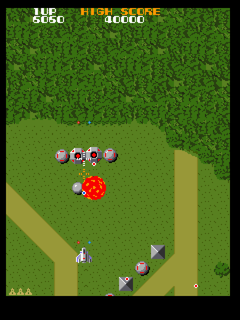
Your fighter, the SOLVALOU, has two types of weapons: the ZAPPER that uses anti-aircraft missiles, and the BLASTER that uses bombs. Use the ZAPPER on airborne enemies and the BLASTER to destroy enemies on the ground. The BLASTER has a sighting device to aim at enemies on the ground.
When you destroy the boss at the end of each area, you have cleared it and will advance to the next area.
Your fighter is vulnerable to enemy shots and collisions. When you lose all of your fighters, the game is over. When the game is over, press the Start Button to continue.
XEVIOUS Pause Menu
To pause the game, press the Start Button. Move the Direction Buttons up or down, or press the Select Button to select menu items then press the Start Button.
To resume the game.
To return to the Title Screen of 3D/G, select YES, then press the Start Button to confirm your decision.
To go back to the Main Game Select Screen, select YES, then press the Start Button to confirm your decision.
To adjust the screen.
Power Up Capsules
When your BLASTER bomb destroys the item boxes on the ground, you can power up as follows:
XEVIOUS 3D/G How to Start
After the Title Screen appears, use the Direction Buttons to select an option then press the Start Button. Press the Select Button to enter credits.
Press the Start Button on the first player's controller. For 2 players, press the Start Buttons on both controllers.
To set the difficulty and the number of fighters available.
To return to the Game Select Screen where you can choose the game. Select Reset and press Start to return.
XEVIOUS 3D/G Configuration Menu
Select a menu item by either moving the
.png)


.png)