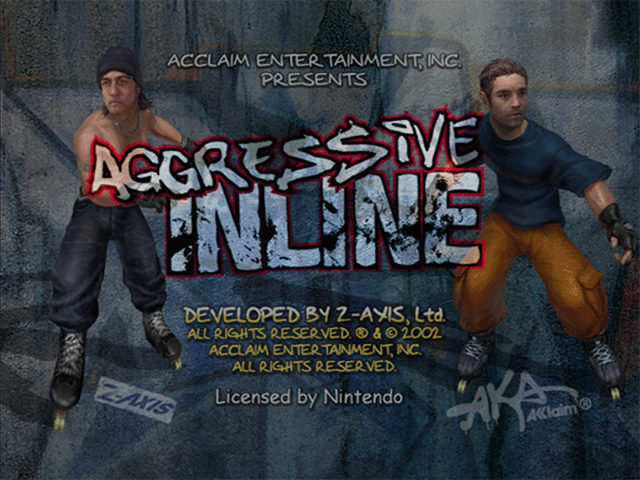
Loading
1. Make sure the POWER is OFF on your Nintendo GameCube™. 2. Insert your Aggressive Inline Nintendo GameCube™ Game Disc as described in the instruction manual. 3. Insert Nintendo GameCube™ Controller into Controller Socket. Note: Aggressive Inline is for one or two players. Each player should insert a Controller into the proper Controller Socket at this time.
4. If you wish to save a game, insert a Nintendo GameCube™ Memory Card into Memory Card Slot A. 5. Press the POWER Button ON (important: make sure not to touch the Control Stick while doing so).
Introduction
Welcome to Aggressive Inline, a showplace of skating, skill and speed. This is the place where daring moves and dizzying modes make the difference.
In the Tutorial level, you'll have a chance to learn all the skating skills you need. Mastering them is another matter, and there are lots of tough levels that will test your abilities like never before. Once you get the hang of it, you'll be chaining insane tricks together for big scores like a pro before you know it.
You can take on an entire career's worth of play, completing progressively more difficult levels until you beat them all. Creativity and fun come together when you create your own skate park levels to test your skills on. You can play through all kinds of tough tests against a friend in split-screen Multiplayer mode. So put on those skates and get rolling!
Menu Navigation
•
A Button: Accept/Advance
•
+ Control Pad: Move Cursor/highlight
•
Control Stick: Move Cursor/highlight
Getting Started
You will advance to the main menu. Press or on the + Control Pad/Control Stick to highlight a choice and press the A Button to select it or the B Button to cancel.
Game Modes
•
CAREER: Compete on a variety of levels completing challenges to advance.
•
FREESKATE: Skate on any unlocked level with no juice meter to worry about.
Tricks
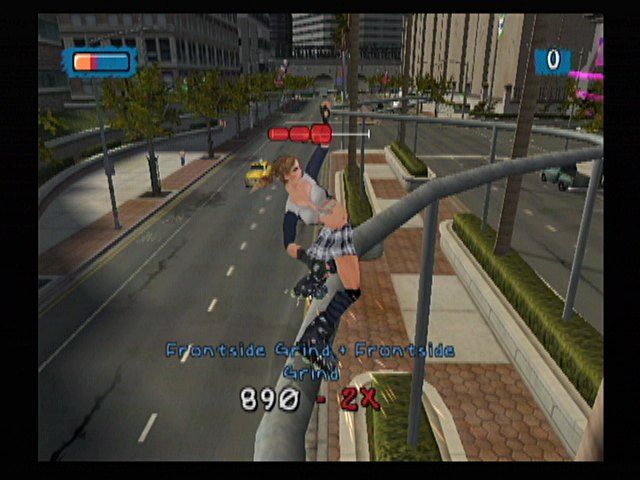
Tricks are the soul of Aggressive Inline. They are performed anywhere, but perhaps most impressively in the air. The Trick control allows you to modify tricks by pressing a different directional control while pressing the trick button.
In addition, a series of button presses while a trick is in progress will allow you to flow from one trick into another and another. The idea is to combine a number of tricks consecutively into a spectacular chain that demonstrates both creativity and skating mastery (and earns you max points, too).
•
TO CESS-SLIDE (REVERT): Press the Z Button to perform a Cess Slide. Use this move to switch to and from Fakie or when landing on a Vert Ramp to continue your combo chain. Try linking a cess slide into a manual.
•
FREELOOK: At any time, you have the ability to look around the surrounding areas by maneuvering the C Stick.
•
GRAB TRICKS: While in the air, press the + Control Pad/Control Stick in any direction, then tap the B Button. Ex. + B Button = Rocket Grab.
•
FLIP/SPIN TRICKS: While in the air, press the + Control Pad/Control Stick in two directions, then tap the B Button. Ex., ↑ + B Button = Bio Flip.
•
MODIFIED FLIP/SPIN TRICKS: While in the air, press the + Control Pad/Control Stick in three directions, then tap the B Button. Ex.,, + B Button = Method Flatspin.
•
WALLRIDES: While in the air, you can perform a Wall Ride by holding on the + Control Pad/Control Stick, then pressing and holding the Jump button (A Button). Wall Rides are active as long as the A Button is held. Once you release the A Button, you'll jump off of the wall.
•
MANUAL: Tap - or -↑ on the + Control Pad/Control Stick when skating or landing to perform a single toe or single heel manual. Use and on the + Control Pad/Control Stick to balance.
•
GRAB TRICK TWEAKS: Holding the B Button longer will tweak (stretch out) the Grab trick providing the skater with even more points.
•
SPECIAL TRICKS: You can earn special tricks by finding a power-up on each level.
Action Button (X Button)
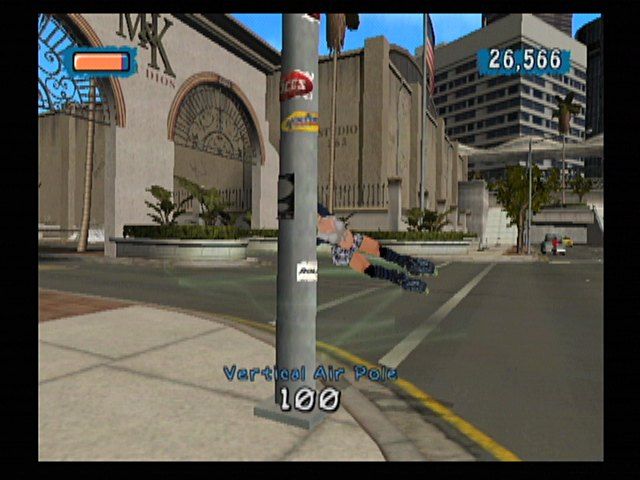
Use the Action button (X Button) to interact with elements in your environment, such as spinning on poles, talking to people, skitching behind vehicles and even bailing out of crashes. All these maneuvers can be executed with the use of one button press.
The Action button is context sensitive and reacts differently to different situations. For example, if you are near a vertical pole and press the X Button you will grab and spin around it, while if you are near a pedestrian and press the X Button you will talk to the pedestrian and receive a challenge.
•
VAULTING: Skaters have the ability to vault over rails and out of vertical ramps by pressing the X Button. This enables the skater to launch high in the air to start off a new trick string or just launch out of a vertical ramp with style.
•
POLE SPINS: The skater also has the ability to grab and spin around horizontal and vertical poles placed throughout all the levels by pressing the X Button. These poles are great for getting to hard and or secret areas otherwise unavailable through normal skating.
When skating near a horizontal or vertical pole, press the X Button (Action button). If it's a horizontal pole
.png)