Getting Started
Set up your PlayStation®2 computer entertainment system according to its Instruction Manual. Ensure the MAIN POWER switch (located on the back of the console) is turned on.
Press the RESET button. When the power indicator lights up, press the open button and the disc tray will open. Place the colin mcrae rally 3T™ disc on the disc tray with the label side facing up. Press the open button again and the disc tray will close.
Attach game controllers and other peripherals, as appropriate. Follow on-screen instructions and refer to this manual for information on using the software.
Memory Cards
Within this booklet, the term 'memory card' is used to describe the Memory Card (8Mb) (for PlayStation®2) - (product code SCPH-10020 E). Any other Memory Card such as Memory Card (SCPH-1020 E), which is designed for use with PlayStation® computer entertainment system, is not compatible with this game or hardware.
Make sure there is sufficient space on your memory card before starting play.
Beginning the Game
Main Menu
•
Championship: play as Colin McRae through a 3-year contract with the Ford Rallye Sport Team (single player). •
Stages: take on a single rally stage with any of the unlocked cars and tracks in 1 or 2 player modes.
•
Options: select game options and configurations.
•
Extras: access bonus game material and special features.
Autosaving
Throughout your career as a world-class rally driver, your progress is saved automatically to the memory card. Up to three careers can be saved to one memory card. Do not remove the memory card while your game is being AutoSaved.
The AutoSave icon appears on-screen while AutoSave is in progress. After the initial creation of the AutoSave file on your memory card, only updates to your progress are saved. Therefore, you must keep the same memory card present in order to see your career through to its conclusion. You cannot swap memory cards during play.
You can race without a memory card present, though no career progress information, unlocks or opened secrets will be retained for play at a later date.
Championship Mode
Championship Menu
Starting Your Career
To start a new career, highlight one of the 'EMPTY' career slots and press the X button. Next, give your career a name. Use the directional buttons to highlight each letter, pressing the X button to enter each one in turn. To delete letters, either press the button or highlight 'DEL' and press the X button.
When you are satisfied press the START button, or highlight 'OK' and press the X button. Finally, highlight the difficulty level you want to compete at (depending on those unlocked) and press the X button. This creates the career save file on memory card to which all AutoSaves for this career are made.
Continuing Your Career
To continue your career from the last AutoSaved point, highlight the career name in the Championship Menu and press the X button. On the following screen, highlight 'LOAD' and press the X button.
Deleting A Career
To remove a career from memory card, highlight the career name in the Championship Menu and press the X button. On the following screen, highlight 'DELETE' and press the X button. Next press the X button to confirm deletion and remove the save file from the memory card permanently, or the O button to cancel deletion.
The Rally
As World Champion rally driver Colin McRae, your career with the Ford Rallye Sport Team consists of three Championships, each through six countries. In each country you are scheduled for one day of testing (Shakedown), followed by the two-day rally event. Shakedown Day
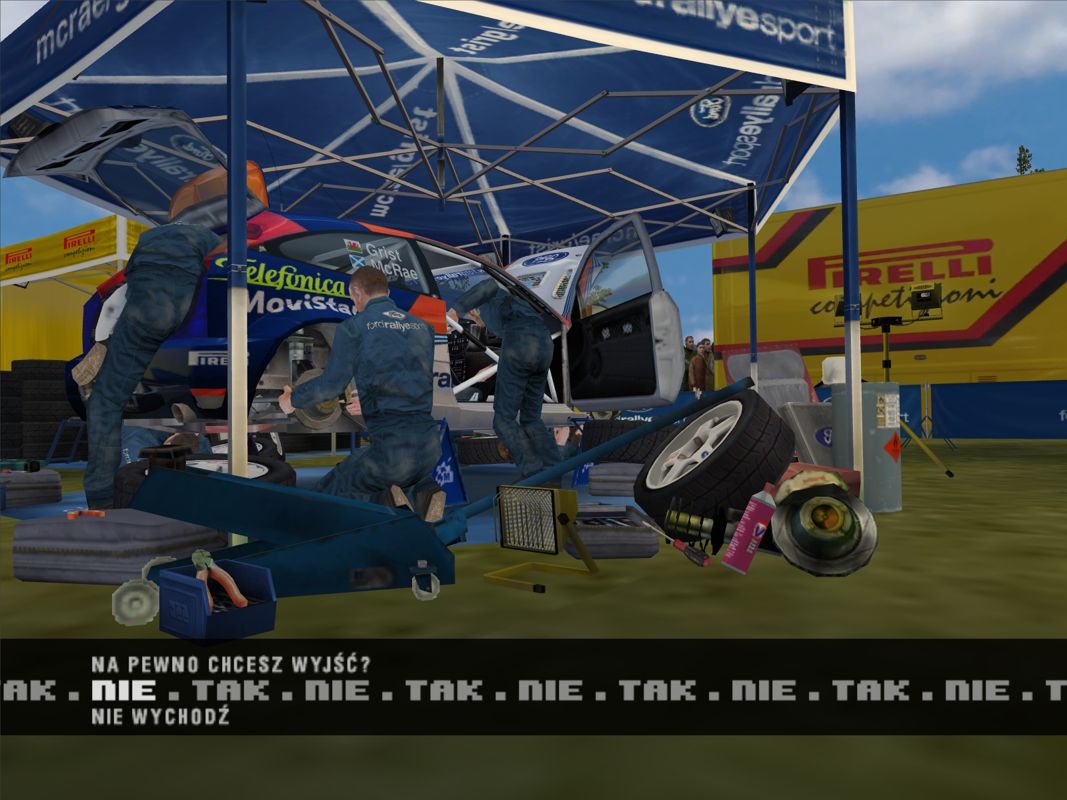
Shakedown is the day allocated for you to ensure your Ford Focus RS WRC is set up properly for the upcoming rally. From the Service Area, configure, tweak and test your car configuration and analyze the data on its performance.
This is also your chance to get the low-down on the rally stage/s you are about to take on. Select 'INFORMATION' for details concerning your current challenge. When you've made and tested all of your vehicular adjustments, highlight 'CONTINUE' to proceed to Rally Day 1.
The Rally Event
Day One
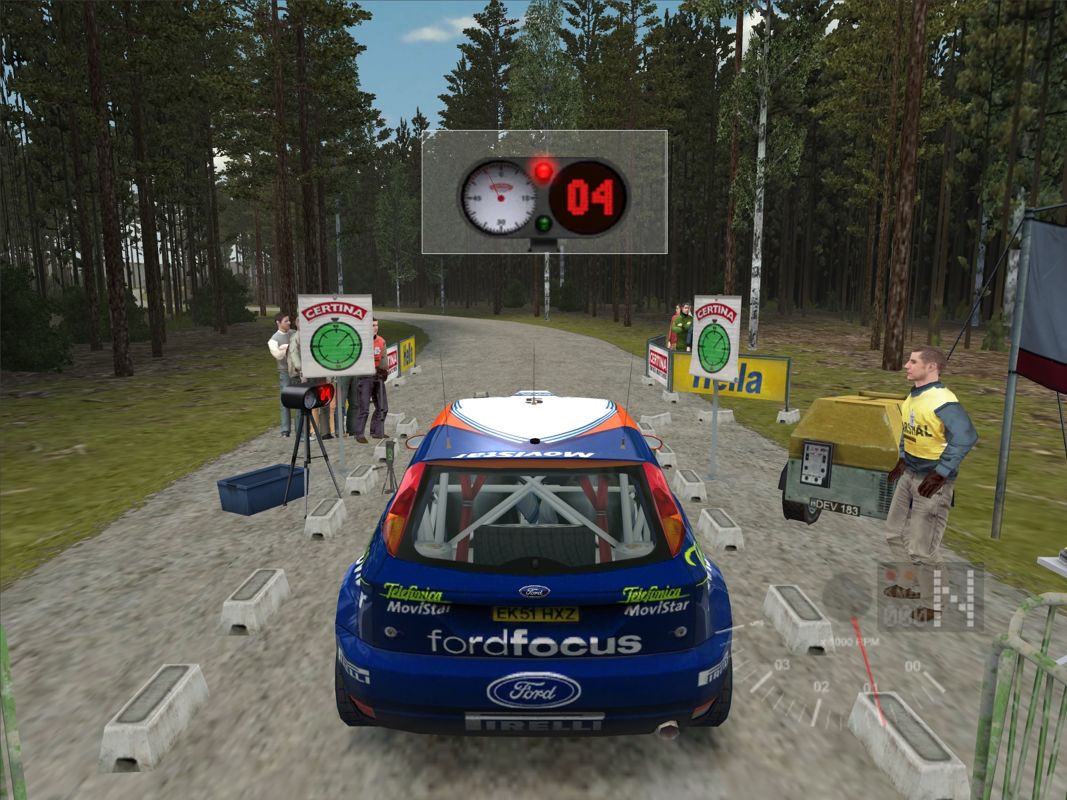
On Rally Day 1, you will be running three Special Stages back-to-back, driving for the fastest time against the rest of the field. There will be no Service Areas to reconfigure your car or repair damage, so if you are going to make it through all three stages, you will need to make sure your car stays relatively intact. Day Two
Rally Day 2 is an altogether more intensive rally experience. Your day starts at the Service Area (for configuration and repairs) followed by three Special Stages. A further visit to the Service Area takes you onto the final Super Special Stage the climax of the country's rally.
Optimizing Your Car Setup
It is important that your car is configured properly for the stage ahead, the weather conditions and your driving style. Always make the most of your Shakedown Day to get your car perfectly tuned for the rally. As you progress through the Championship, more advanced car components will become available to enhance your performance. Install them through Car .png)

.png)










_1.png)

.png)
.png)
_1.png)
.png)

_1.jpg)