Please Note
This software uses a font based on the Fontworks International Limited font. The name "Fontworks" and the font name are trademarks or registered trademarks of Fontworks International Limited.
Motorcycles included in this game may be different from the actual motorcycles in shape, colour, movement and performance. Do not imitate the riding techniques shown in this game. Remember, when riding a motorcycle in real life, always ride it safely and with thought for other road users.
The information in this manual was correct at the time of going to print, but some minor changes may have been made late in the product's development. All screenshots for this manual have been taken from the English version of this product.
Setting Up
Set up your PlayStation®2 computer entertainment system according to the instructions in its instruction manual. Check that the l/ indicator on the front of the console is lit up red. Press the I//RESET button and the I/ indicator will light up green.
Press the button on the console front to open the disc cover and place the MotoGP4 disc in the disc holder with the label side facing upwards. Press lightly until the disc clicks into place. Close the disc cover by pressing firmly until you hear a click. MotoGP4 will then commence loading.
It is advised that you do not insert or remove accessories once the power is on. Owners of SCPH-30000 and SCPH-50000 series PlayStation®2 consoles should refer to the setup instructions supplied with the console.
Before commencing play, it is recommended to select your preferred language from the console's System Configuration menu. Choose either English, French, German, Spanish or Italian.
Memory Card (8MB) (for PlayStation®2)
Throughout this manual, the term "Memory Card" is used to describe the Memory Card (8MB) (for (SCPH-10020 E).
Memory Cards (product SCPH-1020 E) designed for use with the PlayStation® format software are not compatible with this product.
GP Points
GP points are accrued as progress is made through the various single player modes, with bonus points awarded for particularly impressive achievements. These points can be spent in the Paddock to unlock all kinds of extra content, including riders, circuits, movies and much more.
Classes
The three engine classes into which MotoGP competitions are divided are 125cc, 250cc and MotoGP. Traditionally, riders have begun their careers in the lowest class, 125cc, and worked their way up to the powerful MotoGP class.
Bikes in the MotoGP class can be fitted with engines of up to 990cc, where once they were restricted to 500cc two-stroke engines. The rise of the 990cc four-stroke machines, permitted since 2002, has changed the MotoGP landscape dramatically, ending the dominance of certain riders and prompting renewed interest in the sport.
The 125cc and 250cc classes are still restricted to two-stroke machines, with 125cc engines permitted one cylinder and 250cc engines permitted two. Though less powerful than the bikes in the MotoGP class, the machines in the lower classes demand a high level of skill from their rider and offer a different challenge from competing in the highest class.
Riders to Watch
MOTOGP CLASS
Only the second rider in the history of the sport to have lifted the title in all three classes, Rossi is already a MotoGP legend and firm fan favourite. Son of Graziano Rossi, himself a celebrated MotoGP rider of the Seventies, Valentino is as charming off the circuit as he is competitive on it.
Using Menu Screens
•
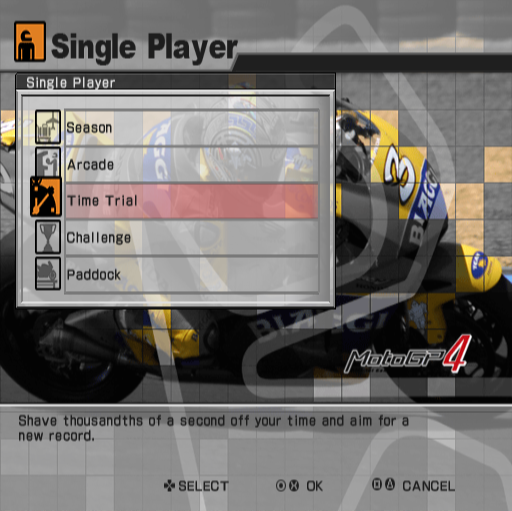
Press the ↑.., or directional buttons to highlight an option.
•
Press the button or the button to confirm.
•
To return to the previous menu screen, press the button or the button.
Getting Started
The Title Screen
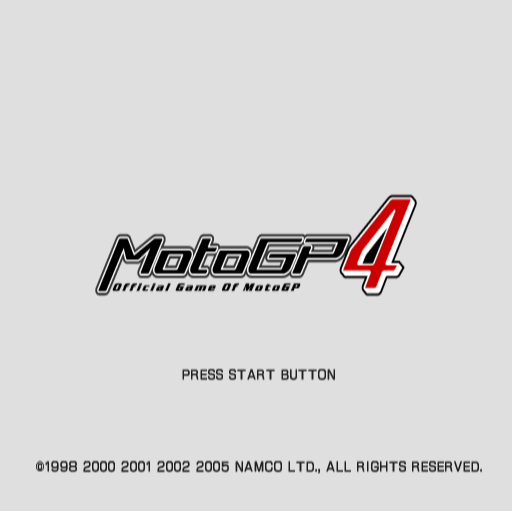
On boot-up the Title Screen will be displayed. Press the button to proceed to the Main Menu. Any previously saved MotoGP4 data present on the Memory Card inserted in MEMORY CARD slot 1 will be loaded automatically.
A short cinematic sequence will be displayed if the button is not pressed within a short period of time. Press the button to quit the cinematic sequence and return to the Title Screen.
If there is no MotoGP4 data present on the Memory Card inserted in MEMORY CARD slot 1, users will be asked whether MotoGP4 is the first title in the MotoGP series they have played.
•
Select YES to be offered an explanation of the different game modes.
•
Select NO to be offered an explanation of the new features of MotoGP4.
•
In both cases, press or to highlight the desired response and press the button or the button to confirm the selection and either view the requested explanation or proceed to the Auto-Save Screen.
Auto-Save
After any explanations of game modes have been displayed, the Auto-Save Screen will be displayed. Select YES to turn auto-save ON. If auto-save is turned ON, any progress or changes to settings will be automatically saved to the Memory Card inserted in MEMORY CARD slot 1.
If auto-save is turned ON, a save file will be created on the Memory Card inserted in MEMORY Card slot 1, providing there is sufficient free space. Select YES to confirm the creation of a MotoGP4 save file or select NO to cancel. At least 140KB of free space is required to save game settings and progress.
**Fast
.png)


.png)

_1.png)
.png)
.png)
_1.jpg)


.png)





_1.png)




_1.png)