GETTING STARTED
•
Switch the Nintendo Game Boy Advance system OFF. Never insert or remove a Game Pak while the system is ON.
•
Insert the Backyard Basketball Game Pak into the slot. Press firmly to ensure correct insertion.
•
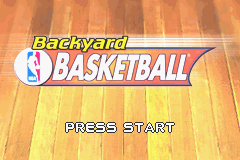
Switch the Game Boy Advance ON. The title screen should appear. If it fails to appear, return to step 1.
•
Press START on the title screen to proceed to the Main Menu.
For multiplayer, connect two Game Boy Advance systems (each with a Game Pak) via a Game Boy Advance Game Link cable.
WELCOME TO BACKYARD BASKETBALL!
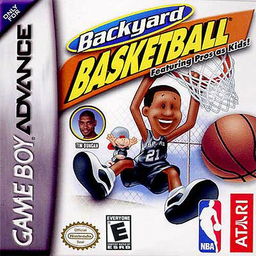
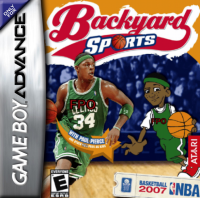
Backyard Basketball is now available on the Game Boy Advance. Create a portable basketball team with Backyard Kids and cool kid versions of NBA stars.
Expect slam-dunk action featuring wacky courts and crazy power-ups.
MAIN MENU
PLAY NOW
Play a spontaneous game with randomly selected teams, players, and courts. These results do not affect Season Play statistics.
PICK-UP GAME
Play a single game where you choose your team, players, and court. Results do not affect Season Play statistics.
SEASON PLAY
Lead your team through a rigorous BBA season and compete for the BBA Championship.
OPTIONS
Game Setup
•
Game Difficulty: Choose Rookie, Pro, or All Star.
•
Quarter Length: Choose 2-, 3-, or 4-minute quarters.
•
Fouls / Violations: Turn ON or OFF.
•
Power-Ups: Turn ON or OFF.
•
Fatigue: Turn ON to let players tire over the course of a game.
•
Shot Assistance: Turn ON to auto-shoot when the meter is fully charged.
*Note: Gameplay options are set automatically based on difficulty but can be changed individually using the + Control Pad.*
General Options
•
Music: Turn background music ON or OFF.
•
Commentary: Turn pre-game commentary ON or OFF.
•
Display Fatigue Bar: Turn the fatigue bar display ON or OFF.
•
Display Initials: Turn player initials ON or OFF for identification.
•
Auto Save: Turn automatic saving after Season Play games ON or OFF.
•
Shot Meter: Turn the shot meter display ON or OFF.
•
Brightness: Select brightness for Game Boy Advance, SP, or TV.
PICK-UP GAME AND SEASON PLAY SETUP
COACH SIGN-IN SCREEN
Create a New Coach
•
Enter a coach name and press A.
Sign In Existing Coach
•
Select an existing coach and press A to resume.
Copying a Coach
•
Select Copy, press A, select the coach to copy, and press A to confirm.
Deleting a Coach
•
Select Delete, press A, select the coach to remove, and press A to confirm.
•
You can save up to two coaches.
GAME SETUP SCREEN
Set gameplay options for the current game or season.
TEAM SELECT SCREEN
•
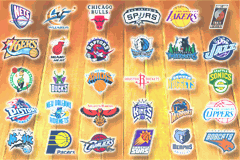
Select one of 30 NBA or six Backyard teams.
•
Use L or R to view more teams.
COURT SELECT SCREEN
•
Select from four standard courts and two unlockable bonus courts.
•
Unlock bonus courts by winning the Conference Finals and BBA Championship in Season Play.
•
The chosen court becomes your home court in Season Play.
Player Information
Press R to view player biography and skills.
Picking Players
•
Use the + Control Pad to cycle through players.
•
Press A to select a kid.
•
Select Yes and press A to confirm.
•
Continue until you have five kids.
•
In Pick-Up Game mode, Player 1 and the CPU alternate picks.
Creating Custom Players
•
Select the "?" icon and press A.
•
Choose a new slot, nickname, and physical attributes.
•
Use the + Control Pad to distribute skill points.
•
Press A to finalize and save.
Loading Custom Players
•
Select the "?" player and press A.
•
Highlight a saved custom player slot and press A.
Deleting Custom Players
•
Select the "?" player and press A.
•
Select Delete, choose the custom player, press A, and select Yes to confirm.
Jump to Game
Press START during player selection to quick-start. Random kids fill remaining slots.
SEASON PLAY MENU
•
Play Game: Start your next scheduled game.
•
Edit Lineup: Adjust your current team lineup.
•
My Team Page: View milestones, news, and team photo.
•
League Report: View statistics, standings, schedule, and awards.
•
Game Setup: Configure gameplay options.
Edit Lineup
Press B to return to the Season Play Menu when satisfied with positions.
Change Player Positions
•
Press A to select a player.
•
Use the + Control Pad to move the player to a new position.
Substitutions
•
Select Manual for manual substitutions.
•
Select Auto for automatic substitutions.
PRE-GAME COMMENTARY
Commentators Sunny Day and Barry Dejay announce the matchup. Press A to advance or START to skip.
*