Welcome to Backyard Skateboarding™
All the action from the PC game, shrunk down and portable! The Backyard Kids' neighborhood skatepark is in bad shape! Get ready to enter the Backyard Skate Tour and take on pro skater challenges in the Neighborhood, Boardwalk, Castle and more! It's your turn to try and win a brand new skatepark for your town!
Getting Started
1. Switch the Nintendo® Game Boy® Advance system OFF. Never insert or remove a Game Pak while the Game Boy Advance is ON.
2. Insert the Backyard Skateboarding™ 2006 Game Pak into the slot on the Game Boy Advance. Press firmly to ensure the Game Pak is correctly inserted.
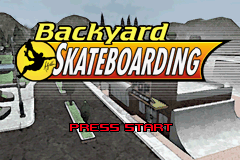
3. Switch the Game Boy Advance ON. The title screen should appear. If the title screen fails to appear, return to step 1.
4. When the title screen appears, press START to proceed to the Main Menu.
Note: Alternate control styles are available in the Settings menu. See page 11 for details.
Saving and Loading
To save the game, pause the game, highlight Exit and press the A Button. A save game prompt will appear. Press Left or Right on the Control Pad to toggle between Yes and No and press the A Button to continue.
To resume a Tour in progress, choose CONTINUE GAME from the Main Menu.
Note: Only one Tour is saved per Game Pak.
Main Menu
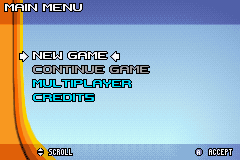
Choose from the following options on the main menu:
NEW GAME
Start a new Backyard Skate Tour and try to win your town a new skatepark. Complete challenges to unlock new skaters, levels and pro equipment.
CONTINUE GAME
Load a Tour already in progress.
MULTIPLAYER
Play with two players simultaneously in several different modes, such as Time Attack and Trick Attack.
CREDITS
View the credits of who made Backyard Skateboarding.
TOUR MODE
Select New Game from the Main Menu to begin a new career on the Backyard Skate Tour.
TRICK LIST
View all of the tricks that your skater can perform and how to activate them.
SPONSORS
Check how many total sponsors have signed your skater.
SETTINGS
Control Type
You can choose from four different controls layouts.
Music Volume
Adjust the music volume up or down.
SFX Volume
Adjust the sound effects volume.
Multiplayer (2 Players)
Create a custom player for your team. There are two different multiplayer modes available. Both modes are for two players only. Two Backyard Skateboarding Game Paks, two Game Boy Advance systems and a Game Boy Advance Game Link® Cable are required for multiplayer linked games.
Note: The Game Boy Advance system connected to the purple connector on the Game Link Cable is Player 1. Link play is not supported on the Nintendo DS system.
Connecting Game Boy Advance Systems
•
Before connecting the Game Link Cable, all Game Boy Advance systems must be switched OFF.
•
Connect the Game Link Cable to each of the systems.
•
Insert a Backyard Skateboarding Game Pak into each system and switch the systems ON.
•
From the Main Menu, both players must select the MULTIPLAYER option. Select your mode of play and start skating!
Time Attack
Two players race to see who can score the most points in the time allotted. You can change how many levels are played and your time limit.
Trick Attack
Two players battle it out to see who can do more unique tricks! You can change how many levels are played and your time limit.
Game Screen
Score
Every time you land a trick correctly, you earn points and the score appears on the screen. If you bail, you will see the amount of points you could have won and the trick names turn red.
Combo String
If you string together two or more tricks in a row, you'll start to see points racking up near the bottom of the game screen. The more tricks you can string together and land, the more points you will earn. Do a series of unique tricks to earn the most points!
Juice Meter
Fill up your Juice Meter by successfully landing a variety of tricks. Once the Juice Meter is full, you can attempt special tricks that you cannot do at any other time. Be careful though: if you bail while the meter is partially full, it goes back down and you'll have to do more tricks to fill it up again.
Balance Meter
Every time you ollie and grind on an object, start a manual or perform a lip trick, a balance meter appears on the game screen. The grind and lip balance meter is horizontal and displays above your skater's head, while the manual balance meter is vertical and displays on your skater's left side. Use the Control Pad to balance the meter as close to the middle as possible. If the bar goes too far one way or the other, your skater will bail and you'll lose all the points you could have accumulated had you landed safely. Each skater has a different balance rating, so choose accordingly!
Challenges
Some challenges involve collecting a certain number of objects, while others involve racing against another skater. Read the information carefully in the pop-up challenge window to find out all the details.
Pause Menu
Need to take a break or view your challenges? Press Start at any time during gameplay to pause the game and choose from the following menu options:
Continue
Resume playing the game.
Restart Challenge
Force the challenge you're currently playing to restart.
End Challenge
Can't find