Getting Started
1. Turn OFF the power switch on your Nintendo® Game Boy® Advance. Never insert or remove a Game Pak when the power is on.
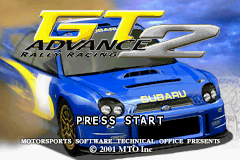
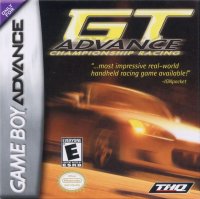
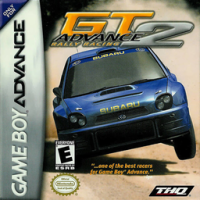
2. Insert the Game Pak of GT Advance 2: Rally Racing into the slot on the Game Boy Advance. To lock the Game Pak in place, press firmly. 3. Turn ON the POWER switch. The title screens will appear (if you don't see them, begin again at step 1).
4. When the title screen appears, press START to proceed to the Main Menu.
Main Menu
All of the game modes and options can be accessed from the Main Menu. Press LEFT/RIGHT on the Control Pad to highlight an option, then press the A Button to confirm.
•
World Rally: The main one-player game, compete through a season of courses to unlock hidden cars and upgrades.
•
Time Trial: Challenge the best times for each course.
•
Single Race: Don't have enough time for a season? Compete for first place in a quick race.
•
Practice: Not able to beat the best? Use the Practice mode to become accustomed to a car's handling before heading to a course.
•
License: You can earn an extra car by completing the License mode.
•
Co-Driver: As the Navigator, call out commands to help the driver complete a course.
•
Options: Customize the game settings.
•
Records: View the record times for each leg from the World Rally Circuit.
•
Sound: Alter the following sound options.
•
BGM Test: Listen to each racing song. Use the Control Pad to highlight a song's number and press the A Button. •
Sound Effects: Listen to each sound effect. Use Control Pad LEFT/RIGHT to toggle, then press A.
•
Race Music: Toggle the in-game music ON or OFF.
•
Delete: Delete a saved game file. This will clear all saved data from the Game Pak.
•
Load: Load a previously saved game from the Game Pak to continue where you left off.
•
Save: Save your current game to the Game Pak before turning off your Game Boy Advance.
•
Link: Choose LINK for some 2-player, head-to-head action.
Playing a Game
Select a game mode from the Main Menu to begin a game. In World Rally, you will not be able to select a course, but must follow the World Rally Circuit.
When first starting the game, you will only be able to select the default course in Australia. To unlock more courses, compete in the World Rally mode.
Use the Control Pad LEFT/RIGHT to select a course, then press the A Button to confirm.
Car Settings
The current transmission and tire settings for your car are listed here. AT/MT refers to an Automatic or Manual Transmission. Use the Mode Menu to change the transmission and tire settings on your Rally car.
Use the Control Pad LEFT/RIGHT to highlight a mode (Go Race/Car Settings/Car Select), then press the A Button to confirm.
•
Go Race: Take your selected car to the next Leg for some high-speed racing. Garage
The Garage contains the following menus: Car Settings, Mode Menu, Go Race, and Car Select.
Car Settings
Fine tune your car using the following settings:
•
Gear: Select an Automatic or Manual transmission. You will have to manually shift the gears using the L and R Buttons when using a Manual transmission.
•
Tire: Choose a tire based on the course conditions: Tarmac, Gravel, Mud, or Snow.
•
Suspension: Use the Control Pad LEFT/RIGHT to increase or decrease your car's suspension. The higher the suspension, the better the car's handling.
•
Steering: Increase or decrease the steering of your Rally car. The higher the steering is set, the faster the car will change directions.
•
Transmission: Adjust the gear ratio of the transmission. The higher the setting, the quicker your car will be off the line.
•
Brake: Increase or decrease your car's braking capabilities. You will have better braking ability with a higher setting.
Car Select
Choose a vehicle from the available list of cars.
1. First select a manufacturer and press the A Button. If the manufacturer's logo is shaded out, you do not have access to any of those Rally cars yet.
2. Next, scroll through the available cars by pressing LEFT/RIGHT on the Control Pad, then press the A Button to confirm. Each car will handle differently on the track.
Use the following variables to make your selection:
•
Max Speed: The higher top speed, the faster a car will go.
•
Acceleration: A car with high acceleration will have a quicker start off the line.
•
Handling: The more handling a car has, the better it will control through the corners and turns.
•
Grip: The higher the grip rating, the better the Rally car will hug the road. Along with Handling, a car's Grip rating is crucial for power-sliding through corners.
3. When done, press the A Button to continue. Press the B Button at any time to return to the previous menu.
Note: Before heading back to the Garage with your new Rally car, you can change the Car Settings from the Car Select menu. Press DOWN on the Control Pad to highlight "Car Settings" and press the A Button to confirm.
The Results