Menu Controls
•
Control Pad: Moves the cursor, changes an option's value
•
A Button: Validates the selected option
•
B Button: Cancel/Back to previous screen
Main Menu Screen
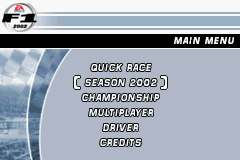
Use the Control Pad UP and DOWN to select an option, then press the A Button to enter it. The available options are:
Pilot Menu
F1 2002 allows up to 5 pilot configurations. Before playing, choose a configuration to use or create a new one. If no configuration is selected, you are taken to the Pilot Menu.
Each configuration saves your records, including the Pilot & Team title, best position, and best lap for each circuit. You can scan through circuits to check these stats.
To Create a Pilot
1. Choose one of the 5 available slots.
2. Enter your name.
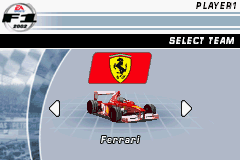
3. Select a team.
4. Select a pilot.
Configuration is complete, and records will be stored with this configuration.
To Erase a Pilot
•
Press SELECT on the name you want to erase (e.g., [DONALD], CHRISTIE, JUAN).
•
Confirm the erase action when prompted with "Do you really want to erase?".
Game Modes
Quick Race
In Quick Race mode, you can practice on any of the 17 available circuits. You start in the last position against 21 opponents in a 3, 5, or 10 lap race. This mode is ideal for improving lap records and circuit rankings.
Season 2002
This mode lets you play the official 2002 FIA Formula One Season. Circuits follow the 2002 season order, and you compete for the pilot and team championships.
Each race is split into two parts: qualifications and the race itself. You can skip qualifications, but you will start the race from the last position. In qualifications, your best lap time determines your pit lane starting place.
Scoring is as follows:
•
Subsequent positions: 4, 3, 2, 1 points
Pilot and team standings are displayed at the end of each race.
Championship
Championship mode functions similarly to Season 2002, but you choose the circuits you want to race on. Validate your chosen circuits, then select OK or press START.
Multiplayer
The Multiplayer Mode lets you play with a friend using a Game Boy® Advance and the F1 2002 Game Pak. Both players select "Multiplayer," and the first player chooses the circuit. The race is head-to-head.
Car Settings
Before each race, configure your car to fit the circuit.
Weather
Sun, rain, or intermediate weather affects speed and braking.
Difficulty
•
Normal: Features an anti-blocking system, allowing more timing errors when braking.
•
Difficult: Competition is faster with no anti-blocking system.
Gearbox
•
Manual: Player gears up or down manually.
•
Automatic: Gears are shifted automatically, providing a good but less efficient shift.
Pitstop
Choose whether to pit early or late during the race.
Tires
Choose between wet or dry tires based on the weather. Dry tires increase braking distance in rain, while wet tires reduce acceleration on dry surfaces.
Downforce
•
High: Good adherence but bad acceleration.
•
Low: Good acceleration but bad adherence.
Gearing
•
Long: Higher maximum speed; use on fast tracks.
•
Short: Better acceleration; use on tracks with many turns.
Brakes
Adjust braking progression. Use strong braking on fast tracks and smooth braking on tracks with many turns.
Fuel
Tune the amount of fuel in the car.



.png)
.png)


_1.png)


 (En,Fr,De,Es,It,Nl).png)

 (En,Fr,De,It).png)


.png)







 (En,Fr,De,Es,It,Nl,Da).png)