Your Mission
The aim of the game is to spread the dark stain of your Syndicate across the surface of the entire globe.
The world map is divided into 50 territories. From your home base in Europe, you invade adjacent territories and, through the violent subterfuge of your agents, wrestle them from rival Syndicates. But while you're busy expanding your Syndicate's empire abroad, rival agents are working in your own backyard to de-stabilize your Syndicate. Ensure agents are briefed to weed out traitors whose actions might bring about your downfall.
Only by meeting all the challenges, destroying all the targets and gaining control of all the territories can your Syndicate triumph.
Starting the Game
•
1. Turn OFF the power switch on your Super Nintendo Entertainment System. (WARNING: Never try to insert or remove a cartridge when the power is ON.) •
2. Make sure a Control Pad is plugged into Controller Port 1 on the Super NES. If you're playing against a friend, plug the other Control Pad into Controller Port 2.
•
3. Insert the game pak into the slot on the Super NES. Press firmly to lock the game pak in place.
•
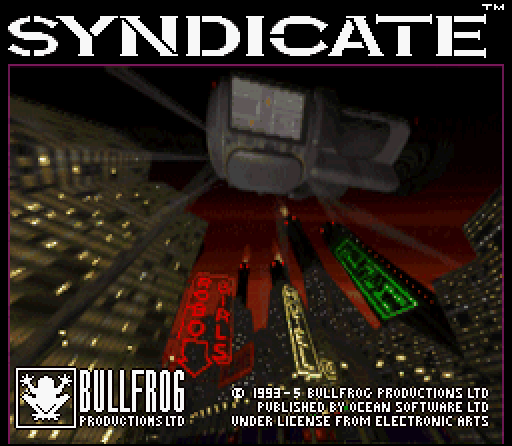
4. Turn ON the power switch. The Nintendo screen appears, followed by the Bullfrog logo and Syndicate Title screen. If they don't appear, begin again at step 1.
•
5. Press START after each screen to proceed to the Main Menu.
Main Menu Options
At the Title screen, press START to access the Main Menu. To select a Main Menu option, press the Control Pad Up/Down, and then press A.
•
Start Game: Select this option to go straight to the Map screen and pick a territory.
•
Practice Mode: Try to control your agents without sacrificing money or lives. The Practice level has an additional mission that has no bearing on the rest of your battles. Once you've entered Practice Mode, you must complete the mission. Afterwards, you return to the Main Menu.
•
Enter Passcode: Utilize this option when resuming the battle for global domination. Press the Control Pad Up/Down/Left/Right to move around the grid and press A to select characters (include all hyphens). Use the backspace arrow to delete incorrect characters. Highlight the Check icon and press A to return to the Main Menu, or select Exit and press A to return without completing a passcode.
•
Players: The number of Control Pads is detected automatically, up to a maximum of four. You must attach the Super Multitap adapter to Control Port 1 for three to four player games. Press A to select the number of players. In multiplayer games, you complete the mission as a team, unless you've selected Versus Mode.
•
Master Control Pad: When more than one person is playing, someone must designate their Control Pad as the master by pressing A. This option is unavailable when only one Control Pad is plugged in. Press START to return to the Main Menu.
Menu Bar Icons
To switch between Menu Bar icons, press the L or R Buttons to move the highlight to the next icon. Press Y to open the required screen.
Choosing a Mission
At the Main Menu, highlight Start Game and press A to enter the Syndicate global arena and reveal the Map screen.
The World Map is divided into 50 different sized slices, color-coded according to the controlling Syndicate. Press X to go to the next available mission. You can also move among the territories by pressing the Control Pad Up/Down/Left/Right. A highlighted territory flashes, and if a mission is available, the Start Mission icon in the Menu Bar becomes active.
When you highlight a territory, its details appear in the Information box below the World Map.
New Calendar
The day, date and year display in the top left of the screen is reckoned according to the New Calendar (N.C.). This was introduced as the global standard when the information revolution progressed to a degree that calendar differences threw up unnecessary barriers to communication.
Territory Information
Territory Information is displayed in a box above the Menu Bar and includes:
•
Territory Name: Based on the most dominant nation in the territory.
•
Population: The higher the population, the more difficult the mission is and the greater the reward.
•
Current Tax Rate: The Tax Rate for each territory is unknown at the start of the game. It is revealed only after successfully completing a mission. Raise taxes too high and the populace becomes annoyed, rebellious, and in need of discipline.
•
Status: Displays as either Very Happy, Happy, Content, Discontent, Unhappy or Rebellious, depending on the Tax Rate.
Mission Brief and Map Navigation
Only when there's an arrow in the Start Mission icon is there a mission available to capture a territory. With the Mission Brief icon highlighted, press Y for the Mission Brief screen to view a written mission outline with target and tactical details.
If you do not want to attempt a given Brief, press the L or R Buttons to highlight the Map icon from the Menu Bar and press Y to return to the World Map screen. Use the Control Pad to move among the territories until you find a brief more to your liking.
Preparing for a Mission
Having assessed your chances, highlight the Team Selection icon in the Menu Bar and press Y to open the Team Selection screen.
•
Select Team Member 1-4: Control Pad Left/Right
•
Highlight Agent In Cryo Chamber: Control Pad Up/Down
.png)

 (En,Fr,De).png)