Tecmo Super Bowl II
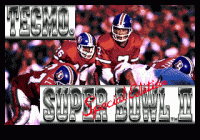
Tecmo Super Bowl II — Special Edition — is a football game that simulates real NFL action. Players can experience an entire season - from the summer preseason games to the Pro Bowl. The game offers a selection of 3 different NFL season schedules and rosters (1992, 1993 or 1994) as well as the choice to play through the 3 seasons from 1992 to 1994. The built-in trade mode even allows you to change the 1994 roster and repeat the regular season games as many times as you wish.
Each of the 37 players in the 28 NFL teams in the Tecmo Super Bowl II game have been given the same statistics as the real players. The players and statistics have been picked from actual NFC and AFC team rosters. Due to programming and other limitations, not all players from all teams could be included. Power Off Memory Function
This game pak contains a back up battery for saving the results of the games played. To minimize the possibility of memory loss, avoid switching the power on and off in rapid succession.
Main Menu
While still on the opening demo screen, press the Ⓑ button to bring up the title screen. Next, press the Ⓐ button to bring up the Main Menu screen.
While on the Main Menu screen, use the ✚ Control Pad (left/right/up/down) to make your choices and enter them with the Ⓐ button. Use the Ⓑ button to cancel choices and return to the previous screen.
The Main Menu options are:
Preseason Games
Select "Preseason" from the Main Menu to bring up the Team Control screen. Choose your desired game control mode, which leads to the Conference Select screen. Use the ✚ Control Pad (left and right) to select your team's conference.
Use the ✚ Control Pad (up and down) to select the roster. The roster contains three NFL seasons: 92/93, 93/94, and 94/95. In preseason games, you can play matchups like the 92/93 season Buffalo Bills against the 94/95 season Buffalo Bills.
Once you select the roster season, team maps appear for each conference. Select your team with the ✚ Control Pad. Press the Ⓑ button to return to the team control screen.
Once you have chosen your team and your opponent, a weather condition screen appears. Choose fine, rain, or snow using the ✚ Control Pad up/down, then press the Ⓐ button to start the game.
Pro Bowl Game
Pro bowl games are played by teams made up of the best AFC and NFC players. You can select the all-star team lineup in the preseason team data mode.
Selecting "Pro Bowl" from the Main Menu brings up the Team Control screen. Once the control mode is entered, the conference select screen appears. Use the + Control Pad left/right to select AFC or NFC.
Once you have entered your team, the Weather Conditions screen appears. The game starts as soon as the weather conditions have been selected.
Regular Season Options
Each NFL team plays 16 games over the 17-18 week season. The best teams from each division compete in the playoffs, and the two best playoff teams play for the NFL title in the Super Bowl. The records of each team and player are stored in the game pak memory. Select "Season Game" on the Main Menu to bring up the regular season options screen.
Team Control Screen
Select "Team Control" from the Regular Season Options screen to set the control mode for regular season games. Use the + Control Pad to select a team and press the Ⓐ button to cycle through the modes: MAN, COA, COM, and SKP.
To change the division, press the Ⓛ or Ⓡ button. Use the Ⓑ button to go back to the previous screen. To change the control mode of all teams into a single common mode, select one of the 4 icons at the top of the screen.
Starting Season Games
Choose "Game Start" from the Regular Season Options screen to start the regular season games according to the schedule. The games flashing on the schedule screen will start next. The game results are recorded in the game memory.
Schedule Screen
Choose "Schedule" from the Regular Season Options screen to view the game schedule. Use the + Control Pad up/down to view the rest of the schedule.
Three different colors represent the team control modes on this screen:
To view the Playoff Schedule or to reset the regular season data, press the Y button on the Schedule screen to bring up the Schedule window.
Schedule Window Options
•
Select Schedule: Brings up the Trade Questions window to choose whether to enable trade mode. If you do not select trade mode, a Season Select window appears with four season options. Choosing either option will erase your current regular season game data.
•
Auto Skip: Skips past games between teams set to SKP control mode. Select "Auto Skip" and press the Ⓐ button, then use the ✚ Control Pad up/down to select the number of weeks to skip and press Ⓐ. To cancel "Auto
.png)



.png)



 (September 1993).png)


.png)






.png)







 (NDSi Enhanced) [b].jpg)