Starting the Game
1. Turn OFF the power switch on your Nintendo® Game Boy® Advance. Never insert or remove a Game Pak when the power is ON.
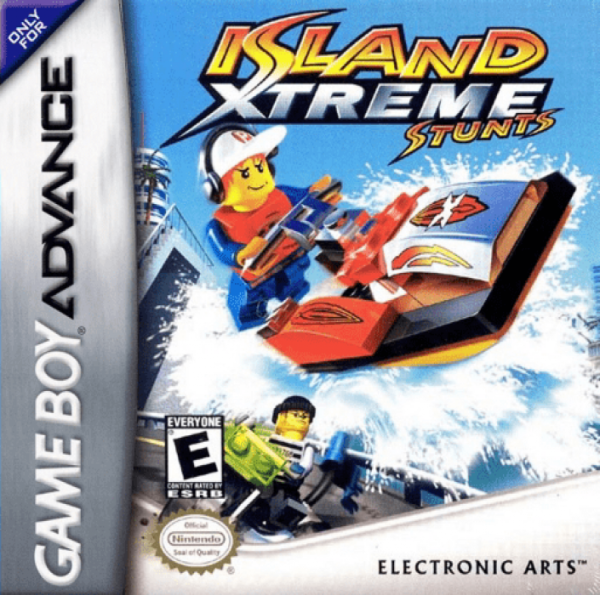
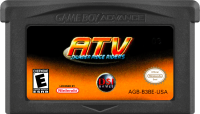
2. Insert the Island Xtreme Stunts Game Pak into the slot on the Game Boy Advance. To lock the Game Pak in place, press firmly.
3. Turn ON the power switch. The language selection screen appears. Press the ⊕Control Pad ↔ to highlight your preferred language, then press the A Button.
4. Press START to sign in.
Getting Started
If it is your first time on LEGO® Island, you need to set up a new game. Before Pepper takes his life into his own hands, you must decide on a few setup options, depending on how you'd like to play the game.
Sign In
As you move through the different locations on LEGO Island, your progress is saved automatically to a slot you choose when you sign in. There are four slots in which to save a game. Saved games show the player name and the Stuntman Star Awards earned. Darkened stars indicate slots that have not been assigned. The GUEST slot is for players who just want to jump right into a game without the setup process.
1. Press the ⊕Control Pad ↑↓ to highlight a slot, then press the A Button to assign a name to the slot.
2. Press the ⊕Control Pad ↔ to scroll through the alphabet. Press the A Button to select a letter.
3. Once you have completed your game name, press START to highlight the ↵ key. Then press the A Button to save it and proceed to the next screen.
4. Press the ⊕Control Pad ↑↓ to highlight SINGLE PLAYER or MULTIPLAYER, then press the A Button to proceed.
Continuing a Saved Game
The sign-in process is the same as for starting a new game, however you can select your game name from the save game screen to load all of your previously saved statistics.
Main Map
The Main Map is the starting point for each game, and you return to the Main Map when each game is complete. The map is split into four different sections, only a part of which is visible at a time. You are not allowed access to the other sections until you complete a pre-defined number of games. Gates block off each of these sections, sliding back only when you have met the correct conditions to pass them.
To take a tour through the entire Main Map, press and hold the L Button while pressing the ⊕Control Pad to move.
To enter a game, press the ⊕Control Pad to enter the circular area in front of a doorway, then press the A Button to enter. After an introductory scene, on-screen instructions show you the way to success.
Star Awards and Scoring
The display in the lower left corner shows the Star Awards you earn in each game: Bronze, Silver, and Gold. The display in the lower right corner shows your top three scores for a particular game. You need to stand in front of a doorway for the top scores to appear.
Successfully completing a game unlocks other buildings and games around the LEGO Island map. You must successfully complete a game to receive a high score. Your highest-earned Star Awards are displayed at the doorway to each game.
Earning Star Awards
Earning Star Awards is what the game is all about. The better you perform, the more awards you earn. Awards are classified into Bronze, Silver, and Gold. Earn the right number of each kind of award to advance beyond the protective gates on the Main Map and earn access to locked buildings.
•
Unlock the first gate: 10 Bronze Stars
•
Unlock the second gate: 13 Silver Stars
•
Unlock the third gate: 35 Bronze Stars
•
Unlock the Cutting Room: 23 Bronze Stars
•
Unlock the Movie Theatre: 16 Gold Stars
•
Unlock the Challenge Building: 30 Gold Stars
•
Show the Award Ceremony: 36 Gold Stars
Locked Buildings
There are three locked buildings around the Main Map that can only be unlocked by earning the right number of certain Star Awards.
•
Challenge Building: Found beyond the first gate in the Main Map, this allows you to attempt a challenge in one of four games: Freeway Frenzy, Motorbike Mayhem, Wave Catcher, and Skate Park.
•
Cutting Room: Found beyond the first gate, this allows you to view an early version of the movie.
•
Movie Theatre: Found beyond the third and final gate, this is where you view the finished movie. Finishing the movie means victory for the entire game. Once the movie is finished, Pepper is returned to the map so you can continue to have fun on all the games.
Pause Menu
1. To take a break during the game, press START.
2. Press ⊕Control Pad ↑↓ to highlight an option (CONTINUE, RESTART, or QUIT), then press the A Button to select it.
The Games Overview
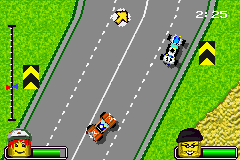
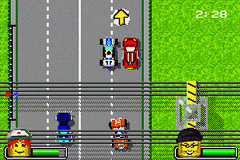
The “Xtreme Stunts” movie is action-packed with chase scenes involving powerboats, race cars, motorcycles, and more. Pepper must fill the role of stuntman in each of these scenes, as well as others that are important to making a great movie. Each stunt action scene is repeated at least three times in the different sections of the Main Map. Controls for each game are displayed at the beginning of each game.
Pizza Overload
So many pizzas, so little time. Connect three or more of the same colored pizza to make them disappear. You must keep them from reaching the end of the conveyor belt. The longer you hold them off, the higher your