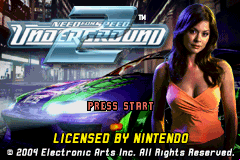
Starting the Game
•
Turn OFF the power switch on your Nintendo® Game Boy® Advance. Never insert or remove a Game Pak when the power is ON.
•
Insert the Need For Speed™ Underground 2 Game Pak into the slot on the Game Boy® Advance. To lock the Game Pak in place, press firmly.
•
Turn ON the power switch. The Choose Language screen appears. Highlight a language and press the A Button. The legal screen appears.
•
Press the A Button to advance to the Title screen.
•
When the Title screen appears, press START to advance to the Main menu.
Getting into the Game
To begin racing in the Underground you must first create a profile and pick your first car. To Create a Profile:
•
Use the on-screen keyboard to enter a name for your profile.
•
When you are finished, highlight the checkmark and press the A Button. Your profile is created and the My Garage screen appears.
To Choose a Car:
•
Use the Control Pad ↔ to scroll through available car options.
•
To select a car, press the A Button. Confirm your selection by highlighting YES and pressing the A Button. The car is yours.
Main Menu
•
Race Now: Launch into quick one-off races behind the wheel of one of the cars already in your garage.
•
Go Underground: Complete a series of races to prove you're the best in the Underground.
•
Mini Games: Hone your control, endurance, timing, and precision skills with these mini games.
•
Garage: Use your points earned to purchase new cars or upgrade your current ride.
•
Profile: View your profile, get your player stats, see high scores, or access the Options menu.
•
Multiplayer: Challenge a friend in a multiplayer race.
Go Underground
Win a series of races in the Underground to obtain performance mods, better cars, and street cred.
To Race in the Underground:
•
Highlight GO UNDERGROUND in the Main menu and press the A Button. The Underground Challenge screen appears.
•
Highlight a race style (CIRCUIT, DRAG, DRIFT, or BONUS) and press the A Button.
•
Highlight a competition level (LEVEL 1, 2, or 3) and race location and press the A Button. The race begins.
To prove yourself in the Underground you have to beat the best in circuit races and drag or drift competitions. Each race style has completion levels you must beat in order to advance. Win races to unlock new tracks and to proceed to tougher competitions.
•
Note: Every time you win an event in Underground mode you receive eight points. Use these points to add flashy new performance upgrades to your car or even purchase a brand-new ride.
Customizing Your Ride
Use the points you've earned winning races to trick out your ride or purchase a new one.
•
All visual and performance parts are one of the following grades: stock or level 1, 2, or 3. As you win races you unlock better quality parts with which to outfit your ride.
•
Note: You can unlock 10 bonus performance parts by playing the Bonus mini game events when they become available in Underground mode.
To Upgrade a Car:
•
Select your car by pressing the ➡ Control Pad ↔ and pressing the A Button.
•
Choose between VISUAL and PERFORMANCE mods and press the A Button.
Visual Mods
Bumpers, spoilers, vinyls, or custom paints. Everything from side skirts to neon is here to turn your ride into a sleeker, flashier beast.
•
Note: Once you unlock a visual upgrade, it is free to install on any of your cars.
Performance Mods
Use points to beef up rims, lower suspension, or trick out your engine. Click on a part, such as brakes or chassis, then modify it with dozens of parts.
•
Note: Once you have purchased a performance upgrade it is available to any of your cars.
Race Modes
•
Circuit: See the city in seconds on the circuit tour.
•
Drag: Speed into a pedal-mashing, gear-shifting drag race. Classic drags test the acceleration limits of your machine. Shift too early and you waste your car's power; shift too late and over-revving could fry your precious engine.
•
Drift: Slide around corners to score points. If your tires don't break loose, then you're impressing nobody. Drift racing allows you to win massive style points by sliding around turns. Beware that walls come up quickly and stopping is not easy. Mini Games
To play a Mini Game, highlight MINI GAMES in the Main menu and press the A Button.
•
Pressure Tuning: Tune your car to the max then test your precision.
•
Dyno Run: Perfect your timing by following a pattern as accurately as possible.
•
Nitrous Tuning: Empty as many nitrous bottles as you can in this skill test.
•
Engine Tuning: Demonstrate your control skills by keeping a moving indicator in the safe zones.
Multiplayer
•
Select MULTIPLAYER from the Main menu to begin a Multiplayer mode match.
•
If no other player is detected, a message appears saying “Waiting for Players.” Please make sure that a Game Boy® Advance Game Link® cable is attached to both Game Boy® Advance systems.
•
The second player highlights MULTIPLAYER from the Main menu

_1.png)
_2.png)
_3.png)