Starting the Game
•
Turn OFF the POWER Button on your NINTENDO GAMECUBE. •
Make sure a NINTENDO GAMECUBE CONTROLLER is plugged into Controller Socket 1 on the NINTENDO GAMECUBE. •
If you're playing against a friend, plug another NINTENDO GAMECUBE CONTROLLER into Controller Socket 2. •
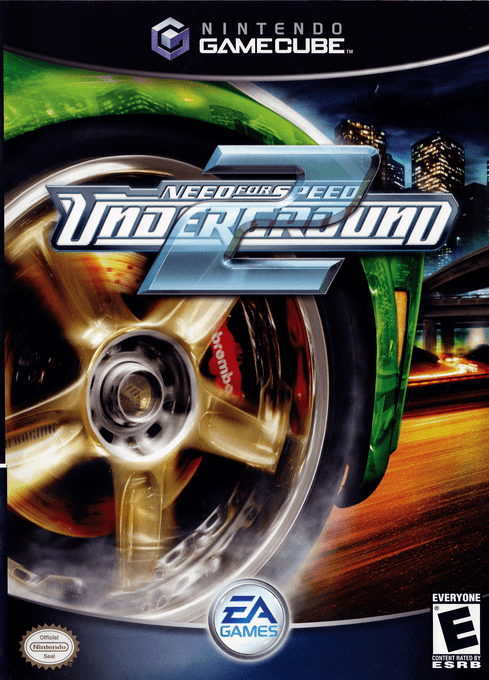
Insert the Need for Speed™ Underground 2 game disc into the optical disc drive. •
Turn ON the POWER Button and proceed to the Need for Speed Underground 2 title screen. If you can't proceed to the title screen, begin again at step 1. •
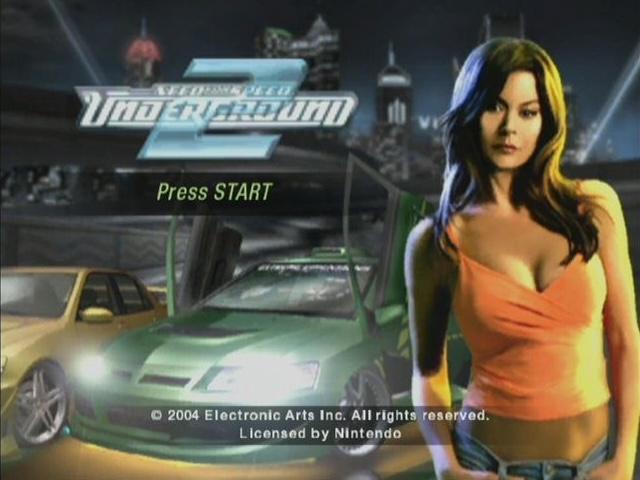
At the Need for Speed Underground 2 title screen, press the START/PAUSE Button to advance to the Main menu. Game Language
The game language set in the game and saved on a Memory Card has priority over the language set in the NINTENDO GAMECUBE console. For more information, please refer to the hardware console manual.
60Hz Mode
This game can be set to a clearer display and better quality on TVs that support 60Hz mode.
•
When you connect NINTENDO GAMECUBE RGB Cable to a TV which has an RGB terminal and PAL60 function, you can enjoy a smoother game screen with less flickers. •
To activate 60Hz mode, press and hold the B Button while the NINTENDO GAMECUBE logo is being displayed until the message "Would you like to display in 60 Hz mode?" appears. Select YES to activate the mode. Important: 60Hz mode using official NINTENDO GAMECUBE RGB CABLE is not applicable for Australia and New Zealand. Command Reference
Menu Controls
•
Highlight menu items: +Control Pad or Control Stick ⬆⬇
•
Change highlighted item: +Control Pad or Control Stick ⬅➡
•
Select/Go to next screen: A Button
•
Cancel/Return to previous screen: B Button
General Gameplay
•
Change camera/ Look back: C Stick ⬆⬇⬅➡
•
Shift up/down: Y Button/X Button
•
Enter shop/Challenge opponent: +Control Pad ↑
•
Career stats (Career mode only): +Control Pad ⬇
•
Display SMS (Career mode only): +Control Pad ⬅
•
Display world map (Career mode only): +Control Pad ➡
•
Pause: START/PAUSE Button
Note: Only Controller Socket 1 and Controller Socket 2 are supported in the game.
Introduction
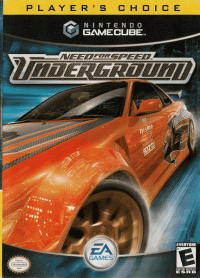
Welcome to Bayview, your destination in Need for Speed Underground 2. The underground is thriving with over 125 miles of open road to drive. Cruise the freeways for races, comb city streets for secret hotspots, or get modded with the latest gear at one of Bayview's numerous car shops. Customize your car with hundreds of accessories and aftermarket parts, including brand-new options like wheel spinners and audio upgrades.
Once your ride is up to speed, take it to the streets in one of the all-new racing modes like Street X and Downhill Drift. Setting Up the Game
Main Menu
•
CAREER: Conquer Career mode and rule the underground.
•
QUICK RACE: Jump right into a race.
•
2 PLAYER SPLIT-SCREEN: Challenge a friend to a race.
•
CUSTOMIZE: Mod your ride from bumper to headlights.
•
PROFILE MANAGER: Save or load your game.
•
OPTIONS: Adjust audio, video, and gameplay options.
Options Menu
To access the Options menu in the Main menu, select OPTIONS. To access the Options menu in-game, press START/PAUSE to pause the game then select OPTIONS.
•
AUDIO: Set in-game volume levels or select an audio mode.
•
VIDEO: Adjust screen and display options.
•
GAMEPLAY: Adjust the jump camera, rearview mirror, speedometer units, career difficulty level, and map modes or toggle the autosave ON/OFF.
•
PLAYER: Choose a transmission type, select stability control, change the default camera or toggle heads-up display content ON/OFF.
•
CONTROLLER: Choose from preset controller configurations and toggle the rumble feature.
•
EA GAMEST™ TRAX: Adjust the in-game music.
•
CREDITS: Check out the talent behind the game.
Playing the Game
Game Screen
Customize Your Ride
Competing in the Underground requires an eye-catching combination of speed and beauty. Choose from hundreds of available performance parts and visual customization modifications to make your ride look good over and under the hood.
Select a Car
Your ride makes or breaks your reputation in the Underground. Looks are important, but no one pays attention to a car that's running dead last.
Make and Model
Browse the available cars, but don't think of them as finished products. With a few wins under your belt, you'll be customizing these basic vehicles into exquisite street machines that car dealers can barely recognize.
When picking a car, check out the Acceleration, Top Speed, and Handling ratings at the bottom of the screen. Performance modifications can improve these characteristics later, but you'll need to win some races with your stock vehicle to fund any serious work under the hood.
Customizing
New cars are nice in
.png)


.png)

_1.png)

_1.png)

_1.png)









.png)
.png)


_1.png)
