Getting Started
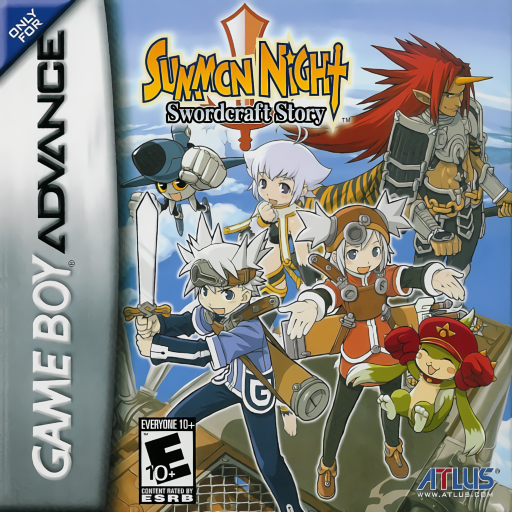
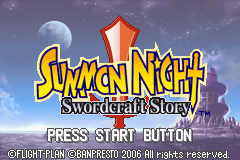
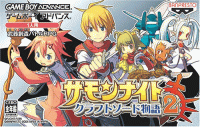
Make sure the POWER Button is turned off. Insert the “Summon Night: Swordcraft Story” Game Pak in the Game Boy® Advance, and turn the power ON. You will see the title after the demonstration screen. Press START if you want to skip the demonstration.
Title Menu Options
When you press START on the title screen, a list of options will appear. The number of options available will depend whether or not you have save data. Use the +Control Pad to make your selection, and press the A Button to start.
New Game
If you want to play the game from the beginning, select New Game. Use the +Control Pad to select the character you want to play throughout the game. Press the A Button to confirm, and start the game.
Continue
If you select Continue, a message saying “Resume game?” will appear. Use the +Control Pad to make your decision, and press the A Button to confirm. Please note that if you select Yes, the suspended save data will be erased. If you do not have suspended save data, this option will not appear on the title screen.
Load
If you select LOAD, you can resume the game from a save point. Use the +Control Pad and press the A Button to make your selection. You will be given a confirmation message asking if you want to load the data; select YES, and press the A Button to confirm. You can have up to two save data files. If you do not have save data, this option will not appear on the title screen.
Link Mode
Under the right circumstances, you can select LINK MODE and trade items with another player. See P36 for details.
By pressing the B Button (or selecting NO), you can return to the previous screen.
Game Basics
“Summon Night: Swordcraft Story” is an action-oriented RPG. Here are some tips to help you with the game. Selecting a Character
Select the character you want to play: Cleru, or Pratty. See P8 for details. Confirming Status
Each character has a status chart which indicates their ability, equipment, and Guardian Beast. The values on the chart will change as you gain experience, so keep an eye on your status. See P16 for details.
Gathering Information
There are all kinds of people living in the city. Walk around and talk to the people you meet to get important information. See P16 for details.
Technique
You will need strong weapons to advance in the game. Techniques are used to forge weapons; they can be learned from Master Bron. See P26 for details. Exploring the Labyrinth
To forge weapons, you will need materials in addition to Techniques. You can find materials you need within the Labyrinth of the Central Tower. But, be careful. There are lots of Stray Summons (monsters) wandering in the maze, and you might have to fight against them. See P30 for details.
Preparing the Materials
You can convert the items you find into weapon materials by using the forge in your workshop. You must explore the Labyrinth to find items. See P26 for details.
Forging Weapons
Once you have a Technique and acquire all the necessary materials, you can forge your new weapon. Remember to equip the weapon, so that you can use it in battle. See P26 for details.
Winning the Tournament
The goal in this game is to win the CraftKnight tournament and become a Craftlord. In the tournament, you can use only one of your forged weapons. Bring your strongest weapon to the tournament and defeat all your opponents. See P30 for details.
Saving
“Summon Night: Swordcraft Story” Game Pak has a backup function, so you can save data in the Game Pak. Controls on the Field Map
Shopping
There are inns and tool shops in the city. These are places where you can buy / sell items. If you want to buy something, talk to the person behind the counter. A menu will appear and ask you if you want to buy or sell.
When the ITEM SELECT SCREEN appears, use the +Control Pad to select an item, and press the A Button to confirm. Afterwards, QUANTITY SELECT SCREEN will appear. Use the +Control Pad to change the quantity, and press the A Button to confirm your purchase / sale.
You can always cancel at any time before confirming the quantity by pressing the B Button.
Water Scooter
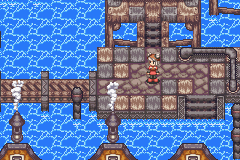
You will get a WATER SCOOTER, a hovercraft type of vehicle which enables you to travel on the surface of the water. Move to the surface of water from stairs near it, and you will use your WATER SCOOTER automatically. You can go back on land in the same manner.
Teleporter
Teleporters are green devices on the floor, situated in the Labyrinth of Wy stern. By using this device, you can instantly go to another floor where there is another teleporter. However, teleporters must be activated before they can be used.
Teleporters will not be of much use to you until you venture deeper into the Labyrinth and activate more by hitting them with your hammer. Once activated, the teleporter will glow. How to Use the Device
1. Get on it and press the A Button. A message saying, “Would you like to use the device?” will appear on the screen.
2. Select YES, and press the A Button to confirm.
3. You will be given a list of available levels you can go to. Use the +Control Pad