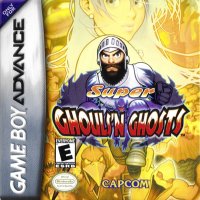
Getting Started
•
Insert the SUPER GHOULS 'N GHOSTS Game Pak into the Game Boy Advance™ unit.
•
Watch the game demo for tips.
•
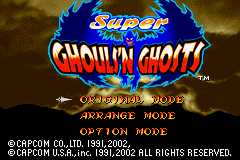
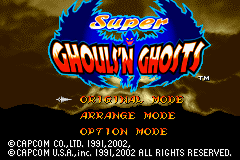
When ready, press START to reveal the Title Screen.
•
Use the Control Pad to highlight a game mode and press START or the A Button.
Game Modes
Original Mode - Play the original Super Nintendo classic.
Arrange Mode - A new mode especially for Game Boy Advance™. After clearing one stage, you can select the next. The color of the frame shows its game level:
Check it out - you might find some stages you haven't seen before.
New Game - Start a new game.
Load Game - Take up a previously saved game at the point where you saved it. You can have only one save game per mode (one save for Original Mode and one save for Arrange Mode).
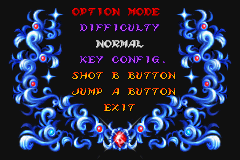
Options - Adjust the game level and switch the Jump and Shot buttons (see page 27).
Game Over
Willy nilly, Arthur's chilly! His STEEL, BRONZE and GOLDEN ARMOR protect him by taking the first hit and then falling off. Then only his underwear remains. One more hit and the knight's over. Arthur loses one life.
The game ends when Arthur loses all his lives.
Continuing Your Game
When the game ends, the Continue Screen shows up. Select CONTINUE and press START or the A BUTTON to keep playing. (Choose END to quit the game.)
•
Hint 1: The more SACKS OF GOLD you collect, the more Continues you get.
•
Hint 2: In Original Mode, the amount of money you can collect depends on your game level.
Save
Press START during a game to enter the Save Menu.
•
Select SAVE with the CONTROL PAD and press START or the A BUTTON. (Choosing EXIT takes you back to the game.)
•
Select OK on the Save Confirmation Menu (selecting NO cancels the save).
The menu shows the stage, Arthur's condition, the game level and your score. This is what you'll have when you resume the game with LOAD.
Load
Select LOAD GAME from the Title Screen to resume a saved game. You will start a stage either at the beginning or at the second half, depending on where you saved.
Note: You must have saved game data in order to use the LOAD GAME option.
Options
Press SELECT or the CONTROL PAD ↑/↓ to highlight a game option. Press ◄/► to change a setting.
•
GAME LEVEL - How tough can you stand it? (Remember: you cannot change the level in Arrange Mode.)
•
Switch the JUMP and ATTACK buttons.
•
EXIT - Close the Options Screen.
Save Data
Option Mode