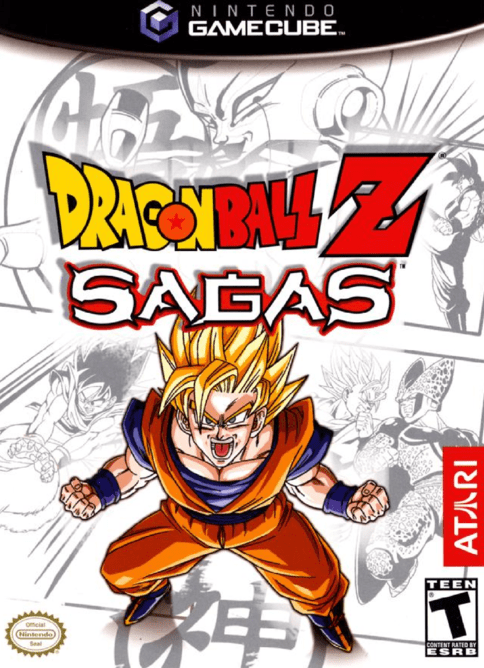
Play Sagas
Select Play Sagas and press the A Button to start a new game or continue a previously saved game. Choose One Player for a solo game or Two Players for Co-op mode.
At the Select Saga screen, use the +Control Pad to choose the chapter you want to play and press the A Button. Only unlocked chapters are available.
Depending on the chapter, you will automatically play as Goku, Gohan, Piccolo, Vegeta, or Trunks.
•
If playing Co-op mode, Player 2 must press START/PAUSE on the Nintendo GameCube™ Controller in Controller Socket 2 to join the game. Once the Pendulum Room is unlocked, you can play with additional characters.
Tutorial
Select Tutorial and press the A Button for a quick lesson on how to play Dragon Ball Z™: Sagas™. Pendulum
The Pendulum Room allows you to replay the entire game, or your favorite chapters, as any of the original five Z Warriors (with any costumes) or five new characters (Broly, Bardock, Tien, Krillin, or Yamcha). To unlock the Pendulum Room, you must complete all chapters in Play Sagas mode.
As in Play Sagas mode, first choose One Player or Two Players, then choose a chapter. Next, press the +Control Pad left and right to select your desired character.
Options
Change game options.
Load Game
Return to the Load Game screen. Here you can choose an empty game slot to start a new game or select a previously saved game.
Extras
Play any unlocked movie.
Options Menu
•
SFX Vol: Press the +Control Pad Left/Right to lower or raise the volume of in-game sound effects.
•
Music Vol: Press the +Control Pad Left/Right to lower or raise the volume of in-game music.
•
Dialogue Vol: Press the +Control Pad Left/Right to lower or raise the volume of in-game dialog.
•
Audio Channels: Select Stereo or Mono.
•
Rumble Feature: Turn the Nintendo GameCube Controller Rumble Feature ON for player 1, player 2, or both. •
Friendly Fire: With this option ON, you will take damage when hit by your teammate in Co-op mode. Enemies can damage each other in all modes.
•
Difficulty: Set game difficulty level:
•
Easy (all enemies have less health and do less damage)
•
Normal (all enemies have normal health and do normal damage)
•
Hard (all enemies have extra health and do more damage)
•
Set Options: Save settings and return to the previous menu.
Pause Menu
Press START/PAUSE while playing to pause the game and select from the following options:
•
Resume: Return to the game.
•
Controller: Display a diagram of game controls.
•
Upgrades: View your current upgrades. You can only view upgrades here; to buy upgrades, you must visit an Upgrade Station.
•
Options: Change game options. You cannot change game difficulty settings from this menu.
•
Quit: Return to the Main Menu without saving your current level progress.
You can see your Mission Summary at the right side of the Pause Menu, as well as a list of all pick-ups in the current level.
Saving & Loading
Dragon Ball Z™: Sagas™ prompts you to save your game at the end of each level. When starting the game, choose a saved game at the Pick a Saved Game screen to load that game, or choose New Game or an empty slot to start a new game. When at the Main Menu, choose Load Game to load a different saved game. You need 3 Blocks free to save one Dragon Ball Z™: Sagas™ game. Playing the Game
Play all 19 chapters by traveling through many environments and battling enemies. You must complete many quests and defeat all bosses to win the game.
Your path through the game will require a lot of combat. You will be fighting against groups of enemies or bosses. Each enemy may require you to try various combat techniques, such as using upgrades purchased at Upgrade Stations.
The Battle Screen
The Heads-Up Display (HUD) provides information on your character and the game.
•
Super Saiyan/Namek Meter
Health Meter
Shows your health. If this bar empties, you die.
Ki Meter
Shows how much Ki Energy you have. You need Ki Energy to fire Ki Blasts and perform Special Move attacks. Your Ki Energy depletes as you use energy attacks. Press and hold the R Button + A Button to recharge your character's Ki Energy.
Super Saiyan/Namek Meter
Shows your amount of Super Saiyan/Namek Energy. Fighting in melee combat causes this meter to rise. The more combos you perform, the faster it rises.
Once it reaches its full potential, the meter will flash. You can then charge up by pressing the R Button + A Button. You will then turn Super Saiyan (or Super Namek for Piccolo). The Super Saiyan ability is not available until Chapter 8.
Sensu Bean
You will find Sensu Beans in most environments and can hold up to three. If you have a Sensu Bean and your Health runs out, it will automatically revive you. You can also give your Sensu Bean to your partner in Co-op mode if they need it.
Dragon Radar
Shows where you
.png)


.png)

.png)

.png)


_1.png)
_1.jpg)
_1.jpg)


_1.jpg)