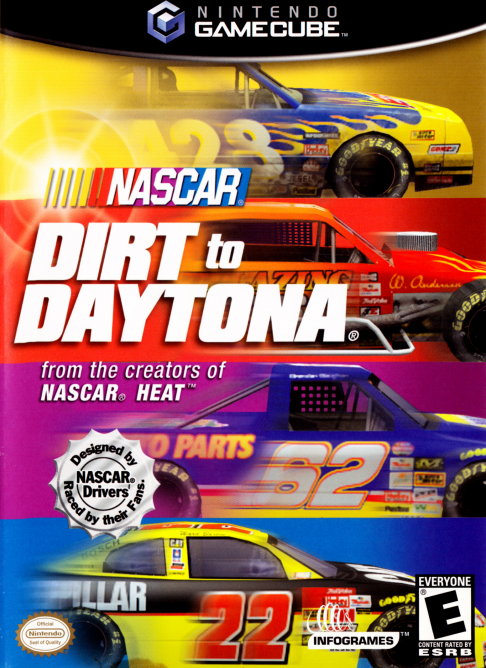
WELCOME TO NASCAR: DIRT TO DAYTONA
Welcome race fans! Are you ready to feel the heat of full-throttle, door-to-door, NASCAR racing? Climb into the driver's seat for all the thrills and spills of America's #1 motor sport. Rub fenders with Rusty Wallace, Sterling Marlin, and Jeff Gordon in the NASCAR Cup Series. Some of the biggest names in the NASCAR Craftsman Truck Series are also on board.
NASCAR®: Dirt to DAYTONA boasts the regular NASCAR Cup Series, NASCAR Craftsman Truck series, NASCAR Featherlite Modified Series, and the dirt track racing excitement of the NASCAR Weekly Racing Series. You'll start your career trying to make a name for yourself in the grassroots NASCAR Weekly Racing Series. Work your way up the rankings by winning races and earning enough credits to upgrade your vehicle. Finish a season in 1st place to get offers to join a NASCAR Featherlite Modified team. Once you finish 1st in the Featherlites, NASCAR Craftsman Truck teams will come knocking. This continues until you own a vehicle in each series.
Don't worry about losing your previous rides; your garage has enough room to house a vehicle for each series. The tough part will be juggling which races to run and what vehicles to upgrade. If you ignore a series long enough, you'll start losing sponsors.
NASCAR: Dirt to DAYTONA offers:
•
15 NASCAR Craftsman Truck drivers
•
A full 43-car cup racing field •
31 tracks in total, including 20 official NASCAR Cup tracks
•
34 all-new "Beat the Heat™" videos introduced by Allen Bestwick and other NASCAR names.
MAIN MENU
After the opening videos (which you can bypass by pressing START or the A Button), the Main Menu appears. Choose between Career, Fast Action, and Load Data.
Saving/Loading
The game automatically loads your saved data if a memory card is inserted upon powering up. To load a different saved game during play, select the Load Data option on the Main Menu.
CAREER
On the Main Menu screen, highlight Career and press the A Button. The NASCAR "driver's license" screen appears.
Driver Information
First, enter your birthday.
•
Use the Control Stick or +Control Pad ◄ or ► to scroll through choices for month.
•
Once your birth month is found, use the Control Stick or +Control Pad to highlight the date.
•
Use the Control Stick or +Control Pad ◄ or ► to scroll through the dates.
•
Once the date is chosen, use the Control Stick or +Control Pad one more time to highlight the year.
•
Scroll through the years by pressing the Control Stick or +Control Pad ◄ or ►.
•
Once your birthday information is correct, press the A Button to accept and advance.
Next is the First Name entry screen.
•
Use the Control Stick or +Control Pad to move between letters and numbers.
•
Press the A Button to select a highlighted letter or number.
•
Highlight "Space" and press the A Button to add a space.
•
Highlight "Caps Lock" and press the A Button to toggle between lowercase and uppercase.
•
Highlight "Backspace" and press the A Button to delete selected letters.
•
When your First Name is complete, highlight "Accept" and press the A Button.
•
The Last Name, Nickname, and Hometown screens work the same way.
When finished, a screen with your "official" NASCAR® driver's license appears. This information will be used in post-race newspaper articles during Career mode. Press the A Button to advance to the next screen.
DRIVER'S DESK
This is your hub throughout Career mode. Use the Control Stick or +Control Pad ◄ or ► to move around the desk. Various items will highlight as you move, which can be accessed anytime you are at your desk. Your current funds are shown on the upper-left hand side of the screen.
Race Calendar
This is probably the most important item on your desk. Highlight the Race Calendar and press the A Button for a closer look. You'll see a normal calendar layout with months along the right side.
As you are just starting your career, this calendar will track the NASCAR Weekly Racing Series season. You'll start your career in February 2002, and it can span up to 30 years. •
Highlight the first month by pressing the Control Stick or +Control Pad.
•
There are no races in this series in January 2002.
•
Use the Control Stick or +Control Pad to highlight February.
•
On the 23rd, your first NASCAR Weekly Racing Series is scheduled. •
Press the B Button to return to the desk screen.
File Cabinet Drawer (Save)
Highlight this and press the A Button to save your progress anytime you are at your desk. The game automatically loads your saved data if a memory card is inserted upon powering up.
NASCAR News
Highlight and press the A Button to access the NASCAR® News. Here you can view the most recent race results and season standings for any of the four series. You can only view results of races you have already run.
NASCAR Almanac
Highlight and press the A Button to view your career statistics for each series you've raced in. This almanac tracks your career over 30 years, allowing you to view your rookie season performance as a veteran.
**Clipboard (Available in NASCAR Craftsman Truck and
.png)

.png)