Getting Started
*Note: Illustration may not match all PlayStation 2 console types. For owners of SCPH-70000 series PlayStation 2 systems, refer to the setup instructions supplied with your system.* Set up your PlayStation 2 computer entertainment system according to the instructions in its Instruction Manual. Make sure the MAIN POWER switch (located on the back of the console) is turned ON. •
When the power indicator lights up, press the OPEN button and the disc tray will open.
•
Place the DUEL MASTERS™ disc on the disc tray with the label side facing up.
•
Press the OPEN button again and the disc tray will close.
•
Attach game controllers and other peripherals, as appropriate.
•
Follow on-screen instructions and refer to this manual for information on using the software.
Memory Card
DUEL MASTERS™ requires a memory card (8MB) (for PlayStation 2) to save your games. A saved profile takes up 130KB. You can obtain a memory card through the retailer where you purchased your PlayStation 2 computer entertainment system or this game. Welcome to Duel Masters™
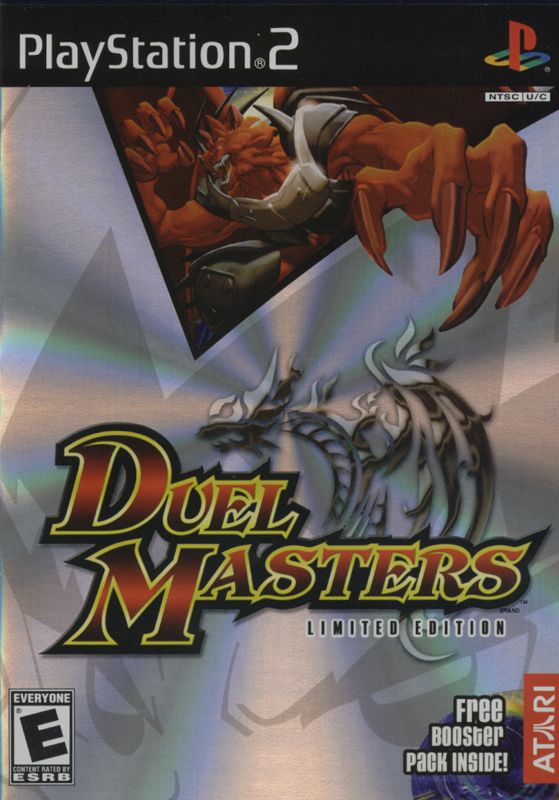
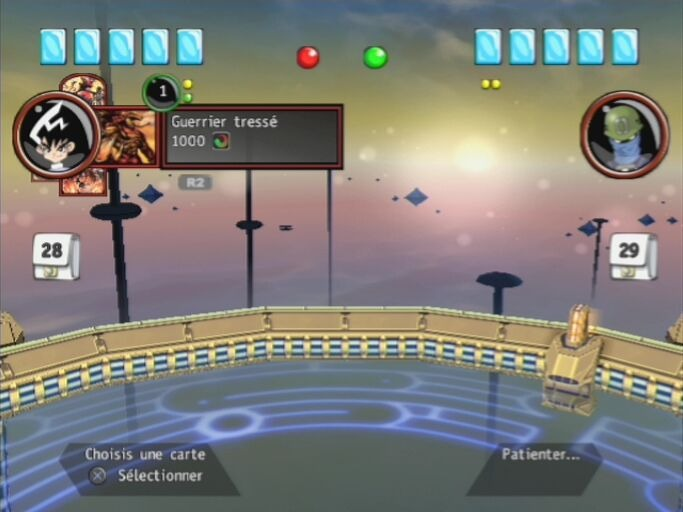
See the creatures of DUEL MASTERS™ come to life and battle in dramatic combat sequences! Build powerful decks to customize offensive and defensive strategies. Battle in progressively challenging solo or two-player duels and advance from beginner to Kaijudo Master in Story Mode.
Unlock cards and build the ultimate deck with over 130 creatures and spells from the DUEL MASTERS™ Base Set, Evo-Crushinators of Doom, Rampage of the Super Warriors and Shadowclash of Blinding Night expansion sets; plus five original creatures you won't see anywhere else but in this game!
The Civilizations
Fire
Fire creatures are fast, relentless attackers that can quickly overwhelm an unprepared opponent. Fire also has spells that destroy creatures. There are no blockers in this civilization, so attacking quickly is key. Fire and Nature make a powerful deck.
Darkness
Darkness creatures can be more expensive to summon, but they create a terrifying army once in the battle zone. Darkness can destroy the most powerful creatures with a single spell or "slayer" creature, and has the annoying ability to make an opponent discard. The Darkness civilization has its share of blockers, although they are a bit more expensive than those from Water and Light. Darkness is good on its own, or combined with a fast civilization like Fire or Nature.
Nature
Nature creatures are very powerful, but also can be expensive to cast. For this reason, Nature has many spells that can quickly increase the size of your mana. Nature provides needed speed to both Fire and Darkness decks.
Light
Light creatures are slow but powerful, and its spells are designed to manipulate the battle zone to Light's favor. The Light civilization contains an array of powerful blockers and simple, trustworthy attackers. Light cards are great for any deck that might need a few turns to show its strength.
Water
Water creatures are sly — many cannot be blocked — and Water spells, such as Teleportation, can quickly change the shape of the battle zone. The Water civilization contains many blockers, and so provides a good complement to any deck strategy.
Starting a Game
Create a Profile
The first thing you must do is create a user profile by selecting "Yes" when prompted. Use the directional buttons to highlight letters and press the button to select the letters for your profile name.
Choose "Done" on the keyboard and press the button to save the profile name. Player 1's data is always read from MEMORY CARD slot 1 and Player 2's data is always read from MEMORY CARD slot 2.
*Note: You can only save one profile per memory card.*
Main Menu
Story Mode
Adventure through the five character campaigns. Unlock cards and add them to your collection. (See "Story Mode" on page 6.)
•
New/Continue - Select "New Game" from the Story Mode menu to start a new game. If you have a previously saved profile, this will erase all Story Mode data in that profile. Select "Yes" to erase all Story Mode data or "No" to return to the previous screen.
•
Select "Continue" from the Story Mode menu to resume your previously saved game, and then select one of the five characters to begin or resume their campaign.
*Note: DUEL MASTERS will automatically save your progress after a duel is complete and also upon exiting Story Mode. You can also save after trading, buying, selling and upon leaving Deck Building and Options.*
Arcade Mode
Duel against a computer opponent in a single-player game, or head-to-head against a friend in a two-player game. (See "Arcade Mode" on page 7.)
Tutorials
Learn to play DUEL MASTERS by taking an interactive, step-by-step tour through the interface and the rules. Most of the tutorial covers Standard Mode. Select the Extreme Mode topic from the tutorial list for a summary of the differences between the Standard and Extreme modes.
Options
Modify your audio/video, gameplay and controller settings.
Special Features
View special features in the game, including the Creature Viewer, credits and information about how to join the D-MAX fan club.
Options
Use the directional buttons and the button to select from
.png)


.png)



_1.png)

.png)


_1.png)





.png)





.png)

.png)