PlayStation®2 Computer Entertainment System (Slim)
PlayStation®2 Computer Entertainment System (Original)
Setting Up Your Console
Set up your PlayStation®2 console according to its instruction manual. Ensure the MAIN POWER switch (on the back of the console) is off.
Attach game controllers and other accessories before turning your console on. It is advised not to insert or remove accessories once the power is on.
Starting the Game
When ready, turn the console ON at the MAIN POWER switch and press the button. When the indicator lights up green, press the button and the disc tray will open.
Place "The Getaway: Black Monday" disc on the disc tray with the label side facing up. Press the button again to close the disc tray. Finally, press the button again to load the game and commence play.
Title Screen and Main Menu
Following a short loading sequence, the Title Screen will be displayed. Press the button or START to access the Main Menu.
Saving Data
To save game settings and progress, insert a memory card (8MB) (for PlayStation®2) into MEMORY CARD slot I of your PlayStation®2 console.
You can load saved game data from the same card or any memory card (8MB) (for PlayStation®2) containing previously saved games.
Using Menu Screens
•
Press ↑, ↓, ←, or → to highlight an option.
•
Press the button to confirm.
•
To return to the previous menu screen, press the button.
Getting Started
Following a short loading sequence, the Title Screen will be displayed. Press the button to access the Main Menu.
New Game
Press the button to enter London's organized crime scene. Discover a sinister underworld of gangland violence, turf battles, and the struggle to keep the peace.
Chapter Select
Each section of the story is divided into chapters. Press ← or → to highlight a chapter to play or re-play, and press the button to continue.
Use this facility to return to your favorite chapters or pick up the action from where you left off. Chapters will be locked until you have successfully completed them.
Special Features: Race
Jump in the driver's seat and take on computer-controlled competitors in an illegal road race through London. Seeking shortcuts can provide an advantage, but straying from the racing path for too long will lead to automatic disqualification.
Extra missions for Race Mode, Black Cab Mode, Chase Mode, and Free Roaming Mode can be unlocked during the main game by collecting key ring pick-ups. Each chapter contains one key ring pick-up.
Special Features: Black Cab
In 'Black Cab' Mode, earn cash by picking up fare-paying passengers and dropping them off at their chosen destinations within a certain time limit. No 'Knowledge' is required.
Simply follow your vehicle's flashing indicators to find the correct streets and handy shortcuts.
Special Features: Chase
Take on the role of Sgt. Mitchell, get behind the wheel of the Met's squad car, and pursue gangland thugs and joyriding crooks. Ram the criminals' cars off the road within the time limit.
Special Features: Free Roaming
Take a leisurely tour around the center of London and check out the sights and sounds of the city. Stroll down Regent Street, through Piccadilly Circus and Leicester Square, and into Trafalgar Square.
Cross London Bridge for a magnificent view of the River Thames and Tower Bridge. You can also take an alternative tour through the back alleys of Soho or the archways of Southwark.
Options: Profile Menu
Load Profile
Press the button to load previously saved game data from a Memory Card (8MB) (for PlayStation®2). Press ↑ and ↓ to select a save slot and press the button to continue. All menu options are updated immediately.
Save Profile
The on-screen message 'Do you wish to create a new profile?' will be displayed. Press the button to continue.
Press ↑ and ↓ to select a save slot and press the button to save a new profile to a Memory Card (8MB) (for PlayStation®2). Finally, press the button to return to the Profile Menu.
Options: Screen
Aspect Ratio
Choose either a 16:9 (widescreen) or a 4:3 (standard) aspect ratio for your TV screen.
Screen Adjust
Press ↑, ↓, ←, or → to position the screen to your satisfaction. Then press the button to confirm the new screen position and return to the Screen Menu. You can also use the left analog stick for screen position.
Subtitles
Turn the in-game subtitles on or off.
Options: Sound
SFX
Turn the in-game sound effects on or off.
Music
Turn the in-game music either on or off.
Mode
Press ← or → to choose either mono, stereo, or surround sound output, and press the button to confirm.
Options: Language
Press ← or → to cycle through the available languages and press the button to confirm.
Options: Vibration
Choose 'ON' to
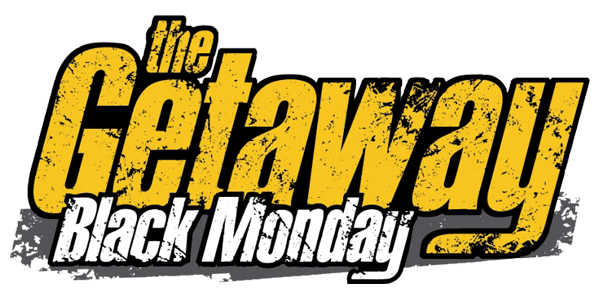

![The Getaway: Black Monday [Demo Disc] box art for Playstation 2](https://media.retro.gold/moby_img/Sony_-_PlayStation_2/Named_Boxarts/The Getaway: Black Monday [Demo Disc]_(Europe)_1.png)
![The Getaway: Black Monday [Demo Disc] screenshot 3 for Playstation 2](https://media.retro.gold/Sony_-_PlayStation_2/Named_Snaps/The Getaway Black Monday.jpg)
![The Getaway: Black Monday [Demo Disc] title screen for Playstation 2](https://media.retro.gold/Sony_-_PlayStation_2/Named_Titles/the_getaway_black_monday.jpg)



_1.png)

_1.png)