Game Modes
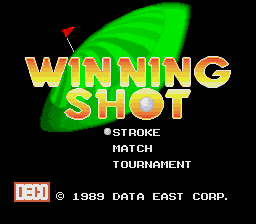
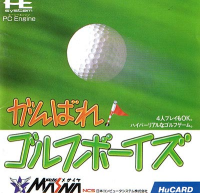
Game modes are divided into three types:
•
STROKE: Play 18 holes to compete on total score. Supports 1 to 4 players.
•
MATCH: Two players compete for win/loss on each hole rather than total strokes.
•
TOURNAMENT: Compete for rankings in a 72-hole, 4-day event. Earn prizes based on score, longest drive, and nearest to the pin. Supports 1 to 4 players.
Players can be operated by a pad (MAN) or the computer (CPU). Determine the game mode and number of players by pressing the + button, then RUN.
Creating Players
Once the number of players is set, distribute 27 points across five categories to define your golfer's abilities. Each category has a maximum of 9 points.
•
Power: Basic distance with each club.
•
Control: Accuracy of shot direction.
•
Spin: Types of ball control.
•
Putting: Accuracy of putts on the green.
•
Full Power: Probability of distance increasing with a just meet.
Select one of the six golfers using the + button and II button. Use the + button up/down to select categories and left/right to adjust values. Press the II button to confirm parameters.
You can cancel and redo settings using the I button. Handicap play is available by changing the total parameter value. After confirming parameters, select the play mode:
•
MAN: Play via pad controls.
•
CPU: Play via CPU controls in WATCH mode.
Name Input
Assign a name to your player by pressing the + button, then the II button. You can enter up to 6 characters and must press 'Complete' at the end. You may also use preset names like "Ooki" by pressing RUN.
When starting days 2 through 4 in TOURNAMENT mode, enter the password and press 'Complete' at the end.