Thank You & Instructions
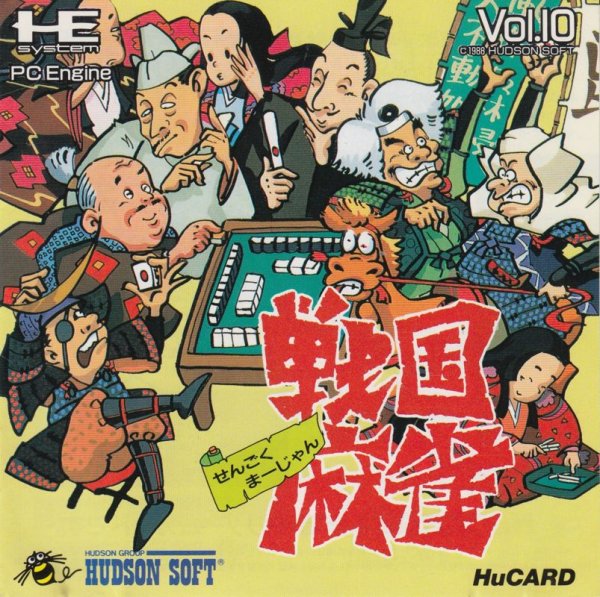
Thank you for purchasing Hudson's HuCARD, 'Sengoku Mahjong'. Please read this Instruction Manual carefully, including handling and usage precautions. Keep this manual in a safe place. Care Precautions
•
This is a precision device; avoid extreme temperature, humidity, or strong shocks.
•
Do not force the card to bend.
•
Do not touch the ends or get the card wet.
•
Do not wipe the card with thinner, benzine, or other volatile oils.
•
Play at a distance of at least 2 meters from the TV screen.
•
Take a 5-10 minute break every hour to maintain health.
Reset Method
•
While holding the RUN button during the game, press the SELECT button to restart the game from the beginning.
System & Legal
The HuCARD is a game card exclusively for the HE system. In the unlikely event of a defect due to our company's responsibility, we will replace it with a new product. Unauthorized duplication of this software and its use in rental businesses are prohibited.
Basic Gameplay Commands
Reach, Closed Kan, Tsumo (Winning by Draw)
•
Open the window using the Up and Down arrow keys.
•
Select the desired command using the Up and Down arrow keys.
•
Confirm with the I button.
Pong, Chii, Open Kan, Ron (Winning by Discard)
•
The tile blinks blue, and progress stops.
•
Open the window using the same method as above and confirm the command.
•
Cancel with the II button.
Score Calculation
•
When someone wins and the automatic scroll display ends, press the I button to move to the winning hand calculation screen.
•
After the calculation, pressing the I button again displays the names of the 4 players.
•
The distribution of points based on the win is then performed.
In-Game Options
Points
View the current wind, your own wind, the opponents' winds, respective points held, and the remaining number of tiles.
Scroll
An arrow is displayed in the center of the screen. Manually scroll the screen up and down using the Left and Right arrow keys.
Music
•
Select between 3 types of BGM (Music 1, 2, 3) or No Music.
•
Select your preferred option using the Up and Down arrow keys.
•
Confirm with the I button.
Normal Mode
Freely select 3 opponents from among the 12 warlords to compete with. Select "Normal Mode" on the select screen and press the I button to go to the opponent selection screen. Use the direction keys to select characters, then press the I button for each person to confirm. Use the II button to cancel an opponent. After opponents are determined, press the I button for pre-match remarks and to begin the game.
Warlord Profiles
The 12 warlords each play individualistic Mahjong:
•
Mouri Terumoto: Has poor judgment; a "simpleton."
•
Toyotomi Hideyoshi: Accurate in defense and attack; fairly strong.
•
Uesugi Kenshin: Aggressive personality, but strong in defense.
•
Date Masamune: Not weak, but his playing style is standard.
•
Nene: Shows considerable skill in matches.
•
Oda Nobunaga: Plays offensively when his own hand is good.
•
Yodo-dono: Hysterical and emotional; not strong.
•
Takeda Shingen: Well-balanced, as in 'Wind, Forest, Fire, Mountain'.
•
Shimazu Yoshihisa: No difference between strong or weak; passionate personality.
•
Iemitsu's Wife: Relies on quickness; play is solid.
•
Tokugawa Ieyasu: Strong in defense; good at judging when to fold.
•
Hojou Ujimasa: Weak in matches, but scary when he gets into the zone.
Battle Mode
In this mode, the player becomes a Sengoku period warlord playing against other domain lords. The goal is national unification through territory competition.
Setup
•
On the select screen, choose “Battle Mode” and press the I button to go to the Japan map screen.
•
Use the Up and Down directions on the D-pad to select your territory (warlord).
•
Press the I button to confirm.
Game Flow
The game automatically displays three warlords in adjacent territories as your opponents. Warlords give opening remarks before the match begins. After territory determination, the I button can be pressed to skip the demonstration screen.
Territory Acquisition
•
If the player is in 1st place at the end of a half-han (half game), you can take some of the opponent's territory.
•
If your score is positive but you are not in 1st place, there is no territory movement.
•
If your score is negative, it is game over at that point.
•
When the player takes all territories, the national unification game clear screen will appear.
Rule Settings
Select rules using the Left and Right arrow keys, and choose ON or OFF with the I button. Press the Run button to confirm all rule settings.
**Rule Details