Greetings
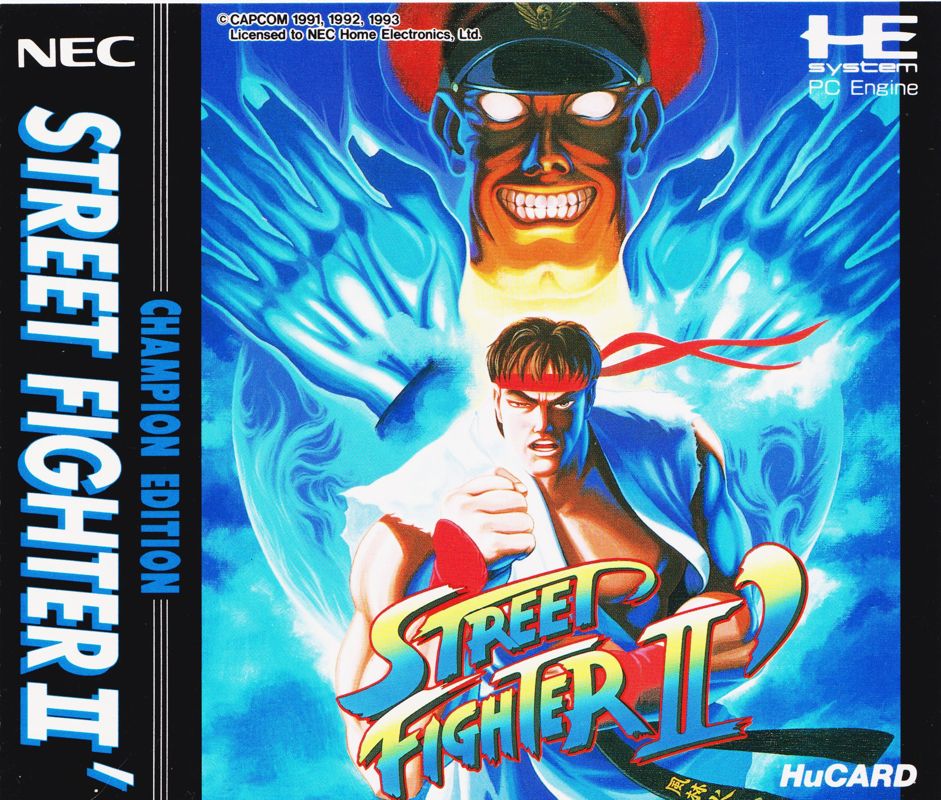
Thank you for purchasing NEC's Hu CARD *Street Fighter II Dash*. Before use, please read this Instruction Manual carefully to understand handling and precautions. Keep this manual in a safe place for future reference. Precautions for Software Use
•
Avoid use or storage under extreme temperature and humidity conditions, and avoid strong shocks or forcibly bending the card.
•
Do not touch the terminals or get them dirty with water, as this may cause failure.
•
If terminals get dirty, wipe them lightly with soft gauze or gauze soaked in ethyl alcohol.
Health Precautions
Avoid using the software when extremely tired, and sit as far away from the TV screen as possible. Take a 10-15 minute break every hour of continuous play.
Be aware of rare reports of temporary muscle cramps or loss of consciousness caused by strong light stimulation or flickering. Consult a doctor if you have experienced such symptoms. If symptoms occur during gameplay, stop the game and consult a doctor immediately.
System & Warranty
The Hu CARD system is a game card exclusively for the TONE. The manufacturer exchanges defective products due to company responsibility for a new product. Reproduction of the software without permission and use in pawn businesses are prohibited.
Difficulty Settings
Set the computer's difficulty level in 8 stages indicated by the number of stars. The range spans from Easy to Hard for both PAD 1 and PAD 2.
Button Configuration Settings
You can set the punch and kick buttons for 1P and 2P to your preferred buttons. For a 6-button pad, you cannot change the settings for the SELECT and RUN buttons.
•
Press the SELECT button immediately after player selection to access the dedicated button configuration screen.
•
The SELECT button is displayed as SEL on the screen.
Music & Effects
You can listen to in-game music and effects through the option mode. Press the I button to play the music and the II button to stop it.
Game Start
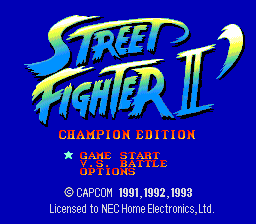
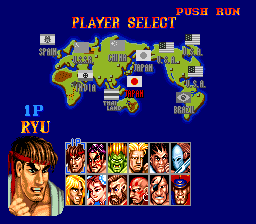
On the title screen, use the + key up/down or the Select button to choose Game Start. Press the RUN button to proceed to the Player Select screen. Use the + key to select your preferred player, then press the button to begin the fight.
Random Fight
You can join in with a Random Fight during gameplay; a separately sold Multi Tap and an additional controller are required. Press the RUN button on the controller you wish to use to switch the screen to Player Select. The player who wins the Random Fight can continue playing.
VS Battle Mode
Two players can engage in a handicap battle. Move the + key to the left and right to set the level for each player. The higher the level, the greater the attack and defense power.
Stage Selection
Using the Select button on the 1P side, choose between Handicap Settings and Stage Selection. During stage selection, move the + key on 1P to choose any stage, while 2P cannot set the level. Use the RUN button on 1P to confirm the selection.
Game Rules
Matches are best-of-three, where the first player to win two rounds is the victor. Victory is achieved when all of the opponent's Vitality is taken or, if the match is not decided within the time limit, the side with more Vitality wins.
Draw Conditions
If the match proceeds to a 4th round due to a draw, the winner of that round wins the previous round. For 1P, losing the previous round results in Game Over. If the 4th round also ends in a draw, it is Game Over for both players in a 2P duel.
Continue
•
Computer Battle: When Game Over occurs, the Continue screen appears. Press the RUN button before the time reaches 0 to continue.
•
Duel: When Game Over occurs, Continue is displayed in the score section. Press the RUN button before the time reaches 0 to continue.



.png)







_1.jpg)







_1.png)

.png)