Setting Up
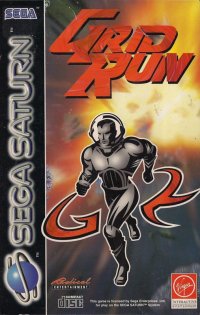
1. Set up your Sega Saturn system and plug the Control Pad into CON #1. 2. With the power switch OFF, insert the Grid Runner disc into the disc tray.
3. Turn on your TV or monitor, and then turn on the Sega Saturn. 4. The Sega logo, the Virgin Entertainment logo, and a short introduction will appear.
5. Press the START button to go to the START/Options Screen. If you do not press any buttons, a short preview/demo mode will play.
If nothing happens on screen when you start up, turn the power switch to OFF. Check your Sega Saturn system and make sure the disc is properly inserted. Turn the power switch ON again. Always turn the power switch OFF when inserting or removing the disc. Capturing Flags
You can capture your opponent's flag and, in doing so, add a flag to your tally while taking one away from his. Be careful, as your opponent can do this to you as well.
After you have captured the designated number of flags, you win and progress to the next round.
One-Player Game
To play against the evil computer opponents, select START GAME and press the A Button. Use the D-Pad to highlight ONE-PLAYER START. Press the A Button again and you are ready to go one-on-one with Vorga's henchmen.
Find out more about your monster opponents on page 8.
Two-Player Game
While Grid Runner is great as a one-player game, there is nothing better than making your friends cry "Uncle." Check out the two-player game for head-to-head action.
To play head-to-head, select START GAME and press the A Button. Use the D-Pad to highlight TWO-PLAYER START. Press the A Button again and you are ready to go.
•
Note: If two controllers are not plugged in, you will not be able to select a two-player game.
•
Player One will be the blue Axxel on the top screen.
•
Player Two will be the red Axxel on the bottom screen.
Before the first two-player round, you will be provided with the following options:
•
NEXT ROUND - Select this and you will warp to world 1, round 1.
•
WORLD - Select this and you can set your destination from among one of 28 rounds.
Main Menu and Modes of Play
From the Main Menu, you can select START GAME or SETTINGS MENU by using the D-Pad to highlight your selection and pressing the A Button.
In the START GAME menu, you can start a One-Player or Two-Player game, restore a previous game, or exit back to the Main Menu.
Settings Menu
In the SETTINGS MENU, you have the following options. Use the D-Pad to highlight your selection and the A Button to change it:
•
Configure Controller: If you would like to change the controller button layout, simply press the A Button to navigate among the four different pre-set configurations.
•
Sound Mode: You may choose “mono” if your TV has one speaker or “Stereo” if it has more than one. Press the A Button to select your setting.
•
Sound Volume: Press the A Button to adjust the sound effects volume.
•
Music Volume: Press the A Button to adjust the music volume.
•
Two-player Handicap: Press the A Button to raise and lower the handicap. During a two-player game, the handicap is adjustable so that the players may be evenly matched. The meter has increments with a 1 on the left and a 2 on the right. If you set the meter all the way on the 1, then 2 will have less speed, agility, and magic. If you set the meter all the way on the 2, then player 1 will have less speed, agility, and magic.
•
Tutorial: Press the A Button to turn the tutorial ON or OFF.
To return to the Main Menu, highlight the EXIT TO MAIN MENU option and press the A Button.
Screen Layout
•
Opponent/Player 2 Flag Tally
Magic Meter and Spells
You have a variety of magical spells available for you to use throughout the game. You can use any spell as often as your magic meter will allow. The magic meter indicates how much magic you, as Axxel, have in your possession. When the magic meter is empty, you can't cast any spells. You will gain magic automatically over the course of time, but this process can be sped up if you collect the bouncing red power-ups that are distributed across the playing field.
Here is a listing of the magic spells that you (and your opponents) can cast:
•
Slow Spell: When this spell is cast, energy will flow out of you and search for the enemy. This will slow your opponent down overall.
•
Speed Spell: Use this to run faster. Each button press will speed you up one increment. The more times you cast this spell the faster you will go.
.png)

.PNG)
_2.png)
_3.png)
.png)
.png)





(Llamasoft).png)









_1.png)

_1.png)
.png)


