STARTING MAGIC CARPET
1. Turn ON the power switch on your Sega™ Saturn™ system. 2. Make sure a control pad is plugged into the port labeled Control 1 on the Sega Saturn system. 3. Open the disc tray and place the Magic Carpet™ disc inside. Close the tray.
4. Press START to advance to the Main menu screen.
Restoring Equilibrium
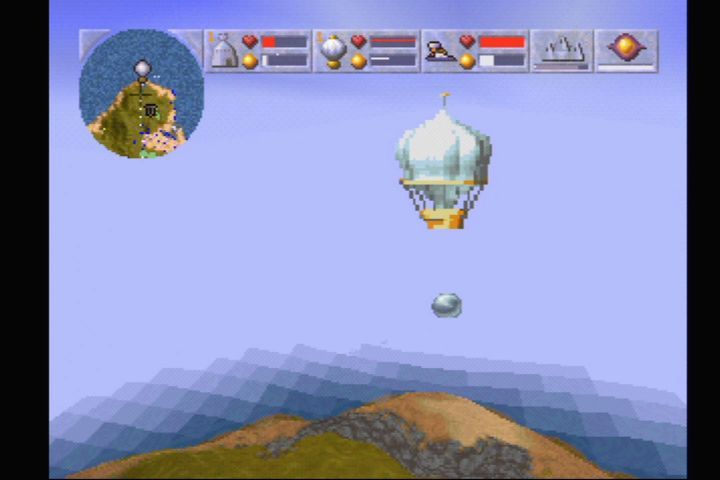
Your quest is to restore equilibrium to the shattered worlds. You do this by possessing mana, whether it be found floating free, contained within some dreadful demonic beast, or in the possession of an evil rival sorcerer. Once possessed, the mana is gathered by hot air balloons into your home castle.
This quest is fraught with danger. The skies are alive with evil. Birds and beasts under the spell of the black arts assail you from all sides. Your castle is a target for all those who would take your mana for their own nefarious ends. Lose the power held there and it won't be long before you perish in the deep, blue waters that encompass each world.
Fortunately, there are spells concealed throughout your quest that will assist you. It is vital that you gather these and use them wisely. Be wary, fly well and cast evil forever from the world.
Playing Magic Carpet
After the Bullfrog logo screen the Magic Carpet title screen appears, then voice of Molenubar reaches down through the ages, relating to you the History of the Wizard War. To leave the introduction, press START at any time; the Magic Carpet title screen appears.
Press START again and you arrive at the Main menu.
THE MAIN MENU
To highlight any of the Main menu options, use the D-Pad to highlight the option. To select an option press START.
START NEW GAME
You're instantly transported to the world of Magic Carpet, rug at the ready.
CONTINUE PREVIOUS GAME
It is possible to return to the Main menu while in the middle of a game, to allow you to review the game Options. While in a game press START, A, B and C together to return to the Main Menu. Continue Previous Game is then highlighted - selecting it returns you to the thick of battle.
LOAD GAME
Select Load Game to access previously saved games. If you have a Backup RAM Cartridge inserted, a menu appears which allows you to select between loading from the Backup RAM Cartridge or from the internal memory. Use the D-Pad to select one of the two icons, then press START.
Now use the D-Pad to select a save game slot and press START to load the game. The game continues from the point at which it was saved.
OPTIONS
Highlight the Options selection and press START for the Options menu. Game Options consist of (defaults in bold):
•
Key Assign: Press START for the Key Assignment screen. Here, most of the game's key-controlled actions are listed; use the d-pad to highlight the action you wish to redefine and press START. Now press and hold the control pad button or buttons you wish to assign to the selected action, then press START to confirm your choice. Repeat the process until all of the buttons are configured to your satisfaction and press A or C to accept the configuration. To return to default keys, press X, Y or Z. To cancel all the changes, press B.
•
Language: D-Pad Left/Right to choose whether to run the game in English, French, German, Spanish or Swedish.
•
Difficulty: D-Pad Left/Right to choose between Easy or Normal difficulty levels. Easy mode reduces the hit points required to kill each creature and the mobility of the more difficult creatures. The additional Hidden World levels are only available if the game is completed in Normal mode.
•
Sound: D-Pad Left/Right to choose between Mono and Stereo sound.
Collecting Mana
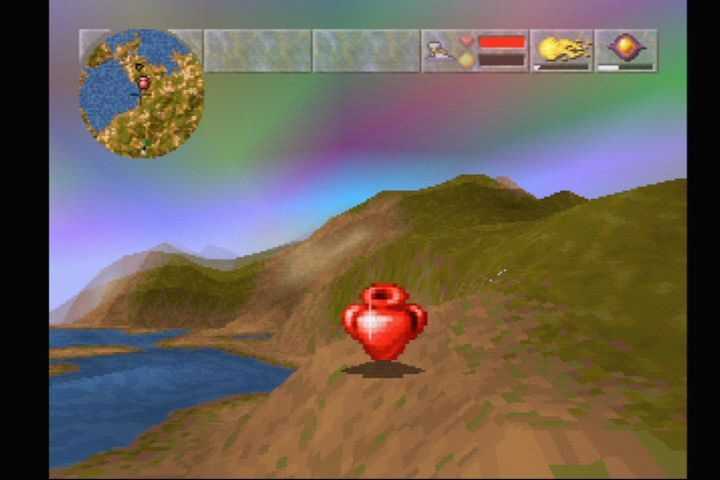
Mana balls
A fixed amount of mana exists in each world, hidden along with spells and used by your enemies to possess people, animals and demonic creatures. Destroying aggressors frees the mana, which is then yours to claim. Mana cannot be destroyed, no matter how hard you try.
Mana exists in three states: yours (white), enemy (enemy color) and neutral (gold). To change the state of mana, you must cast a possession spell. Mana boosts your power as soon as you've possessed it. However, it only counts toward the total mana needed to complete the level once returned to your castle.
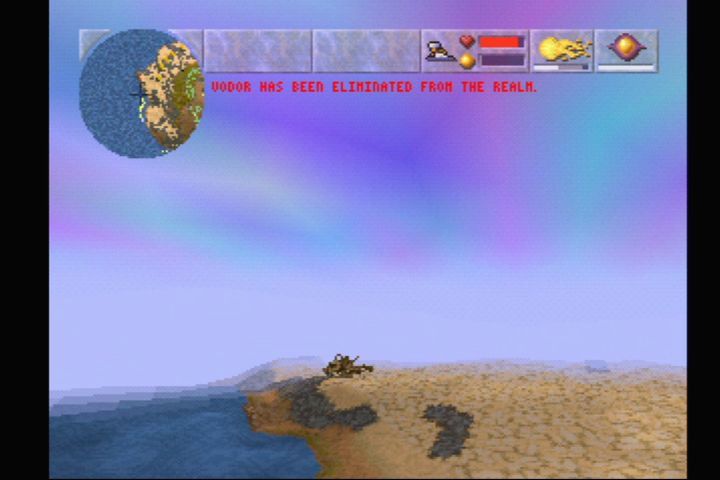
The wizard's color can also be uncovered by using the Beyond Sight spell. The name of the rival wizard appears on the All-Seeing Eye in the appropriate color. If you kill a rival wizard you can cast a possession spell at the wizard's skeletal remains and claim all his mana as your own.
Completing the Level
When you've completed your task and restored a world's equilibrium, the on-screen message 'world restored' appears. Press START to leave the current world for the Completion screen, or continue collecting mana and spells you may have missed.
The Completion screen tells you the world name and number, and lets you rate your performance with % scores in the following categories: creatures killed, accuracy, spells found, mana and overall performance.
You can now choose to Save, Continue or Exit the game. Use the D-Pad to highlight one of these options and press START. Selecting Exit returns you to the Main menu while Continue propels you into immediate action in the next world.
SAVING GAMES
If you have a Backup RAM Cartridge inserted in your machine, Magic Carpet prompts you whether you want to save the game to your Backup RAM
.png)

.png)
.png)