Spell Menu Controls
•
D-Pad Up/Down/Left/Right: Move cursor around spells
•
Press ■: Assign Left spell
•
Press ●: Assign Right spell
•
Press L1: Close Spell Menu without assigning a spell
The History of the Wizard War
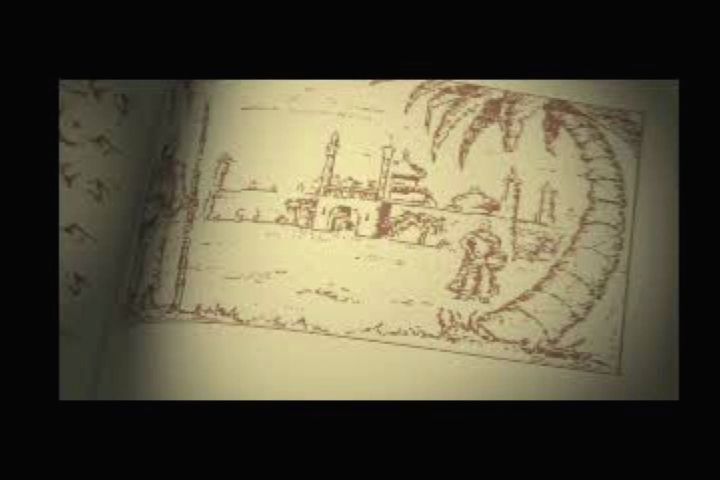
Within this ancient, leather-bound volume lies the History of the Wizard War. Molenubar the Chronicler dedicated his life to collecting fragments of myth and legend, preserving them in this weighty tome.
He worked tirelessly, writing in squid ink on dried papyrus. However, the Old Gods, jealous of the immortality his completed work would grant him, took Molenubar before he could finish the story.
For 5,000 years, the History of the Wizard War has remained incomplete. This much of the history is known:
When the Old Gods created the world, they imbued all living things with mana, a powerful energy force. Humans eventually learned of mana, and those skilled enough to harness its energy became powerful wizards. It was an age of magic.
Sorcerers amazed the populace with their feats and sought to unearth more mana. Healthy competition soon turned to bitter rivalry. The most powerful sorcerers learned black arts to overcome their adversaries. Then, in a mighty cataclysm, one wizard's misguided hand shattered the world.
Restoring Equilibrium
Molenubar tells us nothing of the apprentice wizard charged with restoring the world to equilibrium. All that is known is his unsurpassed mastery of the Magic Carpet. It now falls to you to complete the chronicle, gather the power of the wizards, and ride your Magic Carpet to glory.
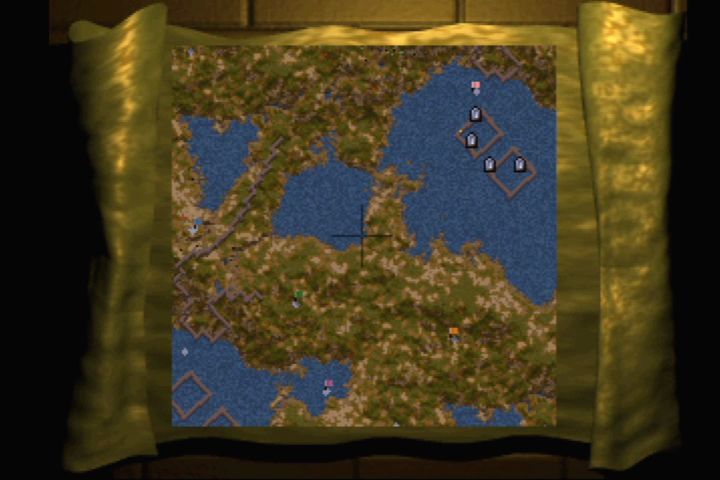
Your quest is to restore equilibrium to the shattered worlds by possessing mana. Mana can be found floating free, contained within demonic beasts, or in the possession of evil rival sorcerers. Once possessed, mana is gathered by hot air balloon into your home castle.
This quest is fraught with danger. The skies are filled with evil; birds and beasts under the spell of black arts will assail you. Your castle is a target for those who seek your mana. Losing the power held there will lead to your demise in the deep, blue waters that encompass each world.
Fortunately, spells are concealed throughout your quest to assist you. It is vital that you gather these and use them wisely. Be wary, fly well, and cast evil forever from the world.
Playing Magic Carpet
After the Bullfrog logo screen, Molenubar's voice will relate the History of the Wizard War.
To leave the introduction, press START at any time; the Magic Carpet title screen will appear. Press START again to reach the Main Menu.
Appendix II: A Word on Each World
In his History of the Wizard War, Molenubar hints at the nature of the challenge in each world. Forewarned is forearmed, so here are some facts to help you and your carpet stay in one piece.
Some realms remained hidden even to the all-powerful wizard. These Hidden Worlds contain many obstacles of unknown nature; be especially wary when you enter them, for here be dragons and many even mightier terrors. Additional Hidden World levels are only available if the game is completed in Normal mode.
•
The peaceful island dwellers of Al Jahan are in dire need of your aid.
•
Traders from Khallabad speak of coiling horrors bringing down death from the skies.
•
Ancient warriors from the realm of Sulghir have risen from their graves.
•
The evil sorcerer Vodor has unleashed chaos in the land of Akrir.
•
Settlers on the island of Cessecca are plagued by swarms of giant bees.
•
The Seer of Qazziel has foreseen the destruction of his city by undead hordes and other terrors.
•
The port of Ar Ulnan is under siege by air and sea.
•
Evil trollish tribes have returned to Gillah for the first time in a thousand years.
•
Griffins have invaded the sacred mana grounds of Rannaxior.
•
Would-be sorcerers have been lured to Zanzandria by rumors of great magic there.
•
Magical mirrors provide a route through Mehkhel - land of exile. Seek and you shall find.
•
The maze of Dullighir guards its secrets well.
•
Follow the endless path of the stones of Nazzajahn to unleash great power.
•
Beware, the shores of Al Saumam harbor scuttling nightmarish creatures.
•
The key lies in unlocking the four ways of the fortress.
•
A great wyvern has been sighted near the mountains of Jan Tabar.
•
Devilish traps spring from every corner of this realm.
•
The island of Jondd Warr is infested with dragons... and other things.
•
Mana guarded in the watchtowers of Khaghabad has attracted many scuttlers to the realm.
•
Banish evil from UI Ramin and beware your adversaries for their skills are increasing.
•
The souls of the fallen heroes of Naqual have been possessed by
 (En,Fr,De,Es,Sv).png)


.png)
 (En,Fr,De,Es,Sv).png)
