Option Items
When you press the controller's start button on the title screen, "GAME START" and "OPTION" will be displayed.
Select "GAME START" to begin the game with default settings. Select "OPTION" and press the A button to change initial game settings.
Option Menu
•
LEVEL: Change difficulty from 1 (Easy) to 8 (Difficult).
•
HERO: Change the number of remaining lives.
•
WALL PAPER: Change the wallpaper of the OPTION screen.
•
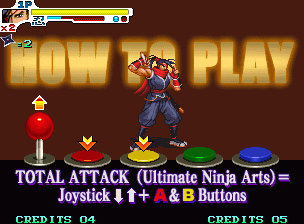
HOW TO PLAY: View a demo screen of operation instructions.
•
RANKING: View the current ranking.
•
QUIT: Exit the OPTION screen and return to the title screen.



_1.png)





_1.png)