Game Overview
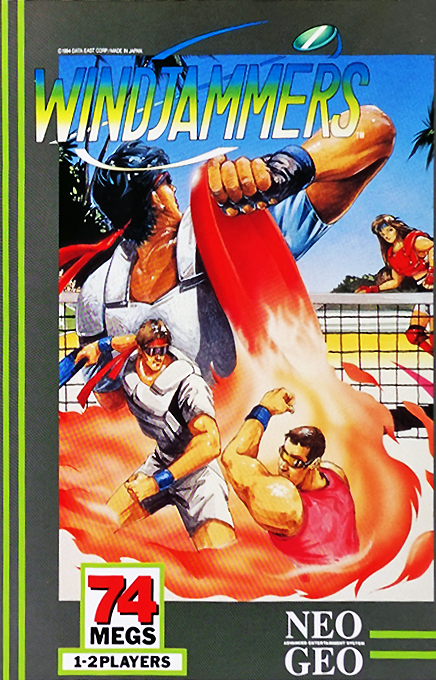
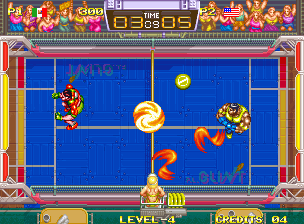
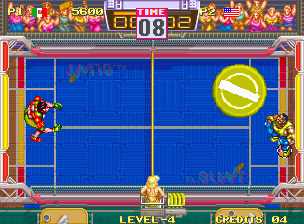
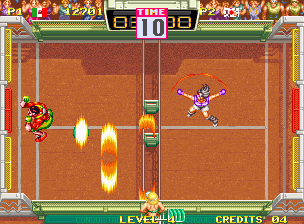
WINDJAMMERS is a dynamic, speedy, and exciting flying power disk game.
Basic Controls
•
Move and Direct Player: Joystick
•
Throw and Receive Disk: Button A
•
Throw In- & Out-Curve: Button A combination
•
Sliding Receive: Push joystick and press Button A
•
Lob Disk: Button B (Good for faint attack vertical throw when with "SUPER TECH")
One Point Advice
•
Sooner you throw the disk, higher the speed.
•
The longer the disk is kept, shorter the lob shoot. This is a faint attack.
Holding Rule
When you catch the disc, if you move from the point of reception or keep the disc for more than one second, the disc will be automatically thrown back to the opponent's court.
Match Rules
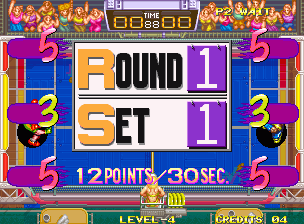
A match consists of 3 sets. The first player to gain 15 points, or the player with the highest score when time is up, wins 1 set. The player who wins 2 sets is the winner.
If no winner is decided after the final set, a 20-second sudden death play-off will begin. If the first set ends in a tie, the second set will be the final set.
Scoring
•
Red Goal: A goal to the red area gains 5 points.
•
Yellow Goal: A goal to the yellow area gains 3 points.
•
Ground Point: A lob dropped into opponent's court gains 2 points.
Starting the Game
To participate in the F.P.D. World Championship, follow these steps:
1. Title Screen: Place the cassette into the console and turn the machine on to go to the demo screen. Press the "Start" button once to call up the Option Screen.
2.
Difficulty Setting, Sound Tests:
•
There are 4 difficulty levels: EASY, NORMAL, HARD & MVS.
•
Move the lever up or down to select "Difficulty Setting" and shift the lever left or right to choose a level.
•
BGM and other sounds can be tested. Move the cursor to "Sound Test" with the lever and shift left or right.
•
Press the "A" Button for the "HOW TO PLAY" screen. Press it again to skip.
3.
Memory Card, Loading Data:
•
Set the card with loaded data into the console and wait for the LOAD screen.
•
Choosing "YES" allows you to continue from where you left off.
•
Note that this mode will be 1P VS COM.
Selecting Game Modes
•
Use the lever to select "1P VS COM" or "1P VS 2P" mode.
•
Press the "A" Button to confirm.
Selecting Player
•
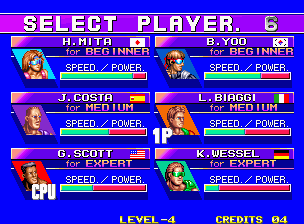
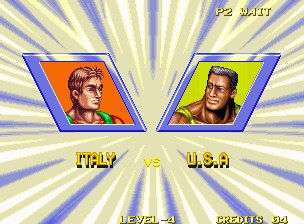
Use the lever to select one of six athletes.
•
Press the "A" Button to confirm.
•
2P can be selected in the same way.
•
Selecting the same athletes for both 1P and 2P is possible.
Selecting Court
•
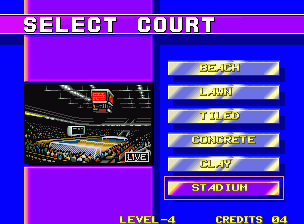
In "1P VS 2P" mode, select one of six courts with the lever.
•
Press the "A" Button to confirm.
Continue, Cut-in Play
•
After losing a match, a CONTINUE countdown begins.
•
To continue, press the START button before the countdown reaches "0."
•
In "1P VS COM" mode, pressing the START button on the 2P controller (sold separately) will allow a cut-in to the game.
Winning Shot
Each player has a brilliant, powerful winning shot. The power of the shot might blow the opponent away into the goal.
•
Catch the disc by pressing "A" Button.
•
Move to the mark right under the disc and start power charging.
•
When the player illuminates before catching the disc, it is ready for a winning shot.
•
Press the "A" or "B" Button on catching the disc.
Super Shot
•
Shift the lever to the desired direction.
Lob
•
The player will toss the disc high.
•
Press the button quickly to drop it in the rear area.
•
Press not hastily in the fore area.
Super Spinning Shot
•
For a tricky curving shot, turn the lever around.
Whirl Spinning Shot
•
For a forcible whirling shot.
•
Shift the lever and press the "B" Button.
Bonus Stages
In "1P VS COM" mode, "Disc Catching" and "Disc Bowling" are available after your second and fourth wins respectively.
•
Disc Catching: Catch the thrown disc controlling dogs. Press the "A" Button to let the dogs jump.
•
Disc Bowling: Blow down the pins using the disc. Shoot for a high score!
Court Types
•
Beach Court: Set up on the beach. The court is narrow and the red area is placed in the middle. Watch out for your opponent's moves.
•
Lawn Court: A broad, clean lawn court. The red area is situated in the middle. Shoot up lobs sky-high.
Memory Card Function
Using a MEMORY CARD (sold separately), you can easily SAVE and LOAD game data. This allows you to restart your game from where you left off.
To Load
•
Insert the MEMORY CARD into the memory card slot on the NEO-GEO system.
-