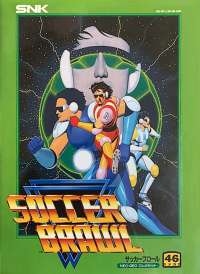
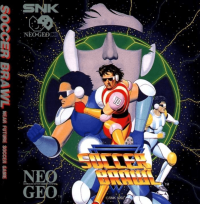
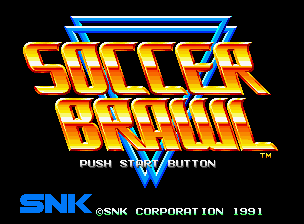
SOCCER BRAWL GUIDE
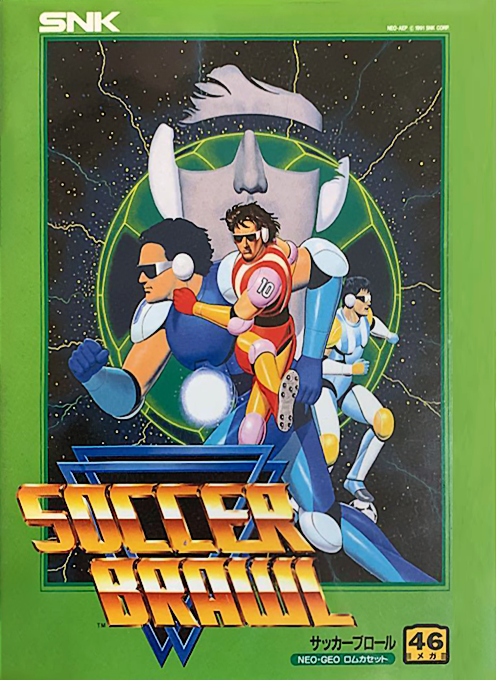
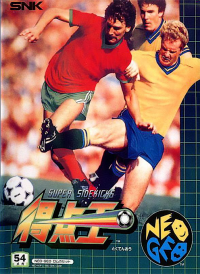
The 21st Century's new line of fighting sports incorporates robotic athletes into an altered traditional confrontation. The cybernetic athletes are controlled from the coaches booth. This exciting new format adds new intensity as you fight for the thrill of victory!
The differences between original soccer and Soccer Brawl are listed below.
Improvement Point 1: Number of Players and Elimination of Offsides Penalty
To ensure a faster and more offensive game, the number of players has been decreased from 11 to 7. Offsides have also been eliminated to speed up play and simplify the game.
Improvement Point 2: Magnetically Enclosed Walls or Bound Walls
To eliminate stoppage of play, magnetic walls or Bound Walls are set up at both sides of the field. You can pass or shoot off of these walls.
•
Bound Wall or Magnetically Enclosed Wall: The wall arranged on the long sides of the field. When the ball is kicked into it, the ball will rebound back into play.
•
Out Zone or Out of Bounds: When the ball enters this zone, there will be a throw-in.
Improvement Point 3: Armed Players
Each player is designed with special attack capabilities. Besides normal shooting, they can save energy and use the explosive "power shot". Punching is also a legal play.
Players have a limited power supply. If their power supply is exhausted, they will recharge. During this process, you are not able to operate the player. This is yet another technique to stop an offensive drive.
Controller Layout
•
① Start Button: Start the game
•
② Select Button: Pause the game
•
③ Joystick: Movement of players
•
④ A Button: Shoot, punch, etc.
•
⑤ B Button: Pass, heading, etc.
STARTING THE GAME
Press the start button on the controller.
1. Setting up the Difficulty Level
Select one of 4 levels and press the A button.
•
Normal: For intermediate players
•
Hard: For Advanced players
•
MVS: Same as the arcade version (Level between Normal and Hard)
2. Playing Time
One game is divided into two halves. Choose the time for each half.
3. Game Mode
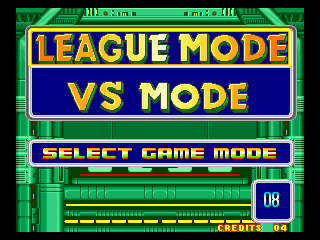
The two modes of Soccer Brawl are "League Mode" or "VS Mode". Select mode with the joystick and press the A button to start.
•
(Note: VS Mode is for 2 player simultaneous play.)
4. Teams
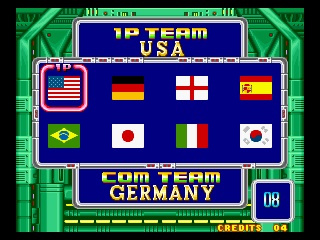
There are 8 countries total. Select one of the 8 countries by joystick and press the A button to start.
In 2P mode, the 2nd player must choose a team different from the first player.
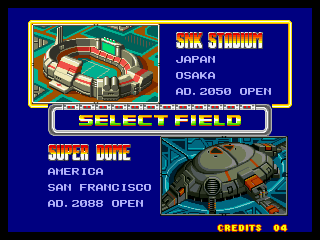
5. Playing Field
Select either "Super Dome" or "SNK Stadium" and press the A button to start. •
SNK STADIUM: JAPAN, OSAKA, AD. 2050 OPEN •
SUPER DOME: AMERICA, SAN FRANCISCO, AD. 2088 OPEN
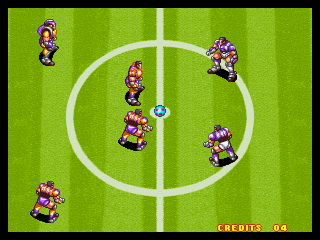
KICK OFF
The Battle is about to begin!
GAME OVER & CONTROLLER
Game Over after one loss in "League Mode". You can re-start the game where you left off if you press the start button before the continue countdown reaches zero. You are limited to 3 continues.
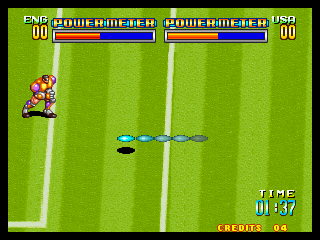
The power gauge for each team is located at the top of the screen. The current power of the robot player you control is shown.
Higher power allows you to make special plays such as a "power shot".
•
① Raise power by tapping the A button rapidly.
•
② Maximum power gives you the best special plays.
PK BATTLE
If the game should end in a tie, the game goes into PK Battle or commonly known as a shoot-out. Point the joystick in the direction you wish to shoot before the timer reaches zero.
You will get 3 shots per team and the team with the most goals wins. (PK Battle or Shoot-out will continue until one team wins.)
SAVE & LOAD
Use the Memory Card for Saving and Loading.
•
SAVE: Insert the Memory Card into the game before starting. When the continue countdown reaches zero, the Save selection screen will appear. Select "Yes" with the Joystick and press the A button. The game should be saved.
•
LOAD: Insert the Memory Card into the game before starting. After you push the start button and select the difficulty, the Load selection screen will appear. Select "Yes" with the Joystick and press the A button.
•
*Save and Load can only be used in "League Mode". It cannot be used in "VS Mode".







_1.png)