Quick Start Guide
It's easy to start playing WICKED 18. Follow these steps to start playing and use the Help feature in the Game Play menu to get familiar with control pad usage.
•
Insert the WICKED 18's CD-ROM into the 3DO™ Interactive Multiplayer™ System. •
While opening demo is running, press P or A to go to the Main Menu.
•
The Main Menu will appear. Use the up and down arrow keys on the Directional Pad to select the menu item you want, and press A to confirm.
Quick Start takes you right to the first tee of the last game played. If this is the first game played with WICKED 18's CD-ROM, Quick Start takes you right to the first tee of the professional tournament, Devil's Open.
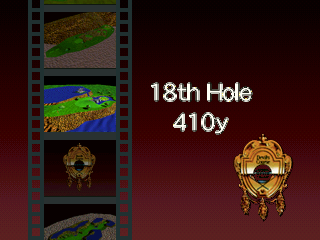
Continue takes you to a game that you began earlier and saved using the built-in RAM of the 3DO Interactive Multiplayer System. This feature returns you to the exact point in the round that you saved during a previous game. Course Guide takes you to a quick tour of Devil's Course. Choose to review the entire course or select a specific hole.
Select Game takes you to the Select Game Menu, where you can choose to play Devil's Open, Tournament, Skins, Stroke, Match or Practice Play.
Member Data takes you to the Member Data Menu, where you can register or delete players on your personal True Golf Classics roster, or erase all player data.
Check Records allows you to review the individual and course records that WICKED 18 maintains.
NOTICE: If WICKED 18 does not have enough RAM to save game data, it takes you to the Data Delete Menu. Erase unnecessary data before starting the game. If you do not delete other data, your game won't be recorded. However, while playing the game you can always come back to this menu. To record your game, open the Main Menu and select Save Data.
Select Game
In WICKED 18, there are six different play modes. To choose a mode, select its name from the Select Game Menu. Press A to confirm.
Devil's Open places you in a four-day tournament. In Devil's Open, there are no handicaps; every player is considered professional level.
Tournament Play places you on the final day of the Devil's Open.
Skins Play allows 2 to 4 players to wager on the outcome of each hole in a "winner-take-all" competition. In a Skins game, each player contributes an equal stake to a "kitty" for each hole. The player with the lowest score on the hole wins the kitty. If two or more players tie for a low score on a hole, the kitty is transferred to the next hole, effectively doubling the amount to be won. The player with the most money after 18 holes wins the game.
Stroke Play allows up to four golfers to compete for the lowest stroke total over an 18-hole round. You can use the WICKED 18's handicapping system to give weaker players an even chance or you can play "scratch golf" without handicaps.
Match Play allows two golfers to compete against each other on a hole-by-hole basis. Victory is determined not by stroke totals for the round, but by the player who wins the most holes in fewer strokes than his/her opponent. In Match Play the game will end automatically when one player leads by a greater number of holes than remain in the round.
Practice Play allows you to practice any hole on the course by yourself.
•
To play a practice hole, select Practice Play from the Select Game Menu. Then select the hole you want to play. Press A to confirm. After you putt out, you will return to the Main Menu.
Select Players
In Devil's Open, Tournament, Skins, Stroke and Match Play, WICKED 18 will ask you to indicate which players are in your group (to keep accurate playing records).
•
Select the name of each player from the Player Roster.
•
If you select the highlighted player, a course professional will be selected. Then you can battle it out with a course professional.
•
When your selection is complete, move the cursor to OK, then press A.
If you have a golfer whose name is not on the roster, press B to return to the Main Menu. Choose Member Data and register the new player's name. If your roster is full, use the Delete option to remove a name, then enter the new player's name in the open slot.
Player Characters
In Devil's Open, Tournament, Skins, Stroke and Match Play, each player will be prompted to select a player character. When your name appears, select your player character. Press A to confirm.
Select Caddies
In Devil's Open, Tournament, Skins, Stroke and Match Play, each player will be prompted to select a caddy. When your name appears, select your caddy. Press A to confirm.
Change Handicap
In Skins, Stroke and Match Play, you will have the opportunity to change each player's handicap before the round begins. Players who have not completed a round in Devil's Open and Tournament Play will automatically be assigned a handicap of 36. As players complete rounds in Devil's Open and Tournament Play, WICKED 18 will update their handicaps to reflect their actual skill levels. Rounds in Skins, Stroke and Match Play are not recorded and do not update handicaps.
In Match Play, handicap strokes are given based on the difference between the two player's handicaps. For instance, in a