SET UP
Let's start the adventure with the Panasonic 3DO Interactive Multimedia System. You will need the Power Switch, CD Drawer, Open/Close Button, and Control Port. Connect the control pad properly into the control port. Turn the power of the 3DO™ on. Push the Open/Close button so that the CD drawer will eject. Place the CD-ROM label side up on the CD drawer and close the tray.
HOW TO USE THE CONTROL PAD
The control pad features a Directional Pad for CD Controls, A, B, and C Buttons, X Button, Play/Pause Button, Earphone Vol., and Earphone Jack. Left Shift and Right Shift are also available.
The Directional Pad allows you to travel in the dungeon and browse through inventory. In combat, press right or left to escape the battle.
The A-button is the attack command during battle. When you select the item, it acts as a yes/no command.
The B-button activates the inventory during combat or travelling.
The C-button turns the music on or off.
The Right shift displays your status.
The Left shift displays your available inventory.
The X and P buttons are not used in the game.
THE ADVENTURE BEGINS
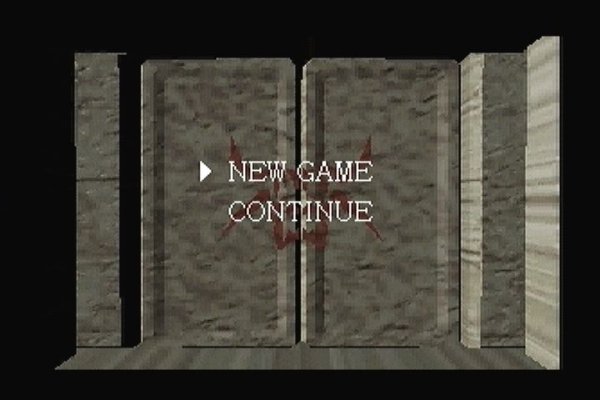
Welcome to *Seal of the Pharaoh*. The opening demo can be cancelled by pressing the A-button or the left key on the direction pad. To start a new game, select NEW GAME and press the A-button. Choose the slot you wish to save and press the A-button to start the game.
There are save points in the game, but during an important event, it will automatically save the current status. To resume the adventure, select CONTINUE on the game select screen.
There are 5 slots for saving your adventure. Select 1, 2, 3, 4, or 5 to save and resume. Simply press the A-button at the slot you have saved on your previous adventure.
The adventure starts right after the combat of the boss character or at the save point where you previously saved. When you select NEW GAME, be sure to save in an empty slot or you will lose the data of the previous adventure.
You will encounter several save points in the game. Press the A-button to save the game when you come across one.
COMBAT
When the monster appears, you will be in a combat mode automatically. Press the A-button to use the weapon you have ready.
To combat with an item, press the B-button to enter the equipment menu. Then use the up and down directional pad to bring a new item to the center. Press the A-button to use the new item.
Some items can be used on the player during and after combat. Knowing the items can aid the player during the game. Some items can only be used once while others may have more than one usage.
For example, enter the item menu by pressing the B-button. Select the "Enchanted Potion" by using the up and down directional pad and bring the desired item to the center. Press the A-button to use the new item. ESCAPE RIGHT
To flee from combat, press left or right on the directional pad. However, some monsters may still strike. Some monsters may be waiting for you when you return.
Avoiding combat may be important too. Find out what works best. Some monsters are damaged more by items than by an attack. Learn your foes.
HINT:
Pyramid Slime appeared! Holy Water works better than weapons! Press B to activate inventory. Find your Holy Water by using the up and down directional pad. Center the Holy Water. Now you are ready to use this item. Press A to attack. See the item flying to the monster.
Yes! You have nailed the Pyramid Slime!