IN VEHICLE CONTROLS
CONTROLS
•
Reverse: Hold B Button when vehicle is stopped
•
Horn or Siren: Press Control Pad Up and R Button simultaneously
MAIN MENU
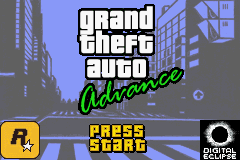
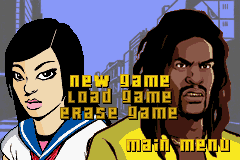
After pressing the A Button from the Grand Theft Auto Advance title screen, you can select the following options: NEW GAME
Starts a new game from the very beginning.
LOAD GAME
If you have a previously saved game, you can continue it from here.
ERASE GAME
You can save up to 3 different games. With this option, you can erase a previously saved game you no longer wish to use in the event you need an extra space to save another game. Be warned that once a game is deleted, it can not be recovered.
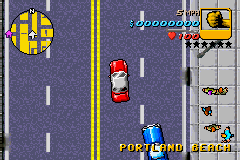
THE GAME SCREEN
The interface displays the following elements:
HOW TO PLAY
WEAPONS
•
BAT: Probably the first weapon you'll come across. Good for getting up close and personal.
•
HAND GUN: A basic handgun. Decent from long and short range.
•
SHOTGUN: Not good from a distance. However, the shotgun packs a major punch when your target is close.
•
SUB MACHINE GUN: Not very powerful. But a good weapon to have when outnumbered.

 (En,Fr,De,Es,It).png)










.png)
 (Rev 1).png)
 (Rev 2).png)
_1.png)
 (Rev 1).png)