START UP
1. Make sure the POWER switch is OFF.
2. Insert the SIMCITY 2000™ Game Pak into the Game Boy® Advance slot as described in your Nintendo Game Boy® Advance instruction manual.
3. Turn the POWER switch ON.
NOTE: The SIMCITY 2000™ Game Pak is for Game Boy® Advance only.
INTRODUCTION
To search for the ideal city today is useless. For all cities are different. Each one has its own spirit, its own problems, and its own pattern of life. As long as the city lives, these aspects continue to change. Thus to look for the ideal city is not only a waste of time but may be seriously detrimental. In fact, the concept is obsolete; there is no such thing.
•
Steen Eiler Rasmussen (1898) -
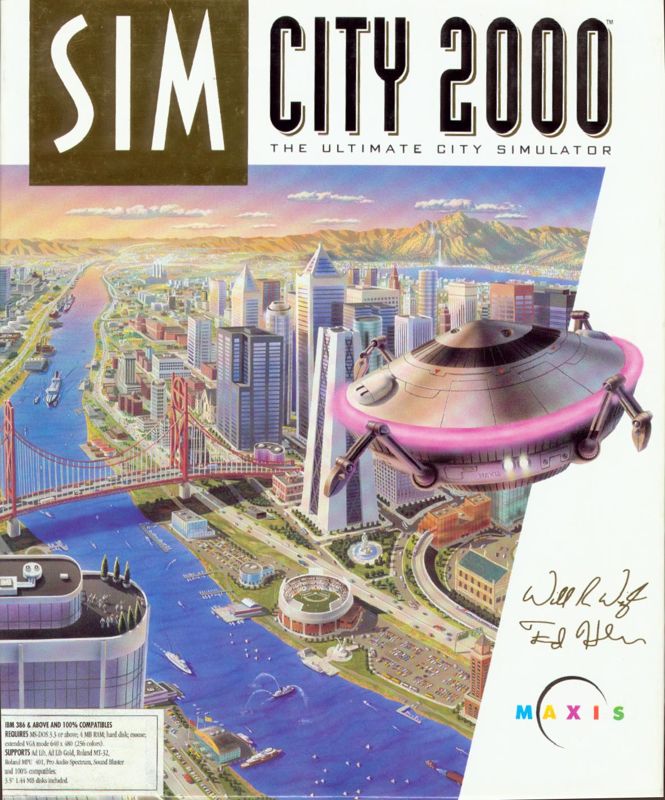
Welcome to SimCity 2000™
When you play SimCity 2000™, you become the planner, designer and mayor of an unlimited number of cities. You can take over and run any of the included scenario cities, or build your own from the ground up. You're in charge. You can choose to build small rural towns, or huge bustling metropolises.
As you design and build your cities, simulated citizens, known as Sims, move in and build their homes, stores and workplaces. They raise their families and invite their friends. If your city is a nice place to live, your population will increase. If it's not, your Sims will leave town. And be assured that they'll let you know what they think about you and your policies.
One of the toughest challenges of SimCity 2000™ is to maintain a huge city without sacrificing your Sims quality of life, without going broke maintaining the infrastructure, and without raising taxes so high that businesses relocate.
SimCity 2000™ lets you face the same dilemmas that mayors all over the world are facing. We've all said at one time or another that we could do a better job than our elected officials - here's your chance to prove it.
SimCity 2000™ is primarily a "building" game, where you create and try to increase the size of your cities - but you also have plenty of opportunities to destroy. From bulldozers to earthquakes to air crashes, the implements of destruction are only a move away. But remember, it's a lot more challenging to build than to destroy, and the lives, hopes and dreams of millions of Sims are in your hands.
This manual is divided into two sections. The Introduction welcomes you to SimCity 2000™ and explains a little about the manual. The Tutorials are small guided tours through different aspects of city building with SimCity 2000™.
TUTORIAL ONE
Congratulations! By virtue of owning SimCity 2000™ you are hereby proclaimed mayor of a million cities and ruler of a billion simulated lives (your Sims). It's a tough game, but somebody's got to play it. These tutorials are designed to help you adjust to your new office with as little transition time as possible.
There are two tutorials, each designed to be finished in one short sitting so you can get them out of the way and get on with the important business of building and running your cities. The first is a general overview of the basic features of SimCity 2000™ - enough so you can start a new city, and get going on your own. The second goes into detail on a few of the advanced features.
We suggest that you whip through the first tutorial and then go and play on your own for a while. You may figure out everything else on your own, and never need the other tutorial. But it's there if you need it!
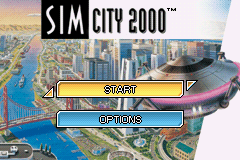
Load SimCity 2000™ and select start by pressing the A Button.
After you have selected START, this list of choices will appear. Here you can start a new city, load a pre-built scenario or load a saved game. For this tutorial, press the A Button while new city is highlighted.
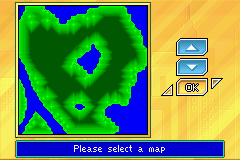
Next you can select any terrain map you wish to start building your first city on. Press Up and Down on the Control Pad to move the cursor up and down. Press the A Button to make your choice.
Next you must enter the name for your new city and the name of its brand new mayor. After all, what is a city if it has no name and no mayor.
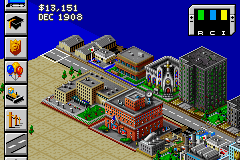
Finally, when the game begins, the first dialog box that you see will ask you to make two simple decisions: How much funds you will have at the start, and what year the game should start. The defaults are $20,000 and 1900, which will be just fine for the tutorial, so press the A Button to start the game.
The various funding levels set how hard you want the game to be:
The next window to appear is the in-game help window. Read what it has to say.
Pressing the A Button will speed up how fast the text appears. Pressing the B Button will exit the help window, even if the rather helpful message has not yet finished appearing.
Construction Menu
To control the Construction Menu:
•
Press Up and Down on the Control Pad to access menu items. The menu itself will slide up and down.
•
Press Left and Right on the Control Pad to access sub menu items.
•
Press the A Button to select a construction menu item. This will put you into


 (En,Fr,De,Es,It).png)
.png)

.png)
 (Rev 1).png)
 (Rev 2).png)
_1.png)
 (Rev 1).png)








.png)


_1.png)
.png)
.png)
_1.png)



_1.jpg)
