Getting Started
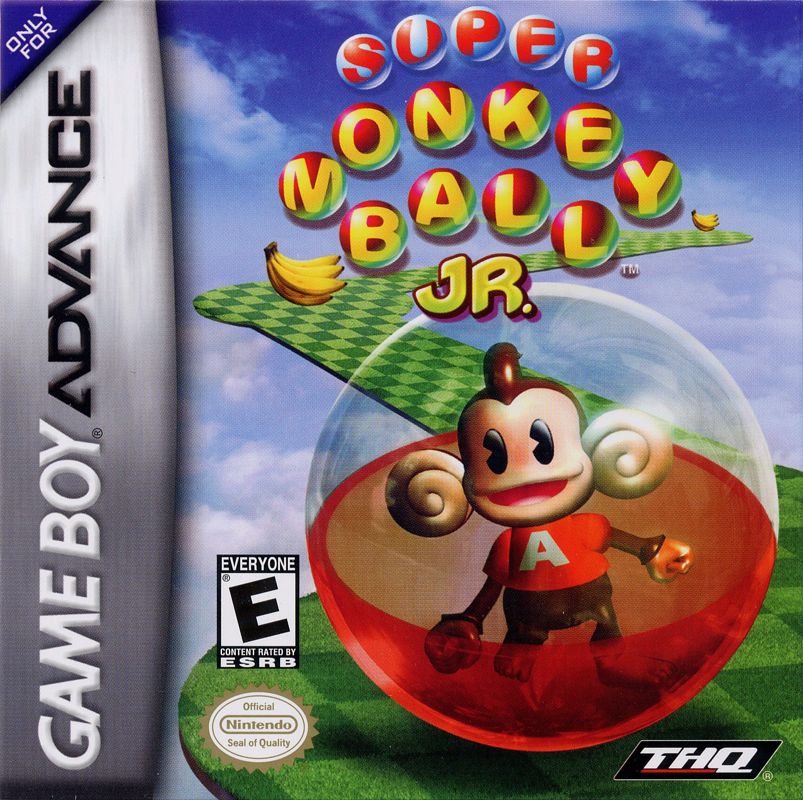
Thank you for purchasing Super Monkey Ball™ Jr. This Game Pak is designed only for use with the Nintendo® Game Boy® Advance. Please read the following instructions thoroughly before you start playing. 1. Turn OFF the power switch on your Nintendo® Game Boy® Advance. Never insert or remove a Game Pak when the power is on.
2. Insert the Game Pak of Super Monkey Ball™ Jr. into the slot on the Game Boy® Advance. To lock the Game Pak in place, press firmly. 3. Turn ON the POWER switch. The credit screens will appear (if you don't see them begin again at step 1).
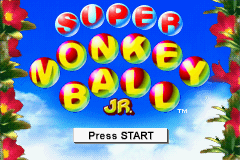
4. When the title screen appears, press START to proceed to the Main Menu.
Controls
Menu Screen Controls
•
Control Pad: Stage and mode selection
•
A Button: Stage and mode confirmation
Restart the game at any time by simultaneously pressing SELECT, START, and the A and B Buttons.
Options
Play Points
Select Play Points using the Control Pad, and then press the A Button to see how many points you've accumulated, how many continues you have for use during a game, and how many Mini Games you've unlocked. Press the B Button to return to the Main Menu screen.
Rankings
Select Rankings using the Control Pad, and then press the A Button to view the top five scores in the Beginner mode. Press Right on the Control Pad to view the top five scores in the Advanced and the Expert modes. Press the B Button to return to the Main Menu screen.
Music Volume
Select Music Volume using the Control Pad. Next, press the Control Pad left/right to adjust the volume to Off, Low, Medium, or High. Press the B Button to return to the Main Menu screen.
SFX Volume
Select SFX Volume using the Control Pad. Next, press the Control Pad left/right to adjust the volume to Off, Low, Medium, or High. Press the B Button to return to the Main Menu screen.
Reset Data
Select Reset Data using the Control Pad, and then press the A Button. Next, press the Control Pad Up/Down to choose either Yes or No to reset your gameplay data. Press the B Button to return to the Main Menu screen.
•
Warning: All player data will be permanently erased by choosing this option!
Credits
To see who's responsible for Super Monkey Ball™ Jr., select Credits using the Control Pad, and then press the A Button. Press the B Button to return to the Main Menu screen. •
Note: Credits will not be selectable until you have beaten one of the difficulty modes in a normal game.
Multiplayer
To play Mini Games in Multiplayer, connect up to four Game Boy® Advance systems, each with its own Super Monkey Ball™ Jr. Game Pak, using one or more Game Boy® Advance Game Link® Cables. Connection Method
1. First make sure that the POWER on all Game Boy® Advance systems is switched OFF, then insert the Game Paks into all systems for Multiplayer play.
2. Connect the Game Boy® Advance Game Link® Cables to the external connection sockets on each system.
3. Turn all systems ON.
•
Note: When playing with 2 to 3 players, do not attach systems which are not used in play.
4-Player Game
Multiplayer Mini Game Play
1. After all systems are connected and switched ON, each player should select "Multiplayer" and then press the A Button. Now, each player should press the A Button again to synchronize their Game Boy® Advance systems.
2. Once all the Game Boy® Advance systems are synchronized, "Select a Mini-Game" will appear on each player's screen. Press the Control Pad Left or Right to select a Mini-Game, and then press the A Button.
•
Note: You can also play a multiplayer version of Monkey Bowling or Monkey Golf where everyone takes turns using the same Game Boy® Advance system.
Playing the Game
To begin a game, select Game Start from the Main Menu, and then press the A Button. Next, use the Control Pad Left/Right to select Main Game or Mini Games, and then press the A Button to advance to the next screen. To cancel your selection at any time and return to the previous screen, press the B Button.
HUD Elements
Main Game
Normal Mode
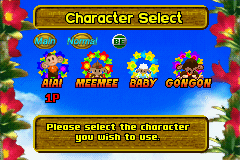
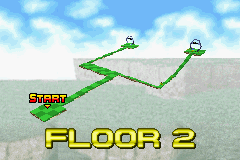
This is the primary game of Super Monkey Ball™ Jr. After choosing Main Game from the Select a Game screen, select Normal Mode using the Control Pad Left/Right and then press the A Button. At the Select Difficulty screen, choose either BE (Beginner), AD (Advanced), or EX (Expert) using the Control Pad Left/Right, and then press the A Button. At the Character Select screen, choose your monkey, either AiAi, MeeMee, Baby, or GonGon, and then press the A Button to start your game. Once your game is over, you can choose to quit your session or use a Continue (you have 5) to play on. To play the game, roll the ball with the monkey inside it toward the goal. Go through the goal before time runs out. If time runs out before you complete the level, you will lose a life. Along the way there will be many delicious bananas, so pick up as many as you can. When you've picked up 50 bananas, you earn an


 (En,Fr,De,Es,It).png)
.png)










.png)
 (Rev 1).png)
 (Rev 2).png)
_1.png)
 (Rev 1).png)





.png)