Starting the Game
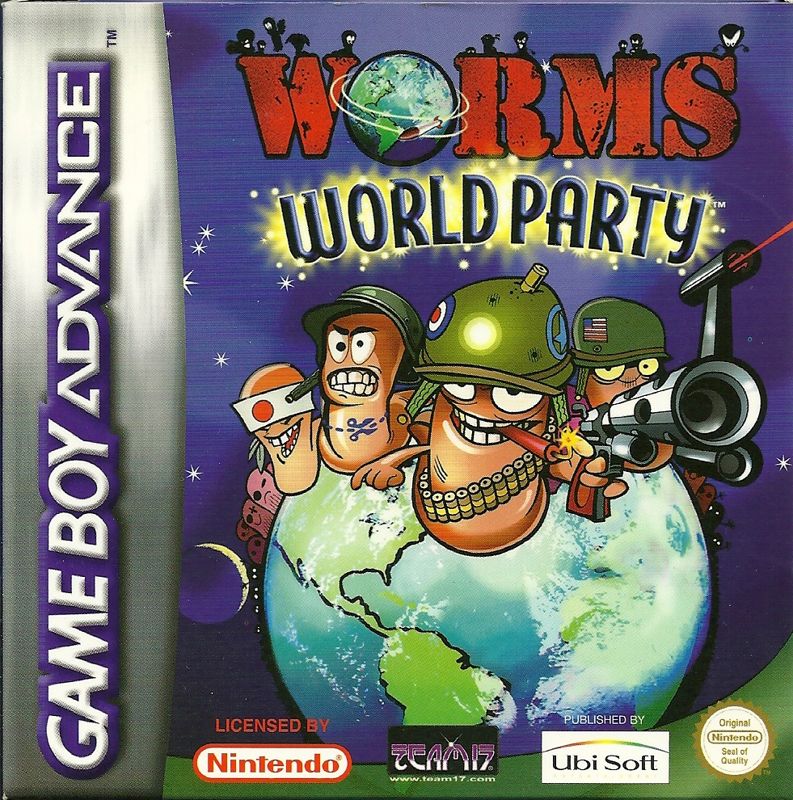
Make sure the POWER switch is OFF. Insert the *Worms World Party*™ Game Pak into the Game Boy® Advance system slot as described in your Nintendo Game Boy Advance system instruction manual.
Turn the POWER switch ON.
PRESS START.
Quick Start
Here are some quick start instructions for people who don't like instructions.
For a quick game against the CPU:
1. Select your language with the Control Pad and press the A Button to confirm.
2. On the title screen press START.
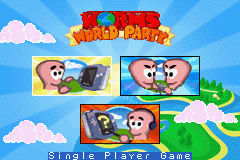
3. On the main menu, highlight 'Single Player Game' and press the A Button.
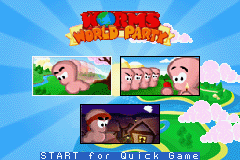
4. On the single player menu, highlight 'Quick Game' and press START.
5. In the game use the Control Pad to move your Worm and aim. Press SELECT to bring up your Weapons Panel and press the A Button to select/fire.
6. Play!
Moving Worms
Move your Worm around by using the Control Pad.
Jumping
•
Press the B Button to jump forward.
•
Press the B Button twice to jump backwards.
•
Press the B Button, while holding down the L Button to jump upwards.
•
Press the B Button twice, while holding down the L Button to back-flip.
Pause Menu
Press START to open the "Pause Menu". Here you can select from: 'Sudden Death', 'Quit' and 'Draw'.
Press START again to resume play.
Single-Player Menu
Single-Player Quickstart Game
Play a quick game against a series of computer-controlled Worms with a predefined team, default weapon selections, a randomly selected landscape, and default game options.
Deathmatch Challenge
Play games against a number of computer teams with an ever-increasing level of difficulty.
Good Ship Armageddon
START to play.
Ahoy there, some important cargo we need you to collect has been identified as residing on Good Ship Armageddon. However, the Good Ship Armageddon is sinking quickly and we need you to get the cargo before its too late.
Oh man, Mine fuse is instant.
Missions
Missions in *Worms World Party* range in difficulty from easy to hard. Select the mission you wish to play and follow the on-screen briefing.
Multiplayer Menu
Multiplayer games can be played between 2-4 teams, any of which may be computer controlled at a variety of skill levels.
Simply add some teams and press START to begin the battle.
Game Options
See Options.
Edit Team Menu
Name Your Team and Worms
Highlight a name and press the A Button to cycle through available teams and random Worm names.
Select Human / CPU
Choose Human or Computer controlled. You can change the skill level of Computer controlled teams. (1 is easy, 5 is difficult).
Select Team Special Weapon
You are able to select a special weapon, from the list shown, which you take into battle with you.
All Done?
Once your team is added, you can use it in standard Multiplayer games.
WormPot
WormPot is a fast way to create well over 400 different ways of playing *Worms World Party*. Each game mode is represented by a graphic.
•
WormPot (No Mode): Nothing selected.
•
Sheep Crates: All crates contain sheep.
•
Hand Combat X2: Hand to hand weapons do increased damage.
•
Firearms X2: Firearm weapons do increased damage.
•
Animals X2: Animal weapons do increased damage.
Options
Game Options
Highlight the option required and press the A Button to toggle through the available settings.
•
Start Health: This is the starting health of all Worms in the game.
•
Rounds: Select the number of rounds to win, for the team to win the match.
•
Round Time: This is the time (mins) before the round ends and the Sudden Death period begins.
•
Turn Time: This is the time (secs) you have to make your move on your turn.
•
Worm Retreat: The amount of time a player has to retreat after using a weapon.
•
Game Music: Toggle the game music on/off.
•
Rope Retreat: The amount of time a player has to retreat after dropping a weapon off a rope.
•
Hot Seat Time: The amount of time a player has to take control in a hot seat game.
•
Display Round Time: Toggles round time indicator on/off.
•
Select Worm: This option allows you to select the specific Worm you would like to move next.
•
Weapon Crate Drop Frequency: How frequent weapon crate drops occur.
•
Health Crate Drop Frequency: How frequent health crate drops occur.
•
Utils Crate Drop Frequency: How frequent utility crate drops occur.
•
Artillery Mode On/Off: Worms cannot move. All weapons must be thrown or fired.
•
Stockpiling / Antistockpiling / Normal: Opt to keep any unused weapons and take them into the next round, or get one set of weapons for the entire game, or keep as normal.
•
Falls Take Damage: Selects whether a Worm will sustain damage when it falls too far.
•
Drums & Mines: Sets the type


 (En,Fr,De,Es,It).png)
 (En,Fr,De,Es,It).png)

.png)
 (Rev 1).png)
 (Rev 2).png)
_1.png)
 (Rev 1).png)