SAVING
Once you start a new game in Story Mode and enter a player name, the game will automatically save your progress as you complete each level. You can save up to three games on one Zapper Game Pak.
LOADING
You can load a saved game from the Zapper Game Pak to resume playing where you last left off. Load a saved game by selecting One Player from the Main Menu, then Story Mode, and then Continue. Next, use the + Control Pad to select a name from the Choose Save Slot window and press the A Button to continue.
RESETTING
You can reset level high scores for any saved game by accessing the Options from the Main Menu and following the on-screen instructions. Please see page 11 for further information.
ARCADE MODE
Arcade Mode allows you to play any level you have unlocked in Story Mode, including any bonus levels. In Arcade Mode, you can practice levels, try to finish a level in record time, and more.
Note: Arcade Mode is not available when you first start the game. You must complete a level in Story Mode before you can play it in Arcade Mode.
MULTIPLAYER MODE
This allows up to four players connected via Game Boy® Advance Game Link® Cables to compete against each other using a single Zapper Game Pak. See “Playing a Multiplayer Game” on page 20 for more information about multiplayer game variations, and instructions on how to link multiple Game Boy Advance systems.
GAME OPTIONS
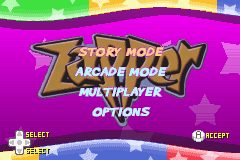
Select Options to change game settings. At the Options screen, use the + Control Pad to highlight the option you want to change and then press the A Button to enter that option's sub-menu. When you have completed your adjustments, return to the previous menu by pressing the B Button.
•
Music Volume: Press the + Control Pad left and right to adjust the volume of the music and press the A Button to confirm that setting.
•
Helmet: Allows Zapper to absorb one hit more than he normally could.
•
Quick Hop: Lets Zapper move extra fast!
REWARDS
If you collect every orb in a world, you unlock a special bonus level. But to collect every orb, you must complete a special Orb Challenge on each level. When you complete the challenge, you can enter previously hidden areas of that level and collect the remaining orbs.
PLAYING A SINGLE-PLAYER GAME
ENTER YOUR NAME
When you start a new game, you must enter a three-character name in the Name Entry screen. Use the + Control Pad to choose a letter and then press the A Button to accept the letter and proceed to the next letter. Press the B Button to erase the previous letter.
•
Select SPACE to leave the letter slot blank.
•
After you've entered three characters, press the A Button to exit the Name Entry screen and save the name you entered.
PLAYING STORY MODE
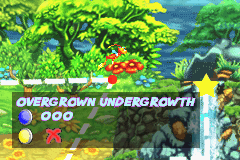
When you select Story Mode from the Main Menu, the Map screen is displayed. Here, you can scroll through all of the worlds and levels, and play any level you have previously unlocked (by finishing it in Story Mode). Use the ◄ ► Control Pad to scroll between unlocked levels, and hit the A Button to play the selected level.
Note: You can only complete a level after you have collected all of the eggs on it and made it to the exit. Some eggs are hidden, so keep a careful watch for hidden areas or containers where Maggie might hide an egg.
PLAYING ARCADE MODE
All levels are locked in Arcade Mode until you complete them first in Story Mode. Select Arcade Mode, then use the ◄ ► Control Pad to highlight a level and press the A Button.
Next, choose an arcade game variation by using the ◄ ► Control Pad, and pressing the A Button to start playing. Press the B Button to return to a previous menu.
ARCADE GAME VARIATIONS
•
Time Attack: Race against the timer and get to the finish line in the quickest time. When you beat the target time for a level, it will open that level up for play in Orb Challenge.
•
Orb Challenge: Race against the timer to collect all of the orbs and get to the finish line in the quickest time. You must collect all 100 orbs and finish faster than the target time to complete the level. When you set a record time, you will unlock that level in Ghost Race.
•
Ghost Race: Complete the level and beat the ghost to win! The ultimate challenge - are you up to it?
END OF LEVEL
When you complete a Single-Player level, a Summary screen will display your stats, including the time you took to complete the level and how many items you collected. If you have achieved a best time in Arcade Mode, you'll also be asked to enter your name at the Name Entry screen.
PLAYING A MULTIPLAYER GAME
Zapper allows up to four players to compete on a single Zapper Game Pak using up to three Game Boy® Advance Game Link® Cables for four-player battles.
HOW TO CONNECT MULTIPLE GAME BOY ADVANCE SYSTEMS
•
Before you connect Game Link cables, make sure that all Game Boy Advance systems are turned OFF.
•
After you connect all the Game Link cables, Player 1 must insert the Zapper Game Pak and then all players can turn their systems ON.
Note: Other players must either have no Game Pak in their system, or they must simultaneously hold down START and SELECT while turning ON their system to trigger one Game Pak multiplayer mode (see the Game Boy Advance manual for more information).
STARTING A MULTIPLAYER GAME
Player 1 can now select Multiplayer from the Main Menu. A new screen will appear showing

 (En,Fr,De,Es,It).png)
 (En,Fr,De,Es,It).png)
