SETTING UP
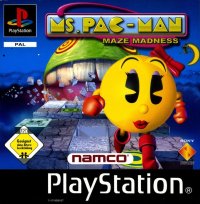
Set up your PlayStation® game console according to the instructions in the Instruction Manual. Make sure the power is Off before inserting or removing a compact disc. Insert the Ms. Pac-Man Maze Madness™ disc and close the disc cover. Insert one or more game controllers and turn on the PlayStation game console. Follow the on-screen instructions to start a game. MEMORY CARDS
To save game settings and results, or continue play on previously saved games, insert a MEMORY CARD into MEMORY CARD Slot 1 of the PlayStation game console before starting play. If you do not have a MEMORY CARD, the game will allow you to play without saving game settings and results.
GETTING STARTED
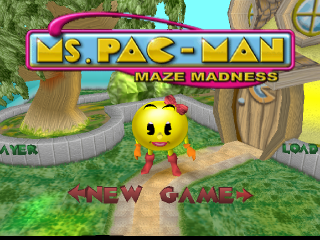
On the Main Menu press the Directional Buttons or Analog Stick left/right to select a game mode and press the Button:
Choose this to play a new game.
Choose this to load a previously saved Game.
Choose OPTIONS to alter game settings (See Setting Options).
Choose this to play the original Ms. Pac-Man. Choose this to begin maze action for one to four players. With more than two players, you will need the Multi Tap and extra controllers. Up to four controllers can be connected with one Multi Tap. The Multi Tap must be connected into Controller Port 1.
When connecting controllers to a Multi Tap, always connect a controller to Controller port 1-A of the Multi Tap first, followed by Controller Ports 1-B, 1-C, and 1-D.
SETTING OPTIONS
From the Main Menu, choose OPTIONS and press the Button to enter the OPTIONS screen.
Press the Directional Buttons up/down to select an option, then press the Button to open a screen or make an adjustment.
SOUND
Press the Directional Buttons up/down to highlight a selection to adjust:
•
AUDIO - Press the Directional Buttons left/right to select either Stereo or Mono.
•
MUSIC - Press the Directional Buttons left/right to adjust the Music Volume.
•
SOUND EFFECTS - Press the Directional Buttons left/right to adjust the Sound Effects Volume.
•
EXIT - Press the Button to exit back to the OPTIONS Menu.
ADJUST SCREEN
Press the Directional Buttons to move the screen position on your Monitor/TV.
•
Press the ⦿ Button to return to the default setting.
•
Press the Ⓐ Button to undo your changes and return to the OPTIONS Menu.
•
Press the Ⓧ Button to save your changes and return to the OPTIONS Menu.
NORMAL TV
Press the Directional Buttons left/right to change between NORMAL TV display or WIDESCREEN TV display.
VIBRATION
Press the Directional Buttons left/right to turn the Vibration function on or off.
CREDITS
Press the Ⓧ Button to meet the Ms. Pac-Man Maze Madness team. NEW GAME
The most famous female videogame heroine in videogame history is about to embark on her biggest journey ever. Ms. Pac-Man starts in the first stage, Cleopactra. There's so much to do:
•
Search the stage for hidden areas.
•
Chomp or be chomped by the Ghosts, Inky Blinky, Pinky and Sue.
•
Chomp or be chomped by brand new enemies.
PLAYING QUEST
•
Star earned for completing time trial
•
Star earned for completing level
•
Star earned for getting all Fruit
•
Star earned for eating all Pac-Dots
You gain a life:
•
Every time your score increases by 10,000 points.
•
By collecting an Extra Life Power-up.
PAC-DOT RADAR
When there are Pac-Dots to munch, the Pac-Dot radar appears. The small yellow dots around the arrow show where a Pac-Dot exists.
In the example shown, there is a Pac-Dot to the North and also one to the West of Ms. Pac-Man. The arrow means that Ms. Pac-Man is facing East. SCORE
Total Points earned for that Stage.
PAC-DOTS COLLECTED / TOTAL FOR STAGE
The number on the left is the number collected so far. The number on the right is the total for this Stage. For example, 30/393 means you've collected 30 Pac-Dots out of the total of 393 in the Stage.
Remember: Find and search secret areas that may have Pac-Dots in them.
FRUIT COLLECTED
Each piece of fruit Ms. Pac-Man finds is displayed across the bottom of the screen. Collect all the fruit in one Stage and win a Gold Star. KEYS HELD
Any Colored Keys found in the mazes will be displayed in the lower left corner of the game display. Use these Colored Keys to open colored doors.
GOLD STARS
Gold Stars are really useful to get! You can use them to unlock Bonus Rounds and Hidden Stages later in the game.
You get a Gold Star by doing one of the following:
•
Eating all the Pac-Dots in a Stage – some Stages may contain a Witch Door. You will need to find the
 (Rev 1).png)


 (Rev 1).png)



 (Es,It,Pt).png)
.png)















 (En,Fr,De,Es,It).png)


