Controller
Starting the Game
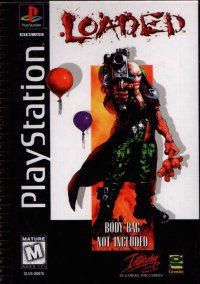
To play Re-Loaded on your PlayStation: •
Set up your PlayStation in accordance with the instruction manual supplied with the system. •
Follow your system directions to open the Disc cover and place the CD into the Console, ensuring the printed side faces upwards.
•
Close the Disc cover and press the POWER button to load and play the game.
Warning
It is advisable that you do not insert or remove peripherals or Memory cards once the power is turned on.
1P Game and 2P Game
LEFT/RIGHT SELECTS, CONFIRMS
1P or 2P Game modes effectively start the game, taking you into further screens where you are required to select a character of your choice to play. 1P Game will load a 1P Game. 2P Game will load a 2P Game.
Ensure that you have inserted two Controllers into the Console before selecting the 2P Game option. When you have selected a 2P Game, both players cannot play the same character, so be ruthless it's first come first served.
Load Game
Make sure that Memory cards are inserted into the Console before the POWER is switched On, ensuring there are enough free blocks on your Memory card before commencing play.
To Load a game you have saved previously, highlight the required saved game slot, and select to Load. All the settings will be Loaded for example: 1P Game or 2P Game, your Character choice and the Level reached etc. Once you have loaded the saved game it will automatically start the game at the point of saving.
Options
Before you have selected your game play mode highlight and select the Options menu bar from the Main Menu screen. This menu screen allows you to configure your Re-Loaded game options to your personal taste.
Redefine Controls
To change the default settings, simply highlight the required button and press the button you want the operation to change to on your Controller.
If any of the default keys are changed and you want to change them back, select the Default option to reset all of the settings. Select Exit to confirm and load all selections.
Music and Sound
•
SFX: Highlight this volume bar to increase or decrease the volume of the Sound Effects.
•
Music: Highlight this volume bar to increase or decrease the volume of the Background Music.
•
CD Track: Use this to select the way the music is to be used in game, your choices are Official, Random and Tracks up to 12.
Select a Character
After configuring your game options highlight and select either the 1P or 2P Game modes, you will be presented with the Character Selection screen. In a 2P Game mode the Character Selection screen will display your choice, on the left is player one's choice, on the right is player two's choice.
Both players cannot choose the same character to play so it is a case of first come first served, but make your choice quickly or you might miss out on the real bad asses! The game will automatically load after you have confirmed your character selections.
Game Play
Let your gun do the talking, remember shoot it before it shoots you, and clear the level quick.
Objectives
Before each new level begins you will be briefed on what you have to achieve to complete the level and proceed. Read this carefully and watch out for the pictorial clues or you could end up perishing. To speed up the text in the briefing, press the X button.
Status and Map Display
Map
Use the map to find your way around C.H.E.B's reconditioned hell.
Status Display
This displays vital information on your current status.
•
Health Status and Lives: Once this has depleted you are dead and lose a life, Lives are indicated at the end of the Health Status bar.
•
Ammunition: Try to keep your weapon well stocked with ammo, this is your only protection from C.H.E.B's faithful followers, if you find yourself with no ammo just RUN!
•
Ultra Bombs: Each small lightning flash represents one Ultra Bomb.
Key Cards
To complete some of the levels you must first collect four colored Key Cards, each opens one door of a corresponding color, revealing Enemies, Power Ups etc. In addition to the four colored keys, there is also a White Key Card. This is a pass key and opens doors of all colors on the level.
Power Ups
There are various different types of Power Ups to collect on many of the levels, some of the more common types are as follows:
Weapon Power Ups
You start off the game with a basic gun enough to kill your enemies. The more weapon Power Ups you collect the more firepower your gun will pack. So if you see one of these lying around pick it up.
Ammunition
Throughout the game your ammunition will decrease as you shoot your way through the levels. Pick up Ammunition Power Ups to keep your ammo stocks full.
IN GAME COMPONENTS
Sprinklers
Some of the levels will require you to activate sprinklers. To operate these simply walk up to the sprinkler arch, when the click is heard the sprinkler has activated and will cool an area, enough to walk on. Once the Sprinklers have been activated it will stay on.
.png)

.png)



_1.png)





_1.png)

_1.png)


 (Es,It,Pt).png)
.png)




.png)


.png)