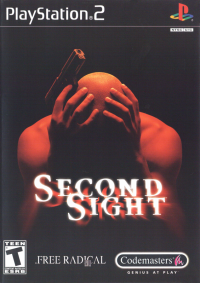
Getting Started
Set up your PlayStation®2 computer entertainment system according to its Instruction Manual. Ensure the MAIN POWER switch (on the back of the console) is ON.
Press the RESET button. When the power indicator lights up, press the OPEN button to open the disc tray. Place the Second Sight™ disc on the tray with the label side facing up. Press the OPEN button again to close the disc tray.
Attach game controllers and other peripherals as appropriate. Follow on-screen instructions and refer to this manual for information on using the software.
Memory Card (8MB) (for PlayStation®2)
To save game settings and progress, insert a memory card (8MB) (for PlayStation®2) into MEMORY CARD slot 1 of your PlayStation®2 system.
You can load saved game data from the same memory card or any memory card (8MB) (for PlayStation®2) containing previously saved games.
First Play
The first time you play Second Sight, select "Play" on the main screen.
Next, select "New Game" and enter your name following the on-screen directions. This name will be used for your memory card (8MB) (for PlayStation®2) save file. All game progress and level unlocks are saved to this file.
On subsequent plays, select the file you created to pick up the game at the beginning of the last level you unlocked.
Game Menu
SELECT LEVEL
Select the level to begin playing from. The first time you play, only the first level will be available. Also choose your difficulty level from "Normal" or "Challenging."
STATISTICS
Check out your gameplay statistics for the whole game and broken down into each completed level.
OPTIONS
Set up your game options by pressing the left analog stick or directional buttons ↑↓ to highlight an option and ←→ to change its setting.
•
Music: turn the music on or off.
•
Music volume: adjust the level of the music.
•
Sound: select from "Mono," "Stereo," or "Off."
•
Sound volume: adjust the level of the sound effects.
•
Speech volume: adjust the level of speech.
•
Screen adjust: alter the alignment of the screen.
•
Subtitles: turn subtitles on or off.
•
Vibration settings: turn analog controller (DUALSHOCK®2) vibration on or off.
•
Autosave: enable or disable autosave. Note: when playing with autosave disabled, none of your game progress will be saved.
•
Save changes: save the changes you have made and exit to the previous menu.
VIEW CREDITS
Check out the team that brought you Second Sight™.
VIEW CUTSCENE
View any of the cinematic cutscenes you have encountered during your adventure.
Getting Around
3rd Person View
Move Vattic in 3rd person view using the left analog stick. Press ↑↓ to move forwards and backwards and ⬅➡ to move left and right.
Walls and Obstacles for Stealth and Cover
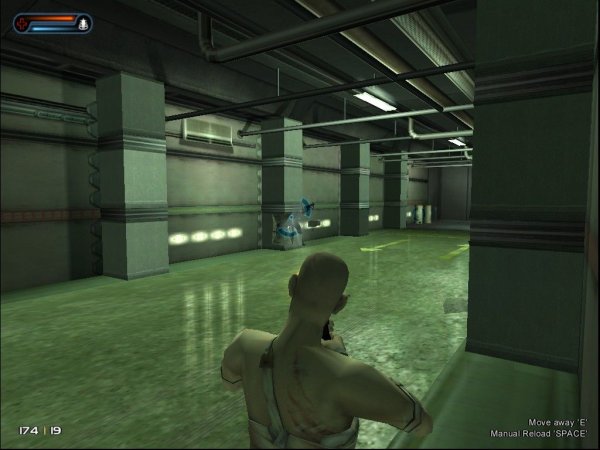
When Vattic is next to a wall (or other high object), press the left analog stick to face the wall then the R1 button to turn his back to it. Vattic may be less visible to enemies, or even able to sneak under the view cone of security cameras when hugging the walls and melding with the shadows like this.
When backed up to a wall, press the left analog stick ⬅➡ to sidle left and right. Upon reaching a corner, stop and press the left analog stick ⬅➡ to peek round and take a glimpse of the layout ahead. While peeking, press the left analog stick in the direction of the adjacent wall to edge around the corner without leaving its cover.
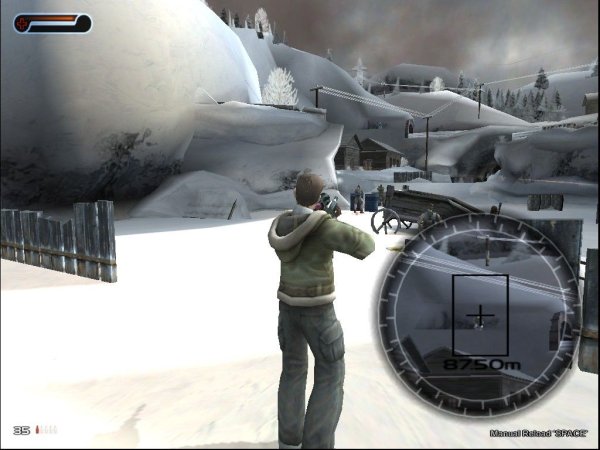
If armed with a weapon, Vattic can leap out from behind a corner, pop off a shot and return to cover before taking too much damage from enemy fire. With a weapon equipped, back up to a wall or other large object and sidle up to the end. Peek around using the left analog stick and hold the L2 button to jump out and lock onto a target (also use the right analog stick to refine Vattic's aim). Press the R2 button to fire before releasing the L2 button to dive back to safety.
Crouching
Press the ☐ button and Vattic crouches down (press the ☐ button again to return to standing). While crouching, he can move as above albeit rather more slowly. He can also make use of low level cover such as fences or packing cases to hide from enemy sight and fire.
While crouched and backed up to low cover, Vattic can sidle, peek and fire as above, and can also leap up to fire a round over the obstacle before dropping down again.
Crouch and back up to an object, then with a weapon equipped, hold the left analog stick ↑ and hold the L2 button to stand up and lock on to a target; press the R2 button to fire before releasing the L2 button to drop back under cover.
Aerial Maneuvers
While on walkways or balconies, Vattic can flip over the edge to hang by his hands.
Move Vattic to the edge and press the X button to drop and hang. Press the left analog stick ⬅➡ to swing hand-over-hand left or right; press the R1 button to climb back up to the platform, or the X button to drop down to the ground below.
1st Person View
Press the L3 button (click the left analog stick) to switch between 3rd and 1st person views.
In