Starting the Game
If you turn on the console with no disc inserted, the Audio CD Control Panel appears. To play a game, insert a Sega Saturn CD, press the D-Button UP or DOWN to move the cursor to the top left button, and press Start. The opening screens will then appear. Important: Your Sega Saturn CD-ROM contains a security code that allows the disc to be read. Keep the disc clean and handle it with care. If the system has trouble reading the disc, remove it and wipe carefully in a straight line from the center to the edge. This game is for one or two players.
Title and Mode Select
A short intro briefing followed by a game demo plays upon startup. Press Start at any time to access the Title screen. Press Start again to bring up the Mode Select screen. Use the D-Button UP or DOWN to scroll through selections, and press Start to confirm.
•
Deep Scan: Selects the Deep Scan submarine game.
•
Option: Lets you customize features of the game.
Options Menu
Press the D-Button UP or DOWN to select an option. Press Button A, B, or C to make changes in the selected option.
•
Control: Allows you to reconfigure the functions of Buttons A, B, and C.
•
Movie Scenes: Turns the movie sequences between scenes ON or OFF.
•
Friendly Hits: Enables players to attack each other when ON. No damage occurs, but characters can be knocked down.
•
Violence: Select ON to see all the gory details of your fight. Select OFF for a less graphic version.
•
Audio: Select stereo or monaural sound.
•
BGM Volume: Sets the volume of the background music. Press Button A or C to increase the volume, and press Button B to decrease it.
•
Exit: Returns you to the Mode Select screen.
Controller Note
A second player can join the game at any time by pressing Start on the unused Control Pad. However, button configurations can only be changed at the beginning of the game.
Game Over and Continue
The game ends when your character's Life Bar runs out of energy. If you have Credits remaining, a screen appears asking if you want to continue. Press Start before the timer reaches zero to continue the game. When a game is continued, your character keeps collected weapons and objects. The game is over when you run out of Credits.
Throwing Objects
The following items can be used only once but do considerable damage to terrorists. Once picked up, they can be thrown by pressing the [P]unch button.
Stages
•
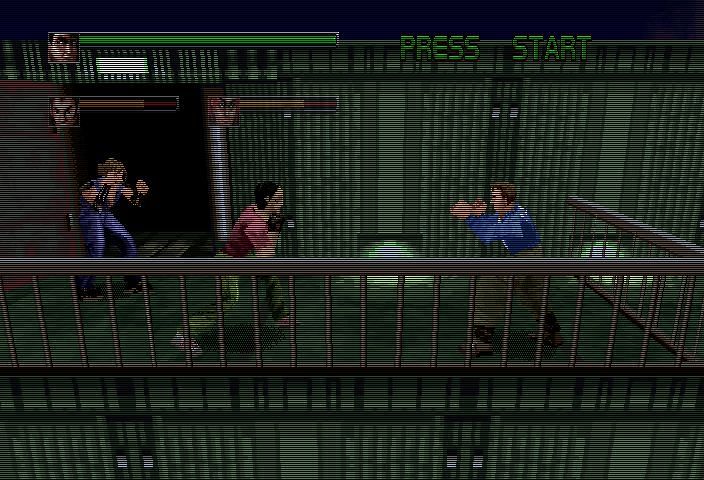
Stage One: The Top Floor
Squash a few paltry thugs to battle with a sub-boss, Hog, who is guarding the elevator to the next stage.
•
Stage Two: The Underground Parking Lot
Here your opponents are stronger and a bit sneakier. Work your way to the security room where robots try to stop you from getting closer to White Fang. •
Stage Three: The First Floor Lobby
Get past more armed terrorists and a dramatic fight in the lobby fountain for an encounter with Jocko, a sub-boss trying to stop your progress.
You're back to the top of the building and wind up in the coffee shop. White Fang has two more sub-bosses, Mr. Tubbs and Mr. Oushi, waiting to snuff your valiant attempts to save Missie. •
Stage Five: The Top Floor
This is the critical stage where it's do or die against the legendary White Fang. The fate of Missie Harrington lies in your able hands. .png)

.png)

.png)









_1.jpg)