Getting Started
Set up your Sega Saturn™ System as described in its instruction manual. Plug in Control Pad. Make sure the power is off, then insert NBA ACTION '98 disc, label side up, into the well of the CD tray and then close the lid.
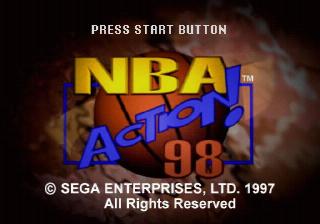
Turn the power switch on. In a few moments the title screen will appear.
Press the START Button on the Saturn Control Pad to advance past the title sequence and begin play. If the title screen doesn't appear, turn the power switch off. Make sure your system is set up correctly and the CD-ROM is properly inserted. Then turn the power switch on.
Disc Care
Your Sega Saturn CD contains a security code that allows the disc to be read. Be sure to keep the disc clean and handle it carefully. If your Sega Saturn system has trouble reading the disc, remove the disc and wipe it carefully. Start from the center of the disc and wipe straight out toward the edge. Basic Controls
•
Alley-Oop: As soon as a player raises his hand to call for the ball, pass the ball to him towards the basket.
•
Cut to Basket: After the Playcall Menu is up, press the L Shift Button to have the nearest man to the ballhandler cut to the basket.
•
Close Cut: After the Playcall Menu is up, press the R Shift Button to have the man nearest the basket cut to the basket.
•
Precision Movement: Hold down turbo and step modifier together to get faster precision movement.
Rebounding
Rebounding or "crashing the boards" is a key element in both your offensive and defensive arsenal. Use the slider bar as described within the Coaching Strategies section on page 20 to set how hard you want your team to crash the boards.
To rebound a ball on either offense or defense, press the B Button to choose the player closest to the ball and press the C Button to jump.
•
Box Out: When a shot is up, use the Y Button to have your player "Box Out."
•
Aggressive Rebound: On offense, the A Button activates an "aggressive" rebound which tries to tip the ball back in.
Free-Throws
Each time you shoot a Free-Throw, the Free-Throw Site will appear. You will use this to aim your shot.
•
The vertical icon represents the trajectory of the ball.
•
The horizontal icon represents the aim of the ball.
To shoot a perfect Free-Throw, line-up the basketball icons in the center of the grid by pressing the C Button at the appropriate time.
Main Menu
To make a selection in the Main Menu, press the D-Pad UP or DOWN to choose an option and press the C Button to enter your selection. Press the B Button to return to a previous menu.
•
Exhibition: Play a single, non-season game using the teams of your choice.
•
New Season: Begin a new season using the team of your choice. Press the D-Pad LEFT/RIGHT to set the season length at full season or reduced 28 or 54 game season.
•
New Playoffs: Choose a team and enter a regulation run for the NBA championship.
•
Practice: Warm up before the game - you have the whole floor to yourself where you can work on your dunks and perfect your shot.
•
Game Options: Adjust the game configurations to your own specifications.
•
Player Menu: Trade players, create players, view player profiles, player lineups, team rosters and user records.
Choosing Teams
Before beginning play in Exhibition, New Season or New Playoffs modes, you must first choose your team(s). Press the D-Pad LEFT or RIGHT to select your team.
When you have chosen your team, press the D-Pad DOWN and highlight the team set below and repeat. Once you have made your team choices, press the C Button to enter your selections.
Next you must assign teams. In a Single-Player game, position the "1" icon beside your team of choice and press the C Button. In a Two-Player game, player two must position the "2" icon beside his/her team of choice before pressing the C Button.
Name Entry
Entering your name allows you to keep a record of your wins, losses and personal stats.
1. Position the "1" icon beside a name bank.
2. Press the C Button to call up a letter, then press the D-Pad UP or DOWN to cycle through the letter choices.
3. Move the D-Pad RIGHT to the next space and repeat the procedure.
4. Press the C Button again once you have entered your full name.
Note: Name Entry default setting is off, therefore set to "on" to enter your name.
New Season
To begin a new season you must first choose your team. Along with each team, you will be given that squad's 1996-'97 season record along with the starting lineup. To enter your team selection, press the C Button. The Season Menu will then appear.
Here you can configure the following pre-game season settings:
•
Play Game: Begin your season.
•
Simulate Game: Select this to have the computer play the game for you. Press the C Button to see the final score of each contest.
•
NBA Standings: View the current standings in your season, and current NBA leader stats.
•
Team Roster: Displays your team roster along with each player's attributes. Cycle through attributes with D-Pad LEFT/RIGHT or press the X Button to view statistics.