Game Modes
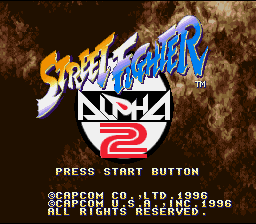
Press START on the Title screen to access the Game Mode Selection Menu. Select the desired mode with the + Control Pad, then press START.
Arcade Mode
Pick a fighter and battle your way through eight computer-controlled opponents. It's a one-player game, but a second player can join in at any time by pressing START on the second controller. If you lose, you will have the option to continue.
VS Mode
The classic two-player brouhaha. Select a fighter and pummel a friend (players can even select the same character). Match statistics are displayed between fights.
Playing the Game
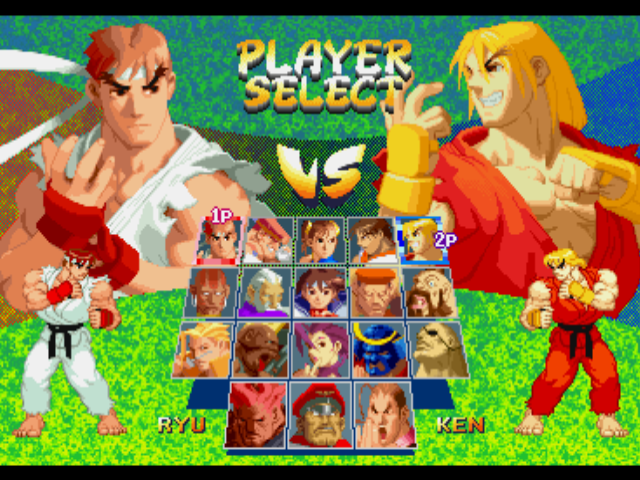
After selecting the desired game mode, you need to choose a fighter. Use the + Control Pad to select a fighter and confirm by pressing any attack button. The selected character will change colors depending on which button you use to confirm.
Select the game speed and Manual or Auto Mode.
Manual/Auto Mode
The character movement and skill level will change depending on the selection.
•
Manual: All blocking functions are performed by the player.
•
Auto: When you are not attacking your opponent, your character guards automatically. The number of available auto guards is unlimited.
Simple Command (Auto only)
Super Combos can be executed simply by pressing two buttons simultaneously. If your character has only two Super Combos, Combo #2 is executed even if you enter the command for Combo #3.
Only Level 1 Super Combos are available in Auto Mode. Note that your opponent can block Super Combos in the air while you are in Auto Mode.
Options Menu
To access the Option screen, select Option on the Mode Select screen and press START. Press ▲ and ▼ on the + Control Pad to select the desired option. Press ◀ and ▶ on the + Control Pad to change the setting. Press START to return to the Mode Select screen.
Option Mode Settings
•
SOUND: STEREO / MONAURAL
•
CONFIG: 1PLAYER / 2PLAYER
•
TIME LIMIT: 99 / 60 / 30 / ∞
•
GAME SPEED: NORMAL / TURBO1 / TURBO2
Option Descriptions
•
Number of Rounds: Adjust the number of rounds per match.
•
Game Difficulty Level: The more stars you highlight, the more difficult the opponents will be to defeat.
•
Sound Mode: Play the game in monaural sound or hear your opponent scream in stereo!
•
Button Assignment: Change the button configuration for your fighter's punches and kicks.
•
Time Limit: Set the time limit for a round.
•
Damage: The level of damage can be changed from 1 to 4. This determines how much damage you inflict and how much you receive.
•
Game Speed: Change the game speed.
•
Auto Guard: Turn the Auto Guard on or off.
•
Exit: Return to the Mode Select screen.
Super Combo Level Gauge
Each time you execute normal moves and special moves, your Super Combo Gauge will build up. Your level will increase when the gauge reaches certain points, and then you will be able to perform Super Combos, Custom Combos and Alpha Counter moves.
Super Combo
Each character has three different Super Combo levels. The higher the level, the more damage you can inflict.
The amount of damage inflicted by a combo can be controlled depending on the buttons pressed. The more buttons you press simultaneously, the more damage will be inflicted but more power will be consumed from your gauge.
Custom Combo
You can use an Original Combo by using the Super Combo Gauge.
When the Super Combo Gauge reaches Level 1 or above, press the PPK or KKP buttons simultaneously and your character will explode into a Custom Combo. Above the Super Combo Level Gauge will be the Custom Combo Timer.
Custom Combo Timer
While in the Combo, execute any punch, kick or special move to make up your multi-hit combination. Once the Timer expires, the Combo will end.
Custom Combo Hints
•
1. Make continuous hits in the air and blow away your opponent!
•
2. Use special attacks to do more damage to your opponent.
•
3. Move fast! You don't have much time to execute a special attack!
•
4. You can make a deadly throw while pummeling your opponent!
.png)

.png)
