Saving the Game
•
Designated areas like buildings in the Village (e.g., Shiroma's house). •
Within dungeons before moving to the next floor, but only if carrying a "Memory Tag".
You will always be able to save in designated areas such as Shiroma's house. Within the dungeon, saving before the next floor is only possible if Chocobo has a "Memory Tag". If HP Reaches Zero
If Chocobo's HP reaches zero, Chocobo and companions will be taken out of the dungeon to ground level. All acquired items, including equipment, will be lost. Equipped items should be scattered on the level where Chocobo reached zero HP. You can check the floor number where equipped items are scattered by pressing the START button and looking at the Status Screen. Ending the Game
There is no "game over" in Chocobo's Dungeon 2. You can quit the game at any time (except while saving) by turning the power OFF. Always save before turning the power OFF. When restarting, the game will resume from the previous save point. It is recommended to save each time you find a rare item.
Dungeons & The Village
The game progresses as Chocobo travels between dungeons and the Village. Repeating this process will uncover secrets of the story. Understanding the characteristics of each place is important for smooth advancement. Dungeons
In dungeons, Chocobo and friends battle monsters and navigate traps to advance the story. They may encounter mysterious characters or boss monsters. Village
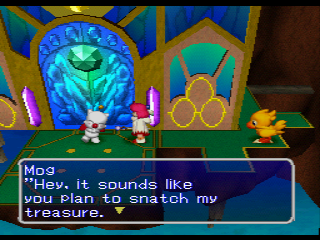
In the Village, you can buy and sell items, combine items, and gather information from villagers. Later, you can store items in Storage Facilities. The game can also be saved in designated areas.
Remember to stock up on hard-to-find items in the Village.
Mysteries of the Dungeons
Become familiar with these features before entering the caves.
Three Mysteries of the Dungeons
•
The Dungeon Layout Changes Each Time Chocobo Enters The dungeons randomly rearrange each time Chocobo enters. Remembering monster and trap positions will not help. An unknown world awaits in each dungeon. Some walls can be knocked down with special items, revealing precious items or monsters.
•
The Appearance Of "Doom"
If you search the same floor for too long, "Doom" will appear and chase Chocobo and companions. It is dangerous to linger on a single floor. Walk Around the Village
After battles in the dungeon, Chocobo and friends can rest in the Village. The Village has various shops and establishments. Villagers may have interesting stories; listen well and rest for the journey. About The Village Establishments
•
Shiroma's House: The young White Mage lives here. •
The Bomb Family's House: Mrs. Bomb and her three children live here.
•
Storage Facility: Chocobo can pay to have items stored here. •
Tool Shop: Items are sold and bought here.
•
Restaurant: Restaurant of the renowned Chef le Tonberry.
•
Laboratory: Five Black Magicians conduct experiments here.
Reading and Using the Screen
Various information is displayed on the screen. Use this information to act effectively in dungeons. The Character and Command Screens can be displayed by pressing the button.
•
Displays the current floor number.
•
Displays Chocobo's current ability level. •
Displays current HP/Max HP. When current HP reaches zero, Chocobo will be taken to ground level. While Energy is at least 1%, Chocobo will slowly recover HP while walking. •
This number represents Chocobo's Energy. It decreases as Chocobo walks. When it reaches 0%, HP will start to decrease. •
The ATB Bar. This bar shows the action type of Chocobo and monsters, along with their speed. •
Chocobo's companions. Each has unique ways of helping, but they may become separated. •
The floor map. Displays the current floor and visited sections.
Character Screen
Pressing the button displays the Character Screen in the lower section, showing Chocobo's current status. •
Displays the Experience Points necessary for Chocobo to Level UP. •
Displays the items Chocobo is currently equipped with. •
Displays the amount of money Chocobo currently has. •
Displays the deepest floor Chocobo has visited. •
Displays Chocobo's current Attack Power. •
Displays Chocobo's current Defense Power. •
Displays Chocobo's Defense Power against enemies' Special Attacks. Use Various Commands
Pressing the button displays the Command Screen in the top left. Use UP or DOWN to select commands, and press to execute.
•
ITEM (EQUIP AND USE VARIOUS ITEMS)
Chocobo can use carried items. Press LEFT or RIGHT to move Item Screen pages, and UP or DOWN to select an item. This command allows Chocobo to use expendable items like Tonics, Cards, and Magic Books. •
Equip/Unequip (Equip/Unequip Weapons & Armor)
This
.png)


.png)
