Game Modes
Formula 1 98 features two distinct racing styles: ARCADE mode and GRAND PRIX mode. ARCADE Mode
•
Straightforward arcade style race GRAND PRIX Mode
•
Complete CHAMPIONSHIP across all 16 circuits of the 1998 season
CHALLENGE Race Mode
This mode has an arcade feel initially, but becomes progressively more sim-like. Getting Started
For quick racing, refer to the ARCADE RACING section. This covers basic options to get you straight into an arcade race. For a more demanding and realistic experience, the GRAND PRIX RACING section details extensive car and race setup options. Demo Mode
If the game is left on the Main Menu screen, it will enter a demo. Press the button to bypass this.
Intro Sequence
The game begins with an intro sequence. Press the button on your Controller to bypass it.
Language Selection
•
Use the Left and Right Directional buttons to scroll through national flags.
•
Press the button to confirm your language selection.
THE MAIN MENU SCREEN
•
Use the Up and Down Directional buttons to highlight your choice.
•
Use the Left and Right Directional buttons to switch option choices.
NUMBER OF PLAYERS
Use the Left and Right Directional buttons to scroll between:
•
Single Player: Offers Grand Prix, arcade, time trials, challenge, and championship racing. •
Two Players: A two-player split-screen race offering Grand Prix, arcade, and time trials. See MULTI PLAYER RACING for more information. •
One Player + Link: A two-player race offering Grand Prix, arcade, and time trials via a Link cable. See MULTI PLAYER RACING for more information. •
Two Players + Link: A four-player split-screen race offering Grand Prix, arcade, and time trials via a Link cable. See MULTI PLAYER RACING for more information. GAME MODE
Use the Left and Right Directional buttons to scroll between:
•
Arcade Race: See section ARCADE RACE for more information. •
Arcade Time Trial: See section ARCADE TIME TRIAL for more information. •
Grand Prix Race: See section GRAND PRIX RACE for more information.
•
Championship: New: See section GRAND PRIX CHAMPIONSHIP: NEW for more information.
•
Championship: Load: See section LOADING AND SAVING GRAND PRIX CHAMPIONSHIPS for more information.
•
Arcade Challenge: New: See section ARCADE CHALLENGE for more information. •
Arcade Challenge: Load: See section LOADING AND SAVING ARCADE GAMES for more information. GAME OPTIONS
Highlight this option and press the button to open the Game Options Menu Screen. Use the Up and Down Directional buttons to highlight options.
•
Music Volume: Use Left and Right Directional buttons to alter.
•
Effects Volume: Use Left and Right Directional buttons to alter.
•
Commentary Volume: Use Left and Right Directional buttons to alter.
•
Change Language: Press the button to select. Use Left and Right Directional buttons to scroll flags.
•
Change Controls: Press the button to select. Use Left and Right Directional buttons to cycle through configurations. Press the button to select. To calibrate analog controllers, select the Controller option.
•
Display Options: Use Up and Down Directional buttons to switch options. Use Left and Right Directional buttons to scale.
•
Lens Flare - Choose between ON and OFF
•
Map Mode - Choose between Scrolling, Rotate and OFF for the on-screen map.
•
Map Zoom - Choose between x1, x2, x3 or x4 zoom
•
Race Line - Choose between ON and OFF.
•
Camera - Choose between 4 different camera set-ups; Low, Medium, High and Cockpit.
•
Display - Choose between mph and kmh for on-screen speed display.
•
Replay - Choose between ACTION REPLAY including Fast Forward and Rewind or the longer EXTENDED REPLAY.
•
Done - Return to GAME OPTIONS SCREEN
•
Screen Options: Adjust horizontal and vertical positions of the game window. Use Directional buttons to adjust.
•
Load All: Loads all game elements (car setup, championship progress). Highlight and press the button to select. Use Directional buttons to highlight the Memory card block and press the button to load. Press the button to return to the previous screen, or press the button to alternate between Memory cards. Confirm your choice with 'Yes' or 'No'. Press the button to cancel.
•
Save All: Saves all game elements. Highlight and press the button to select. Use Directional buttons to highlight a free or used Memory card block. Press the button to save. Press the button to delete a block. Press the button to return to the previous screen. Use the button to switch between Memory cards. Confirm your action with 'Yes' or 'No'. Press the button to cancel.
•
Back: Move back to the MAIN MENU SCREEN.
QUICK RACE
Highlight this option and press the button to go straight into a one or two-player arcade style race. No track or car setup options are presented. The game loads current settings and starts an arcade race. Changes to settings will be reflected in subsequent Quick Races. ARCADE RACING
ARCADE RACE
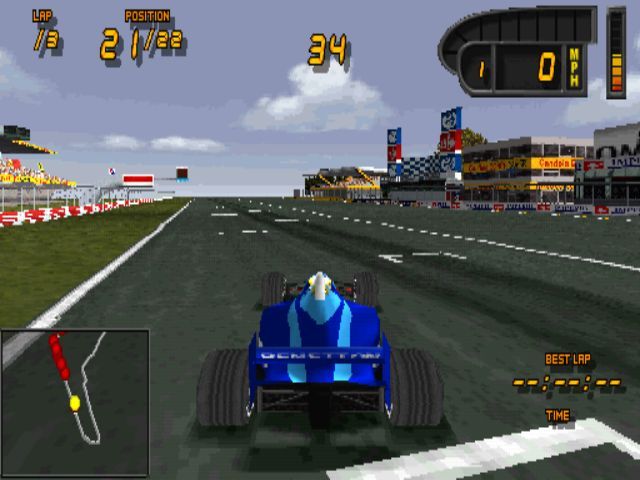
This style of racing is pick-up-and-play. Cars are more robust and easier to handle than in GRAND PRIX mode. You race against the clock and other drivers. The clock starts with  (Rev 1).png)

.png)
 (En,Fr,De,Es,It,Fi).png)
 (En,Fr,De,Es,It).png)


_1.png)

.png)
.png)