Setting Up Your PlayStation
Set up your PlayStation™ game console according to its Instruction Manual. Ensure the PlayStation™ power is off before inserting or removing a compact disc. Insert the IN THE ZONE '98 disc and close the Disc Cover. Insert game controllers and turn on the PlayStation™ game console. Follow on-screen instructions to start a game. Thank you for purchasing Konami's IN THE ZONE '98. Please read this manual carefully before playing. Console Views
Top View
Front View
Mode Selection
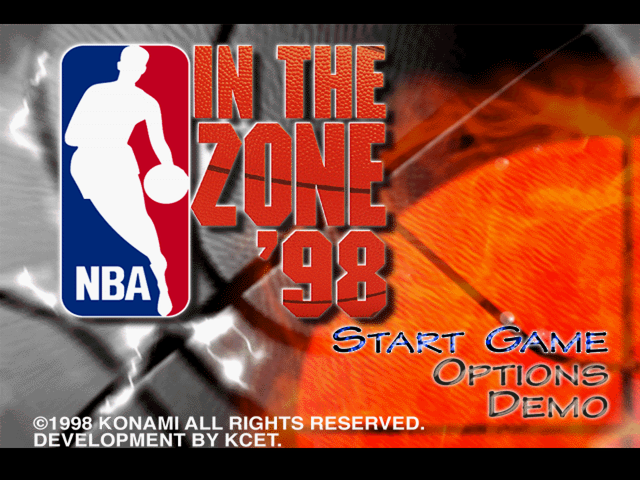
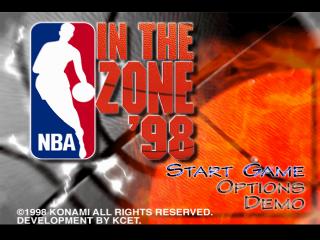
Select one of 3 modes at the Title screen. Use the Directional buttons to highlight menu options, and press the button to go to the next screen. To return to the previous screen, press the button.
•
Start Game: Go to the Game Mode selection screen.
•
Options: Go to the Options screen to change game settings.
•
Demo: Watch the demo movie.
Game Modes
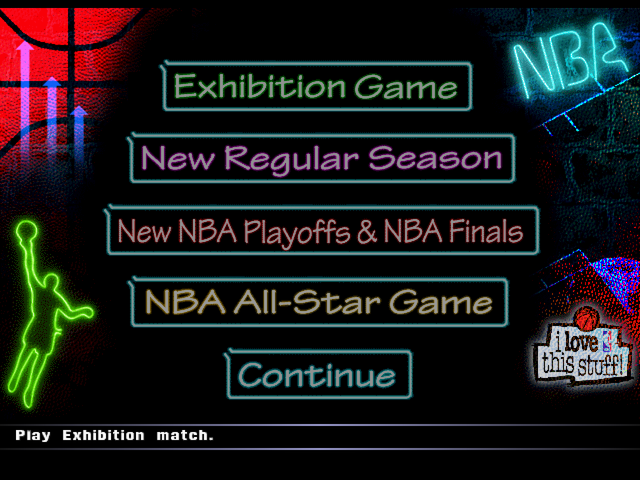
Exhibition
Play a single exhibition game against another team. Up to 8 people can play together by using 2 Multi Taps (up to 5 with 1 Multi Tap).
New Regular Season
Play a complete NBA season of 82 games. If your team plays well you can advance to the NBA Playoffs. Up to 5 people can play together if you use a Multi Tap.
Playoffs & Finals
Select a team and compete in the NBA Playoffs. Up to 5 people can play together if you use a Multi Tap.
All-Star Game
Play an All-Star game between an Eastern Conference team and a Western Conference team.
Continue Game
1. Restore a previously saved game from the Memory Card. Select a file from the Memory Card and load it.
2. Select "Next" to go to the Tip Off menu.
•
In this mode, there are some settings you won't be able to change.
3. If necessary, you can substitute players before starting. Select "Tip Off" to begin the game.
4. When the game is over, you can choose to continue, quit or save the game to the Memory Card from the Game Results screen.
•
If there is no data on the Memory Card, the Game Select screen will appear.
Memory Card
You MUST have a Memory Card to be able to save season games and settings. If you have a Memory Card you can save and load the following data:
•
Changes made from the Set Up screen
•
Your progress in New Regular Season and New Playoffs & Finals game modes
How to Load a File
1. Select a Memory Card slot with the Directional buttons and press.
2. Use the Directional buttons to scroll through the files.
3. Press the button to load the file.
How to Save a File
1. Select a Memory Card slot with the Directional buttons and press.
2. Use the Directional buttons to scroll through the files or select "New Data".
3. Press the button to save the file.
Game Menu Screens
Choose "Start Game" at the Title screen to go to the Game Mode Select screen. After selecting your game mode you will be able to adjust game options, view statistics and other game parameters.
Highlight the different modes with the Directional buttons, and press the button to make your choice.
Exhibition, Season and Playoffs
After selecting a game mode you move through screens in the following order.
•
Player Setup: Choose Home, Away or no player.
•
Team Select: Choose your team. In Exhibition Mode you also have to choose your opposition.
•
Rules: Adjust the game rules.
•
Next: Choose this to go to the Tip off Menu.
•
Simulate: If you choose this the upcoming game will be played automatically and you will only see the score. Not available in Exhibition Mode.
•
Calendar: View the 1997-1998 NBA schedule. Only available in Season mode.
•
Standings: View the current season standings. Only available in Season mode.
•
NBA Playoffs Tree: View the current Playoff tree. Only available in Playoff Mode.
•
Team Stats: View the statistics by team.
•
Player Stats: View the statistics by player.
•
League Leaders (Team): View the top teams in each statistical category. Not available in Exhibition Mode.
•
League Leaders (Player): View the top players in each statistical category. Not available in Exhibition Mode.
Playoff Tree
You can adjust the number of games in the playoffs by changing the "Playoffs series" option on the Rules screen.
During a Free Throw
-
 (Rev 1).png)


 (Rev 1).png)




.png)
 (Rev A) (SGB Enhanced) (GB Compatible).png)

.png)
.png)






.png)








_1.png)



.png)

