GETTING STARTED
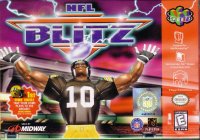
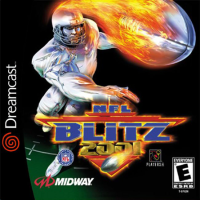
Set up your PlayStation® game console according to its Instruction Manual. Ensure the power is off before inserting or removing a compact disc. Insert the NFL® BLITZ™ 2001 disc and close the Disc Cover. Insert game controllers and turn on the PlayStation game console. Follow on-screen instructions to start a game. To quit a game in progress, press Start. Select ABORT GAME, then select YES again to confirm and exit the game, or select NO to return to your game.
PlayStation Console Diagram
Multiplayer
NFL Blitz 2001 supports up to Four Players. If you choose to play a Three or Four player game, you'll need the Multi Tap adapter. This will allow all players to participate at the same time. Multi Tap Adapter Warning
If you choose to use the Multi Tap Adapter, remember that a controller must be plugged into Controller Port 1A before connecting the Multi Tap to Controller Port 1, or a controller must be plugged into Controller Port 2A before connecting the Multi Tap to Controller Port 2 on the PlayStation® game console. Multi Tap Diagram
MAIN MENU
ARCADE
Jump right into a game with up to four players. This is your basic "pick up and play" game mode.
SEASON
Season Mode allows a player (this is a 1 Player game mode) to select up to 8 teams and play an entire NFL season with each team. More information is available on Pages 13-14.
TOURNAMENT
Host a tournament with up to 8 teams. Choose your teams, set up the tournament and find out who's the best! See Page 15 for all the details.
PARTY GAMES
Choose from 3 different mini-games to challenge your Blitz skills! See Page 16 for more information. PLAYBOOK EDITOR
Create your own plays or edit the existing ones in this mode. See Pages 17-21 for details.
OPTIONS
Customize your game with a variety of game options. See Pages 11-12 for more.
PLAYING THE GAME
Before we get into the other game modes in NFL Blitz 2001, let's talk about the basic rules and features you'll find when playing. CONTROLLER SELECTION
Up to four players can participate in some game modes of NFL Blitz 2001. At the Controller Select screen, move your controller to the player number you wish to play as. This feature allows players to compete against each other or team up against the CPU team. When you have selected your player number, press to continue. TEAM SELECTION
Only players located in the Player 1 or Player 3 spots of the Controller Select screen will be able to choose their team. Press Up and Down to view the different NFL teams. The bottom of the screen will show the team's statistics. To select your team, highlight the team and press to continue.
HINT
To select your team at random, press Left on the Directional buttons (or Left Analog Stick) and press L1 at the same time.
CODE ENTERING
A great feature in the game is the ability to enter secret codes before the game. This is accomplished by pressing your gameplay buttons to cycle through different icons on the bottom of the screen. Once your icon sequence has been entered, press the Directional buttons in a specific direction for that code to work.
If you've done everything correctly, you'll hear a sound and the correct code's name will flash below your icons. The codes must be entered at the Match-Up screen quickly because you only have a few seconds to enter as many as you can! Each player may enter codes under his/her own icon bar.
PLAYER CONTROL
NFL Blitz 2001 allows you to play with up to four players. If you are playing a four player game, the teams are split into two players per team. Remember that in order to play with more than two people, you need a Multi Tap adapter. On Offense or Defense, two players can put their skills together to crush their opposition. On Offense, one of the players is the Quarterback, while the other player is set as a Receiver without any specific play pattern to follow. On Defense, you can have one player rush the QB or just hang back with the other player to ensure that no progress is made by the Offense.
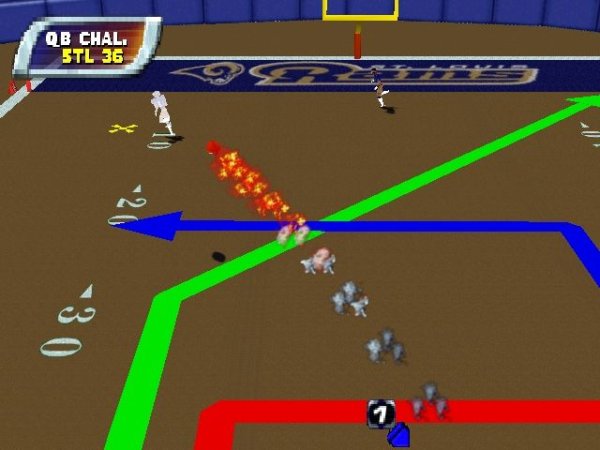
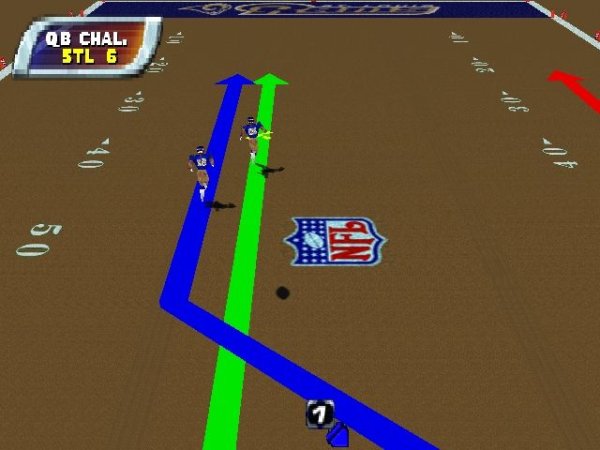
Each player will have an icon above them with their player number to show their location on the field. Each player's TURBO METER is located on the bottom of the screen.
OPTIONS
At the Main Menu, highlight OPTIONS and press . A window will appear showing the adjustable options in NFL Blitz 2001. To change the option, highlight it and press . Next, highlight the option setting and press ✔ to lock in the setting. DIFFICULTY
This determines how difficult the AI (Artificial Intelligence) in the game will be. Select from EASY, MEDIUM or HARD and press.
QUARTER LENGTH
This option sets the length of each quarter in the game. Choose from 1, 2,