PlayStation Setup
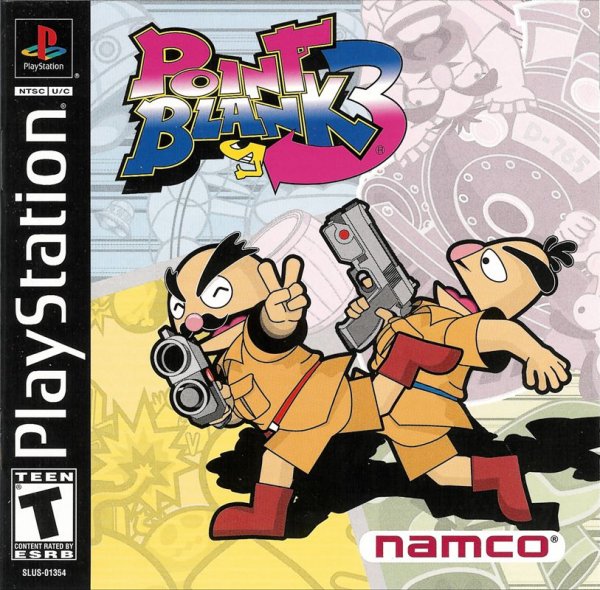
To load and run Point Blank 3 on your PlayStation game console, follow these simple instructions. Set up your PlayStation game console according to the instructions in the Instruction Manual. Make sure the power is OFF before inserting or removing a compact disc. Insert the Point Blank 3 disc and close the disc cover. Insert one or more game controllers and turn on the PlayStation game console. Follow the on-screen instructions to start a game. Memory Cards
You can play Point Blank 3 without a MEMORY CARD. However, you will need a MEMORY CARD if you want to save your game data for Point Blank 3. To save or load game settings and results, insert a MEMORY CARD into MEMORY CARD slot 1 of the PlayStation game console before starting play. Getting Started
This section will explain how to get started in Point Blank 3. You can perform most tasks in the game by simply aiming and shooting at the screen. Title Screen
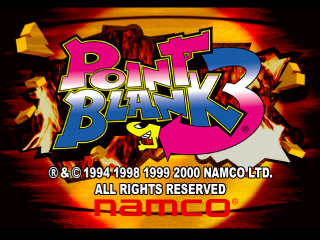
The Title Screen will automatically appear when the opening animation ends. You can also make the Title Screen appear by pressing the trigger, or the A or B Button (or the Start Button on a controller) during the opening animation.
If you are using a Guncon™, pressing the trigger, or the A or B Button at the title screen will bring up the Guncon Calibration Screen. The Mode Selection Screen will appear after you are finished calibrating.
Autoload
Sound setting, screen adjustment, and high score data will be loaded automatically if a MEMORY CARD with Point Blank 3 game data is inserted in MEMORY CARD slot 1 before the Title Screen is displayed. Starting the Game
How to Calibrate the Guncon
Before you start playing, you need to calibrate the Guncon. You can do this on the Guncon Calibration Screen that appears after the Title Screen or by selecting Gun Setup in the Options Mode. The aim may be off if you start playing without calibrating the Guncon.
•
Start the game. Select OPTIONS Mode in the Mode Selection Screen. In the Options Screen, select Settings, then select Gun Setup.
•
A target will be displayed in the center of the screen. Aim for the center of the target and shoot.
•
An "X" will appear on the screen after you shoot. (The "X" will be red for Player 1 and blue for Player 2.) Compare the position of "X" on the screen to where you are aiming to make sure that the Guncon is calibrated correctly.
•
Repeat steps 2 and 3 until the Guncon is calibrated correctly. Then, press the A or B Button on the Guncon. This will return you to the Mode Selection Screen.
Mode Selection Screen
There are 6 modes to choose from in the Mode Selection Screen. Each mode is represented by a building on separate islands. Aiming at the building will display a text box with a description of the selected mode.
To enter a mode, shoot the building representing the mode you want to select. You will automatically enter the mode, as Dr. Don and Dr. Dan dash to the selected island.
Advice
Did you know that you can shoot down UFOs and sink the sailboats that appear in the background of the Mode Selection Screen? Try looking for targets in the other screens, too!
Options Mode
Enter Options Mode to change the game settings and Save/Load the game data.
Save/Load
To save or load the game data, select SAVE or LOAD. The High Score ranking of each mode will be lost once the PlayStation® is reset. However, if you save your game before you quit, you can retrieve the High Score ranking and other game data the next time you play. •
To Save/Load your game data, your Memory Card must be inserted in Memory Card slot 1.
Settings
Gun Setup
Similar to the Gun Setup Screen that appears when you first start the game, use this mode to calibrate the Guncon™. For details on how to calibrate the Guncon, see the section on "HOW TO CALIBRATE THE GUNCON".
Controller
Enter this option to adjust the radius of your shots. If you are using a Guncon, you can also reassign the A and B Button functions. If you are using a controller, you can adjust the speed of the crosshair.
Sound
Shoot the large animated portrait at the center of the screen to toggle between STEREO and MONO.
Screen
Shoot the left/right/up/down arrows to adjust the screen position.
Arcade Mode
Play the Arcade Mode for instant satisfaction. Up to two players can play simultaneously.
Basic Rules
The basic rules of Point Blank 3 will appear on-screen when you enter the Arcade Mode. Check the rules and press the A or B Button (START Button) to join the game. Difficulty Selection
Select one of four different difficulties - PRACTICE, BEGINNER, ADVANCED, and INSANE. There are 4 stages in PRACTICE and 16 stages in BEGINNER, ADVANCED, and INSANE.
Stage Selection
Once a difficulty level is selected, four different stages are automatically displayed on-screen. Select from one of four stages to play.
Basic Rules
If you fail to complete your stage objective or if you shoot the wrong target, you will lose a life.
To Clear a Stage
Once a stage is selected, the conditions for clearing the stage, including time limit